วิธีประหยัดเงินในฐานะ ผู้ส่งของ CarryLug
CarryLug ประหยัดทั้งเงินและเวลาในการจัดส่งสินค้านานาชาติ คุณจะประหลาดใจที่เห็นว่าค่าบริการของผู้ขนส่งที่เชื่อถือได้ของเราถูกกว่าบริการส่งของทั่วไปถึง 10 เท่าและมักจะมาถึงจุดหมายได้เร็วกว่า ปฏิบัติตามขั้นตอนด้านล่างเพื่อเป็นส่วนหนึ่งของชุมชนของเราและเพลิดเพลินกับประโยชน์ของระบบอัจฉริยะของเรา
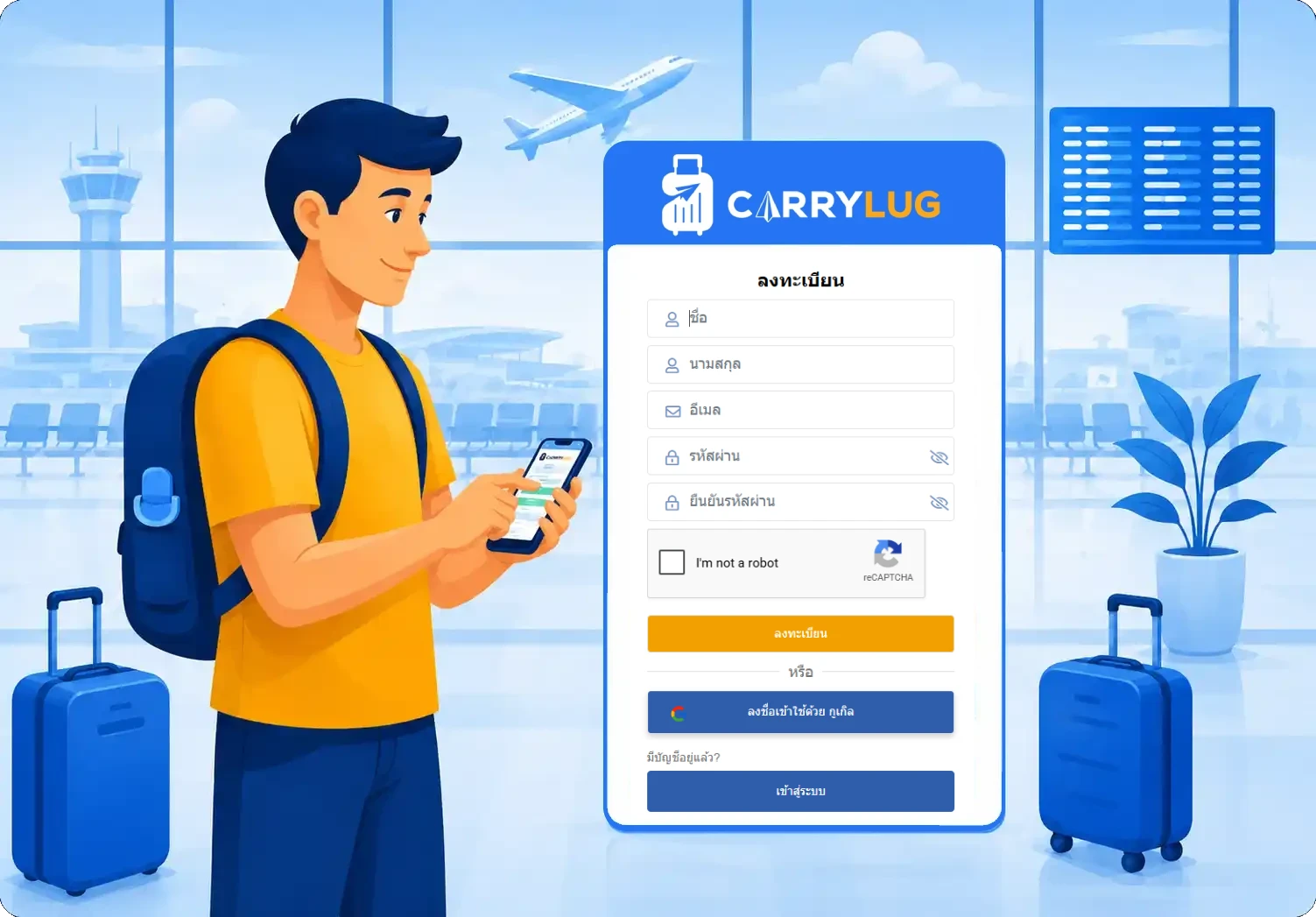
1. ลงทะเบียนเพื่อเป็นผู้ส่งของ CarryLug
เพิ่มรายละเอียดของคุณ ลงทะเบียนฟรีและเพิ่มโปรไฟล์ของคุณ เมื่อโปรไฟล์ของคุณได้รับการอนุมัติแล้ว รายละเอียดของคุณจะแสดงในตลาดของเราและคุณจะพร้อมที่จะเข้าร่วม
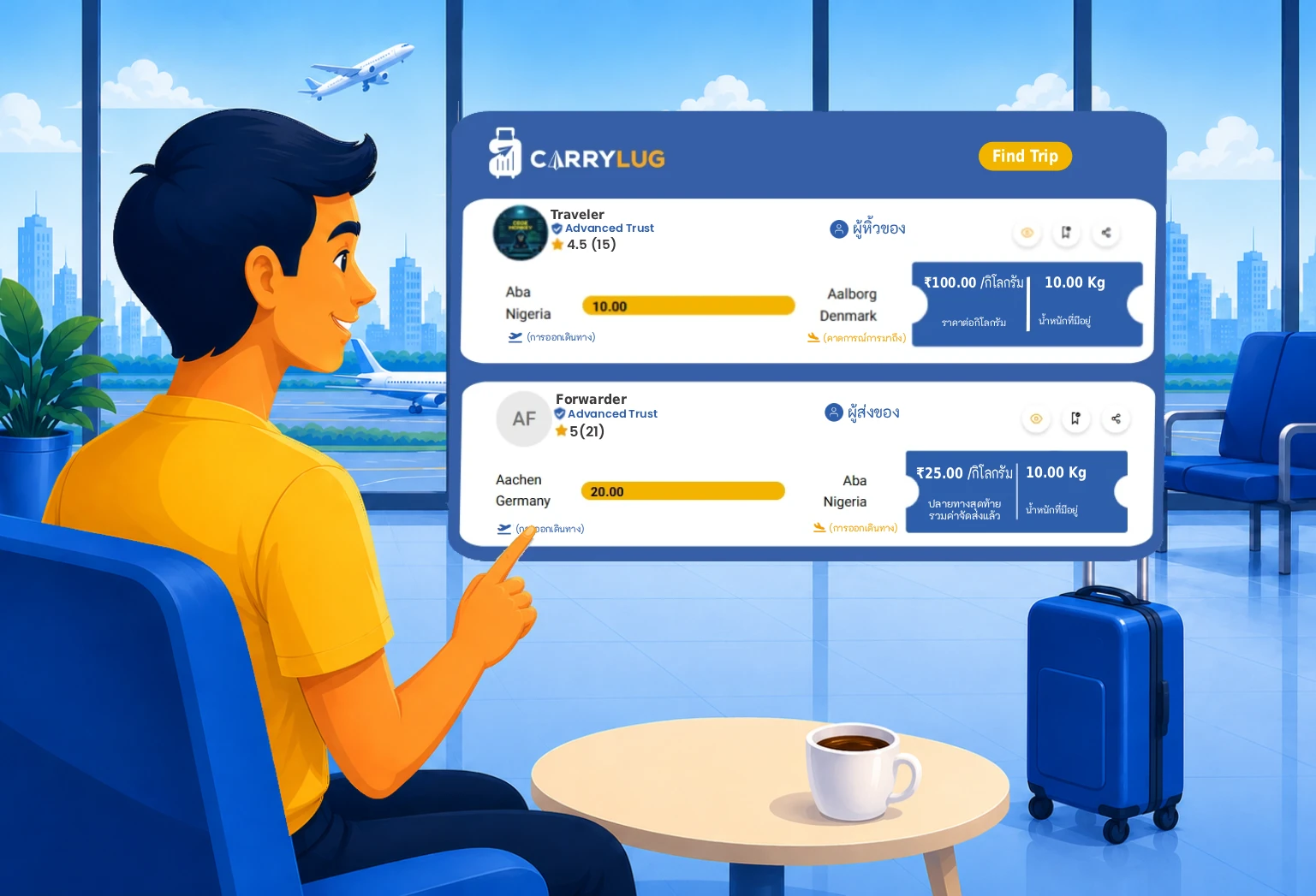
2. เลือกการเดินทางและผู้ขนส่งที่คุณต้องการ
เชื่อมต่อและทำความรู้จักกับผู้ขนส่งของคุณ ด้วยระบบอัจฉริยะของเรา คุณสามารถค้นหาผู้ขนส่งที่กำลังจะเดินทางไปยังจุดหมายการจัดส่งของคุณได้อย่างง่ายดาย ติดต่อพวกเขาผ่านระบบแชทส่วนตัวของเราเพื่อค้นหาบุคคลที่ดีที่สุด นอกจากนี้เรายังมีบอร์ดข้อความที่คุณสามารถสนทนาได้ในฐานะโพสต์ข้อความ
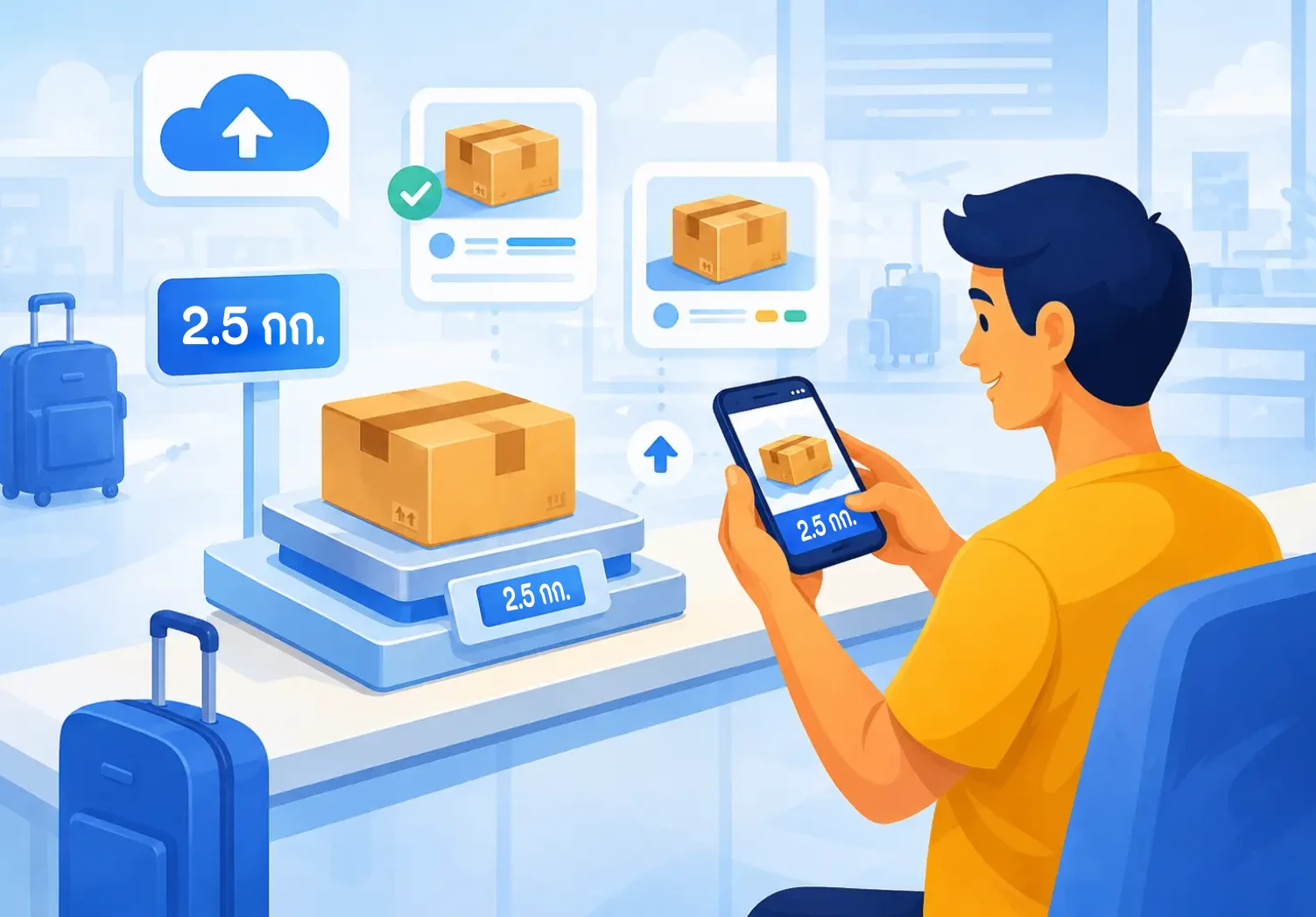
3. กำหนดน้ำหนักของคุณ กรอกรายละเอียดและอัปโหลดรูปภาพของสินค้า
ถ่ายรูปและแชร์กับผู้ขนส่งของคุณ ก่อนการจัดส่ง เราขอแนะนำให้คุณอัปโหลดรูปภาพของพัสดุของคุณลงในระบบเป็นหลักฐานยืนยันเนื้อหา
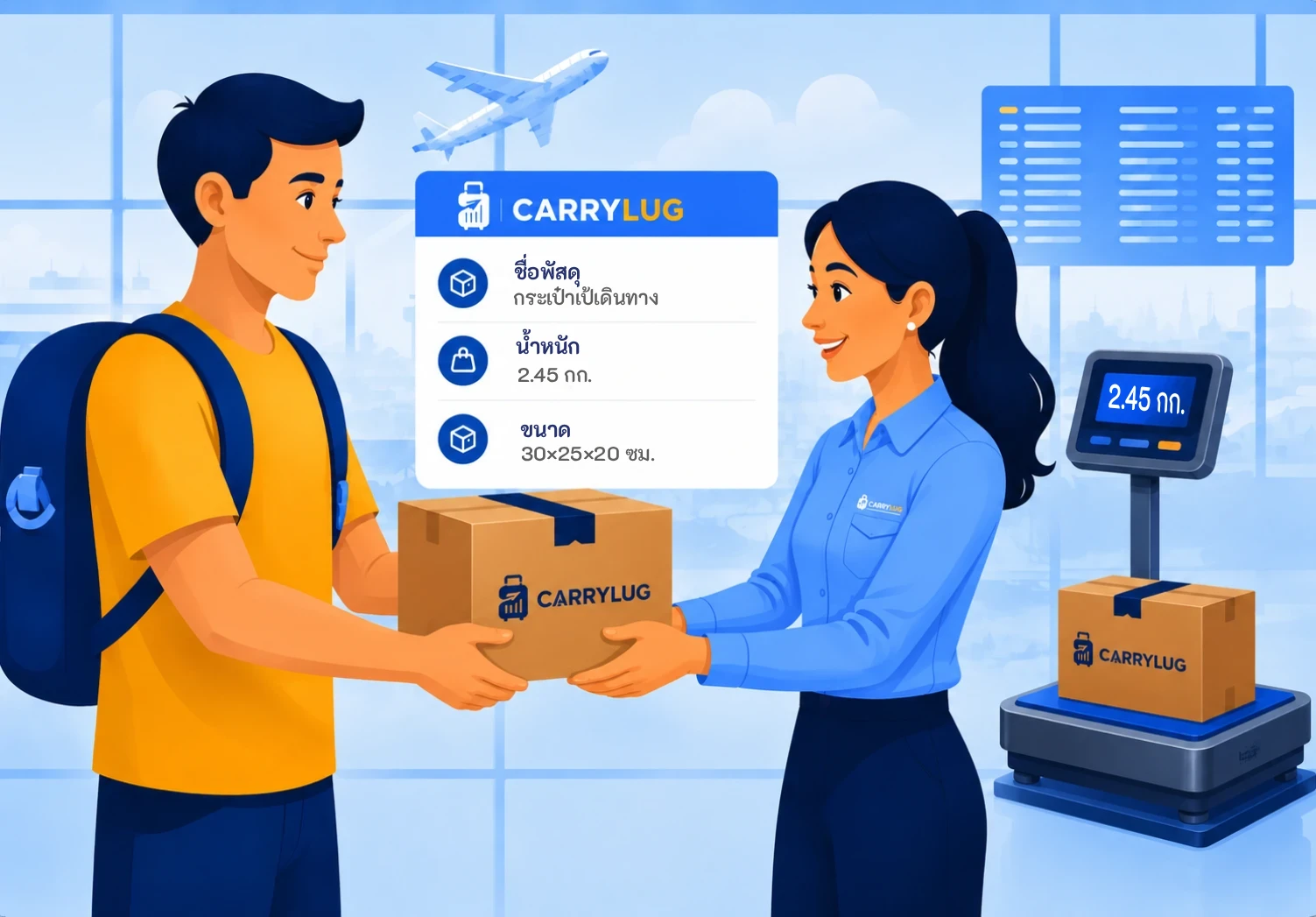
4. พบกันด้วยตัวเองหรือติดต่อทางไปรษณีย์
ปิดดีล นี่เป็นการตกลงกันโดยทั้งสองฝ่าย คุณสามารถชำระเงินล่วงหน้าได้ทันทีหรือเมื่อพัสดุมาถึงมือผู้รับอย่างปลอดภัย สนทนารายละเอียดการชำระเงินกับผู้ขนส่งของคุณและตกลงเรื่องการจัดการที่เหมาะสม
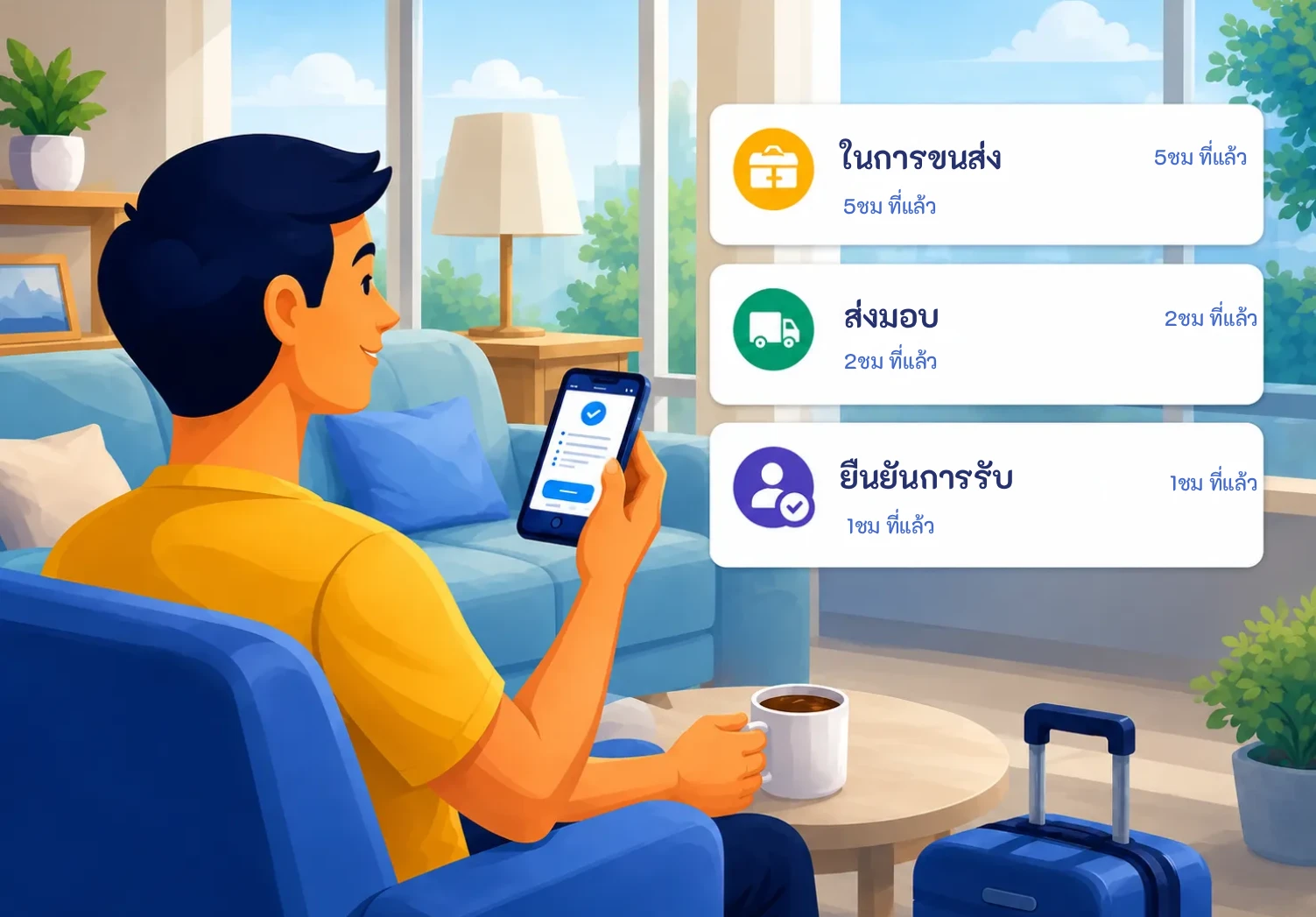
5. รอให้ผู้ขนส่งของคุณถึงจุดหมายและรับการแจ้งเตือน
รับพัสดุของคุณ นั่งผ่อนคลาย ไม่ต้องกังวล เนื่องจากผู้ขนส่งจะอัปเดตสถานะการติดตามในระบบของเราอย่างต่อเนื่องและจะแจ้งให้คุณทราบถึงการเปลี่ยนแปลง เมื่อพัสดุของคุณมาถึงจุดหมายสุดท้าย เพียงแจ้งให้ผู้ขนส่งทราบว่างานเสร็จสมบูรณ์แล้ว
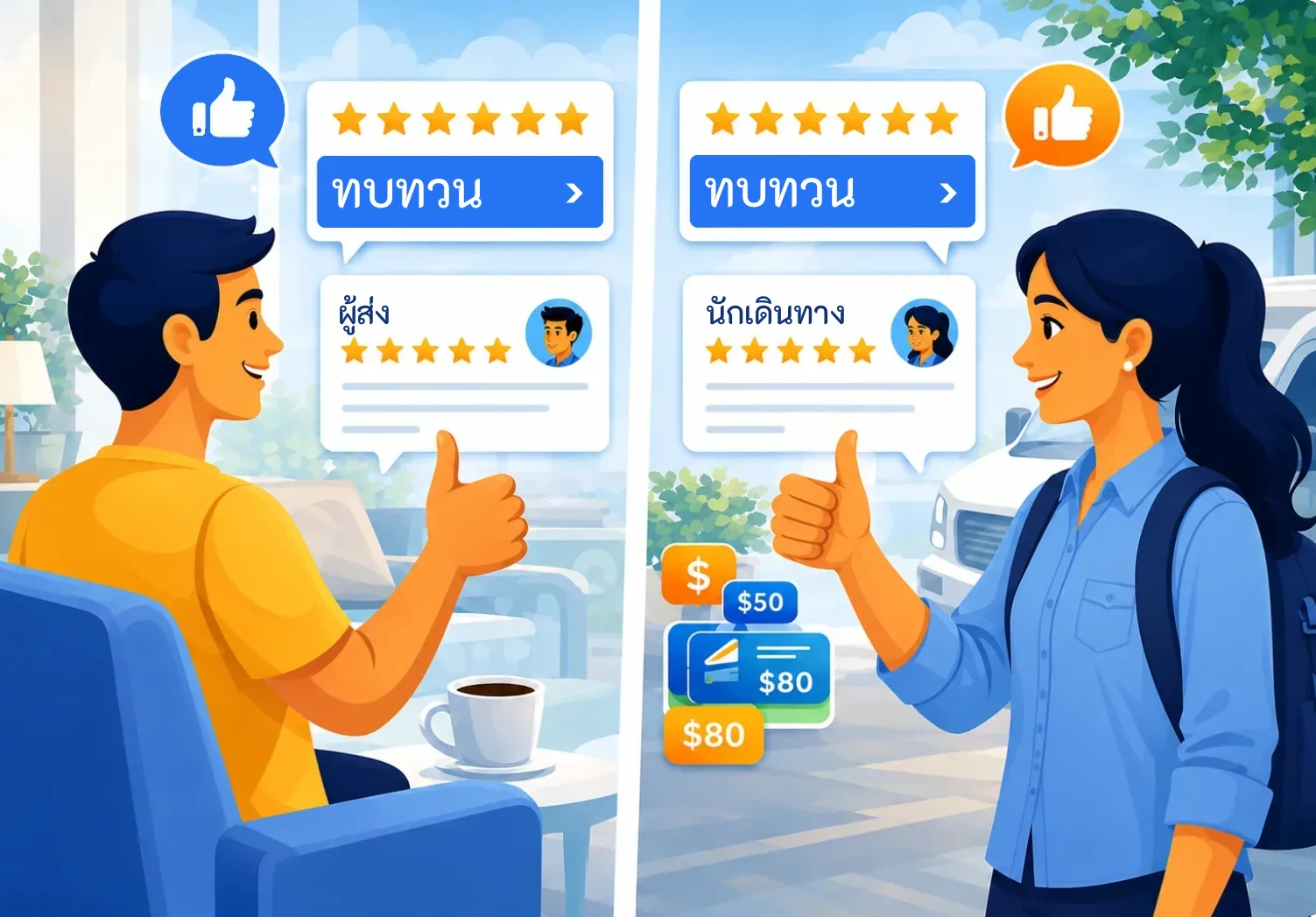
6. เขียนรีวิวและรู้สึกดี
ให้ดาวผู้ขนส่งของคุณตามที่เขา/เธอสมควรได้รับ ความคิดเห็นของคุณช่วยปรับปรุงชื่อเสียงของเขา/เธอในฐานะผู้ขนส่งที่เชื่อถือได้ รวมถึงแจ้งให้ผู้ส่งคนอื่นทราบว่าผู้ขนส่งนั้นดีแค่ไหน CarryLug เป็นชุมชนและเราต้องสร้างความเชื่อมั่นระหว่างสมาชิกในชุมชน ความพยายามในการรีวิวผู้ขนส่งและให้คะแนนของคุณนั้นมีค่ามากสำหรับสมาชิกทุกคนของเรา
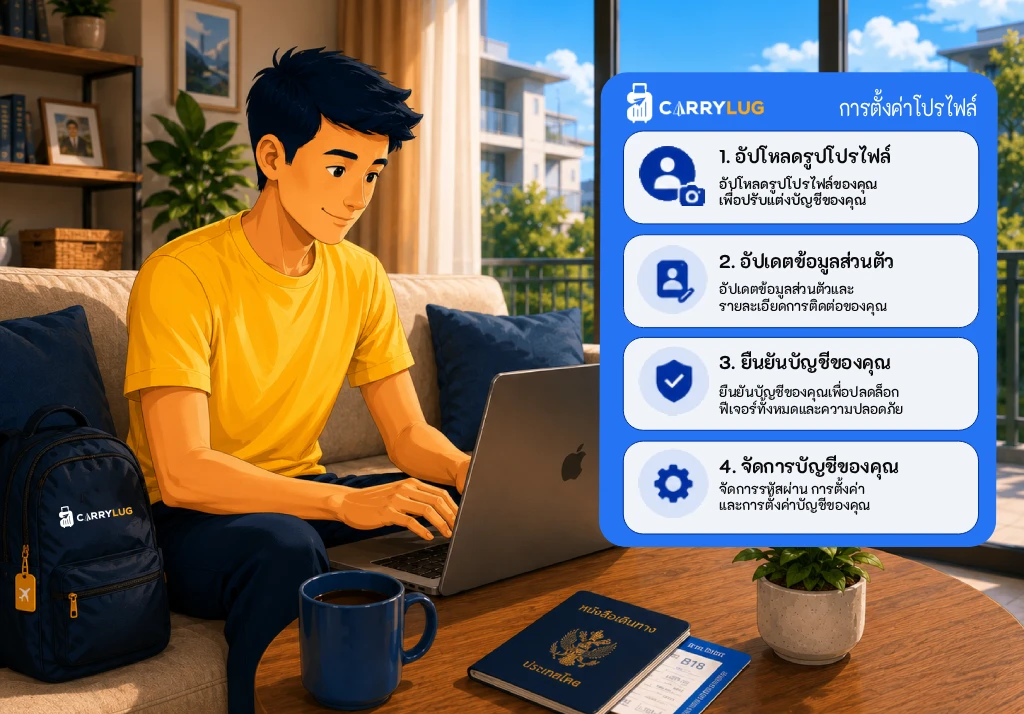
7. ตั้งค่าโปรไฟล์และตรวจสอบข้อมูลของคุณ
อัปเดตข้อมูลโปรไฟล์ของคุณให้ทันสมัยอยู่เสมอ อัปเดตรูปโปรไฟล์ ระดับความน่าเชื่อถือ และข้อมูลสำคัญอื่น ๆ เพื่อช่วยให้ผู้ส่งสินค้ารู้สึกมั่นใจในการเลือกคุณเป็นผู้ส่งของที่น่าเชื่อถือ ซึ่งรวมถึงการเดินทางที่คุณบันทึกไว้ รีวิวจากผู้ส่งสินค้าคนก่อน และรายชื่อผู้ใช้งานที่ชื่นชอบคุณด้วย
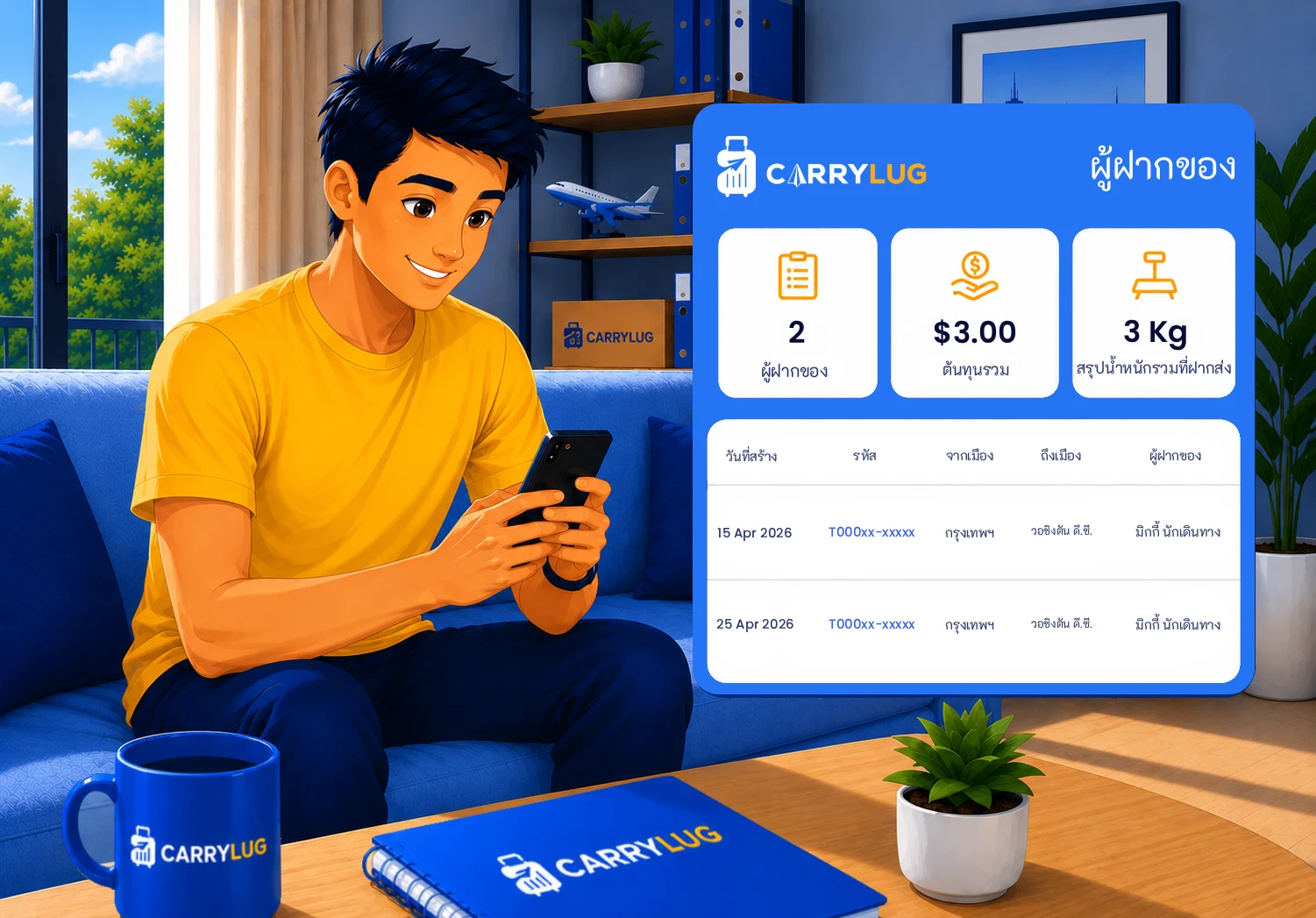
8. ตรวจสอบดีลและรายได้ของคุณ
ติดตามดีลและรายได้ของคุณได้อย่างง่ายดาย ระบบของเราช่วยให้คุณสามารถตรวจสอบดีลทั้งในอดีตและปัจจุบัน รวมถึงจำนวนเงินที่คุณได้รับจากแต่ละดีลได้อย่างสะดวก วิธีนี้จะช่วยให้คุณจัดการกิจกรรมการจัดส่งของคุณได้อย่างเป็นระเบียบ และดูได้ว่าคุณประหยัดค่าใช้จ่ายไปได้มากเพียงใดจากการใช้ CarryLug
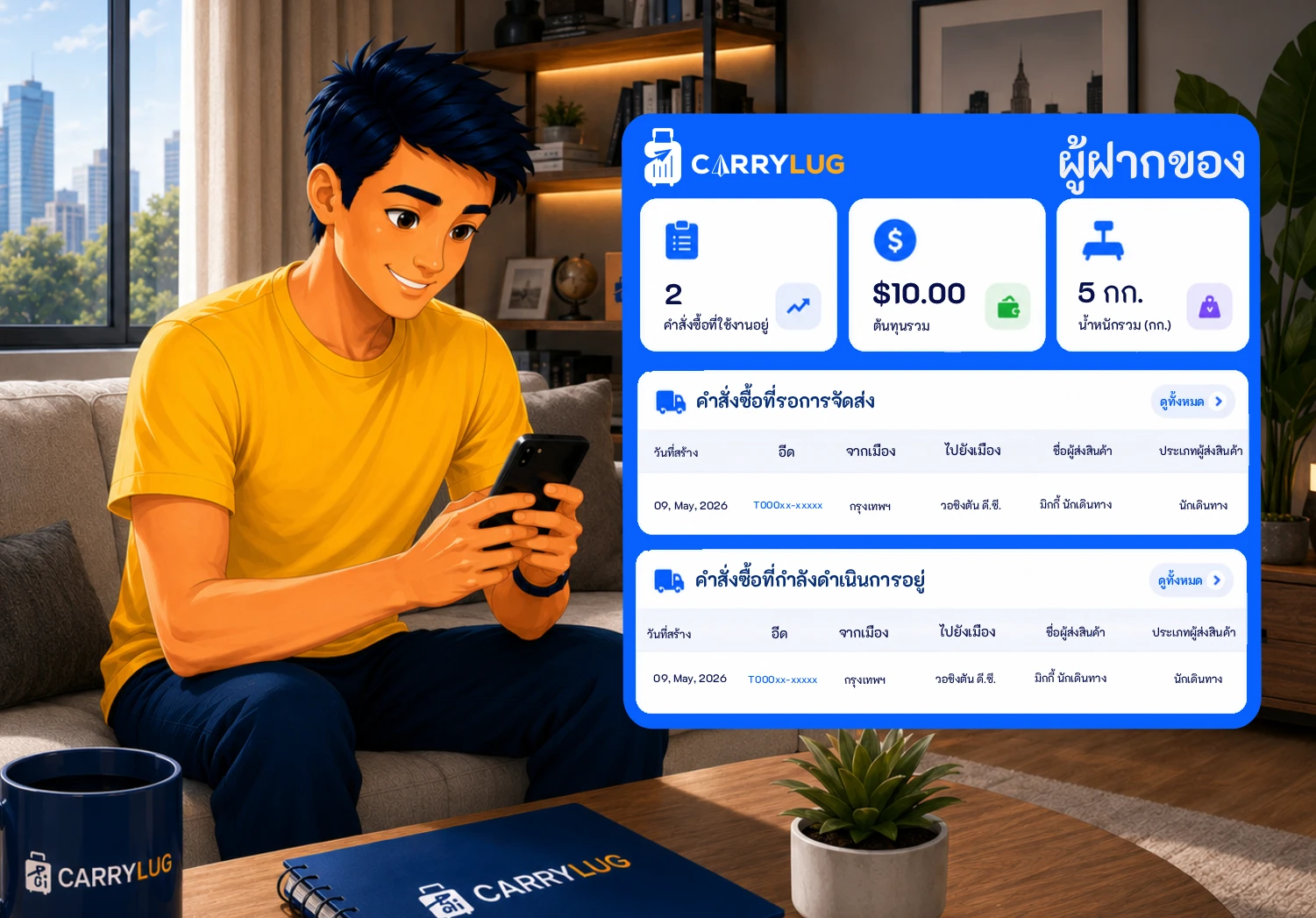
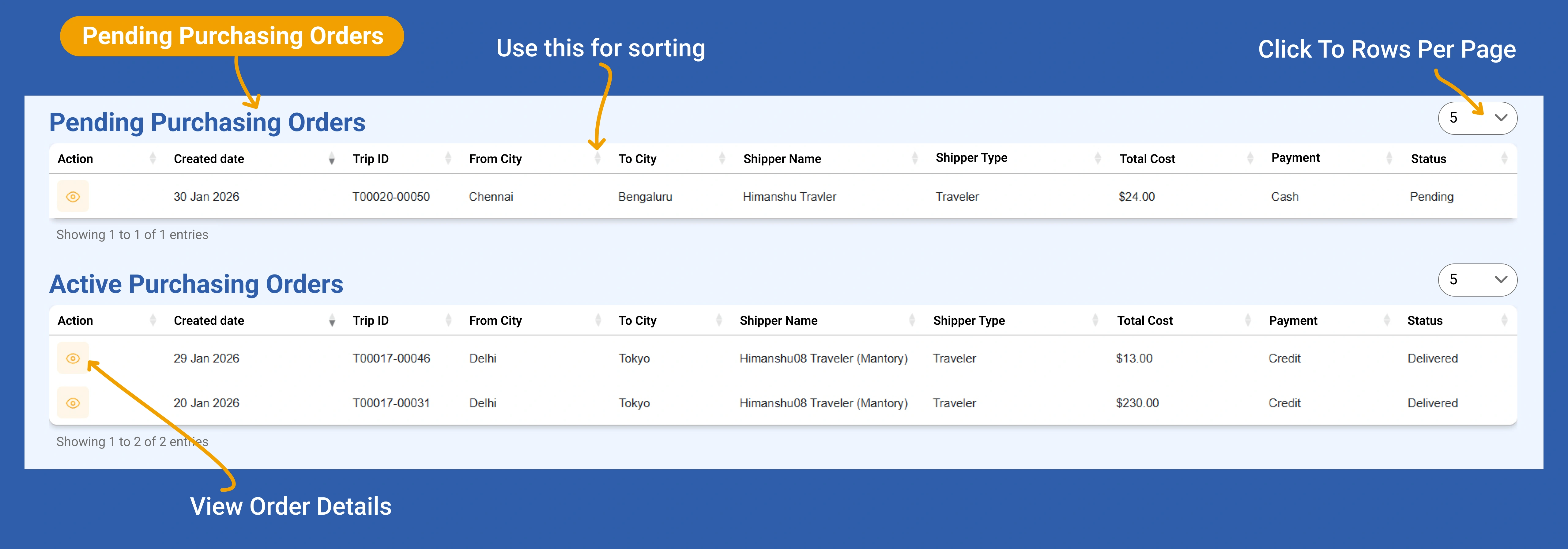
9. ตรวจสอบดีลที่กำลังดำเนินการและดีลที่รอดำเนินการจากแดชบอร์ด
จัดการดีลที่กำลังดำเนินการและดีลที่รอดำเนินการของคุณ คุณสามารถดูและจัดการดีลที่กำลังดำเนินการและดีลที่รอดำเนินการทั้งหมดได้อย่างง่ายดายจากแดชบอร์ดของคุณ ช่วยให้คุณจัดระเบียบงานได้ดีขึ้นและติดตามกิจกรรมการจัดส่งทั้งหมดได้ในที่เดียว
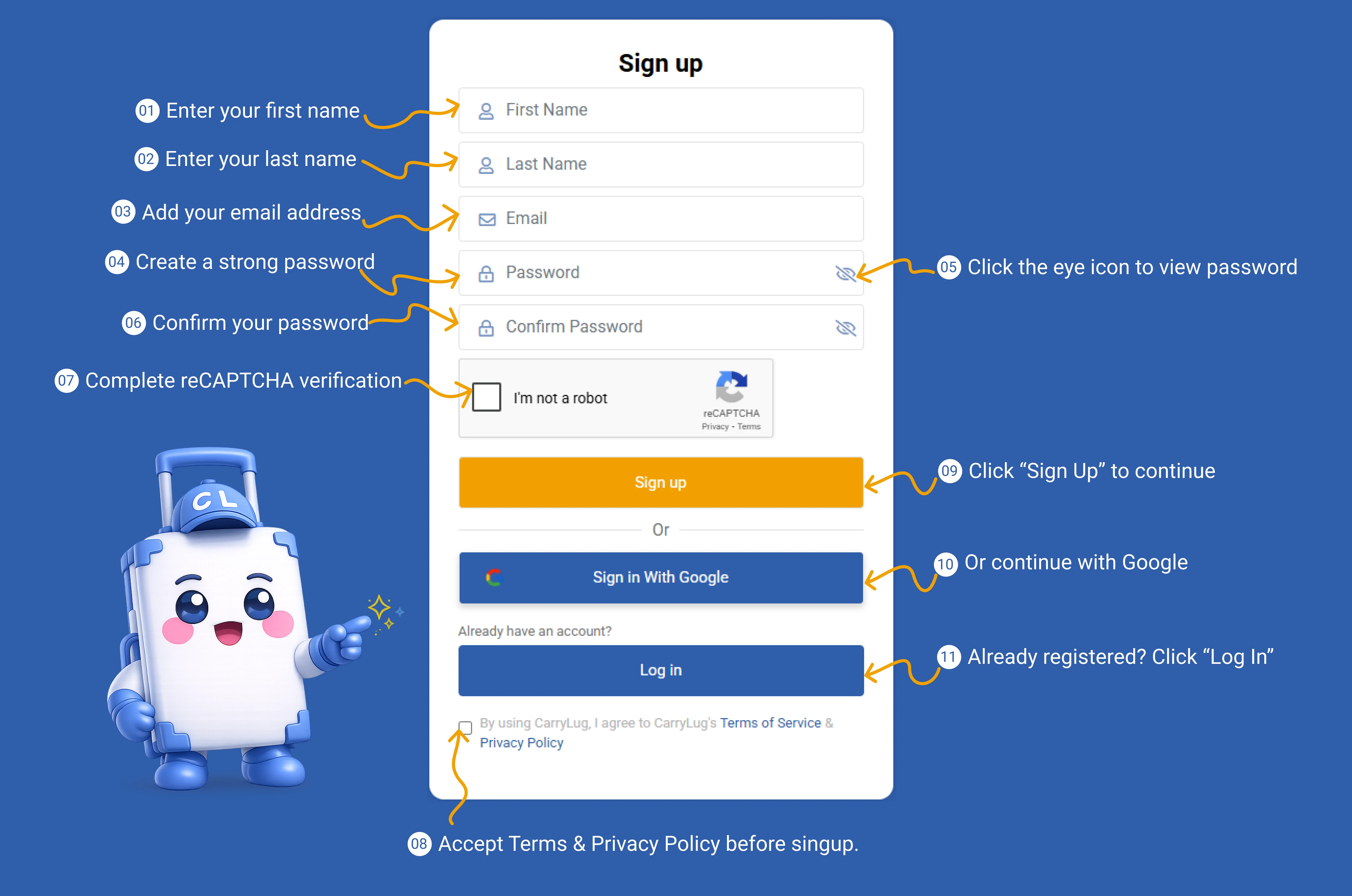
สร้างบัญชี CarryLug เพื่อเริ่มต้นใช้งานในฐานะผู้ส่ง
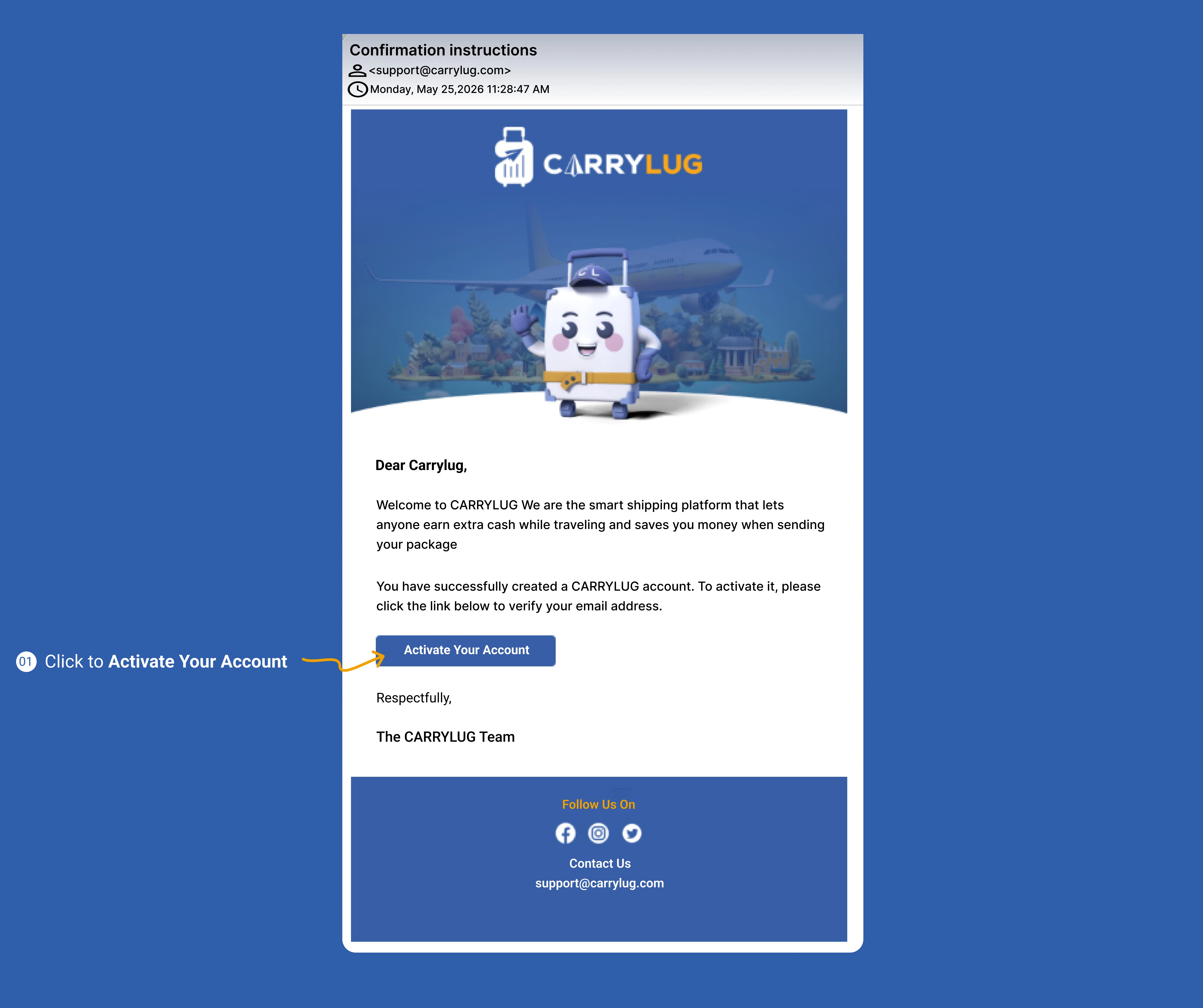
You’re Just One Click Away From Earning. Check Your Email to Activate Your Account
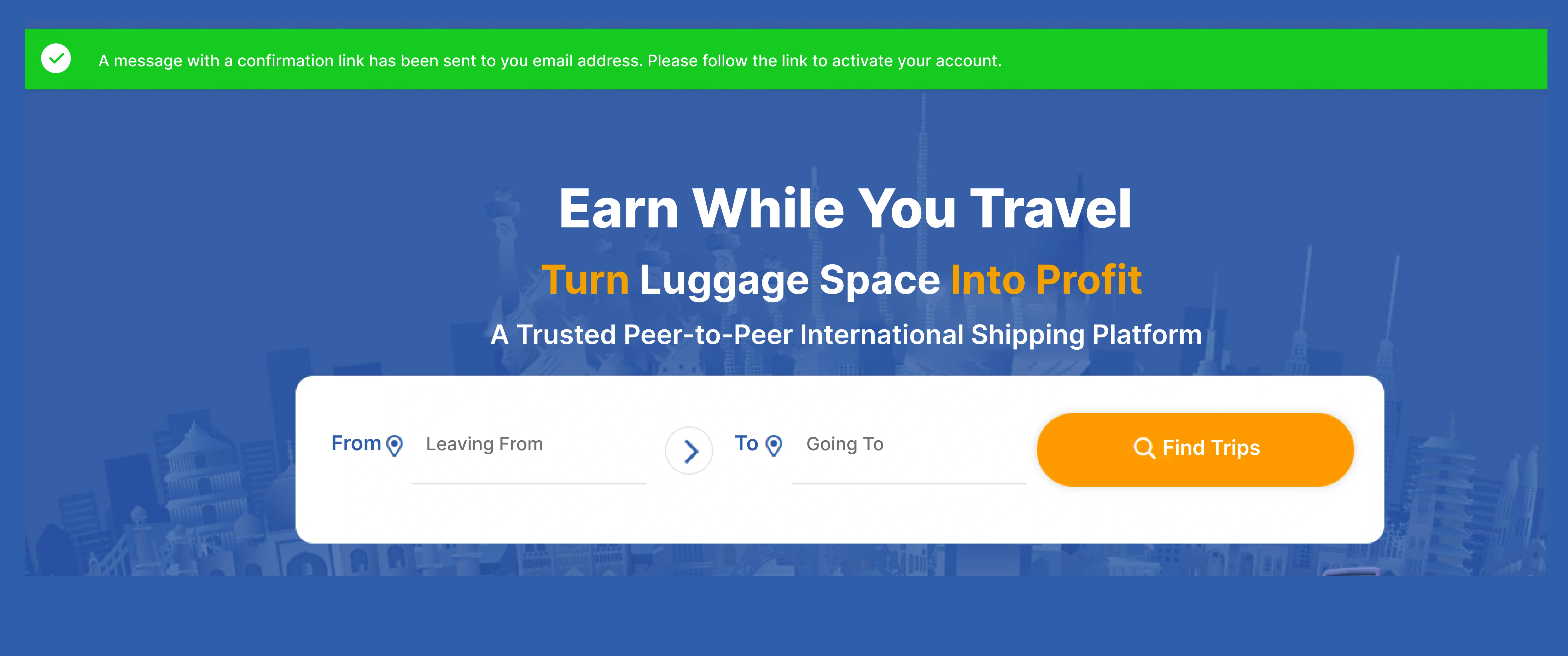
Activate Your Account & Share Space. Deliver Smiles. Earn Money.
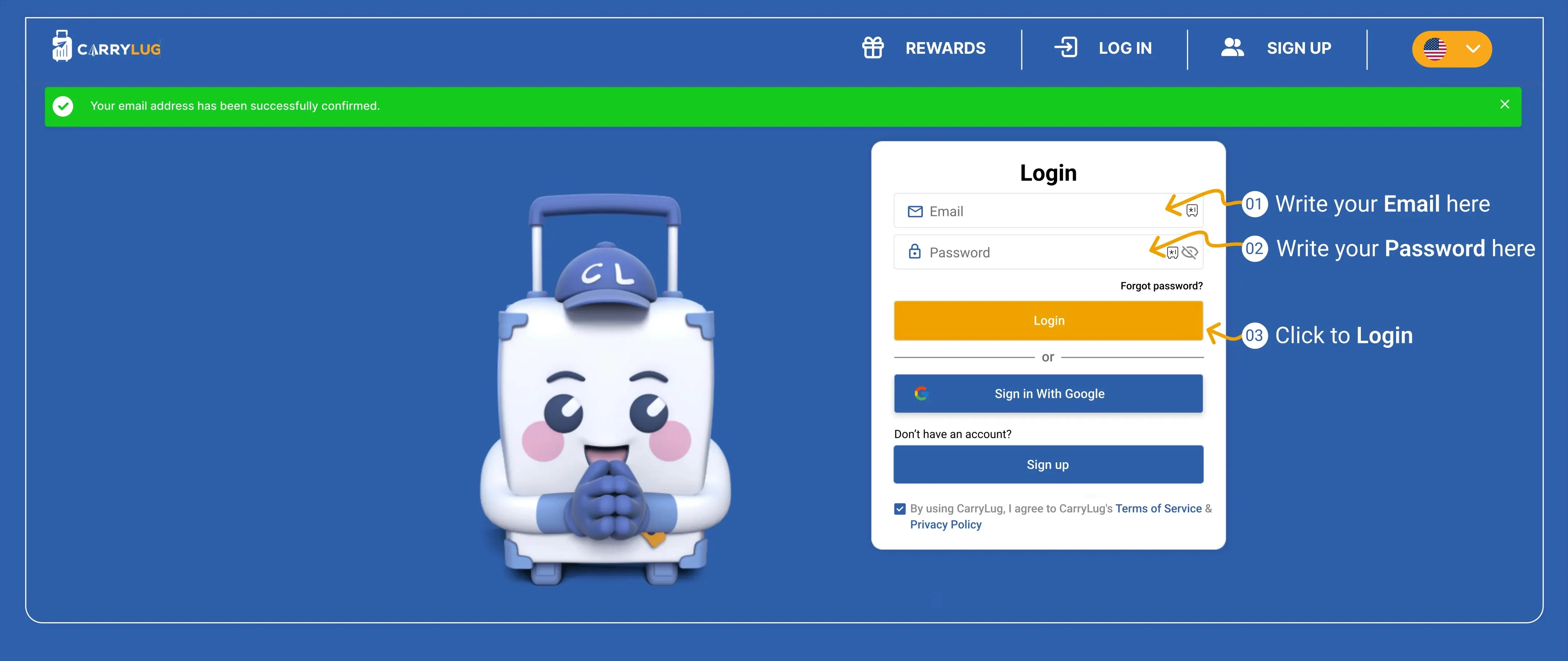
Verification Successful! Let’s Get Started
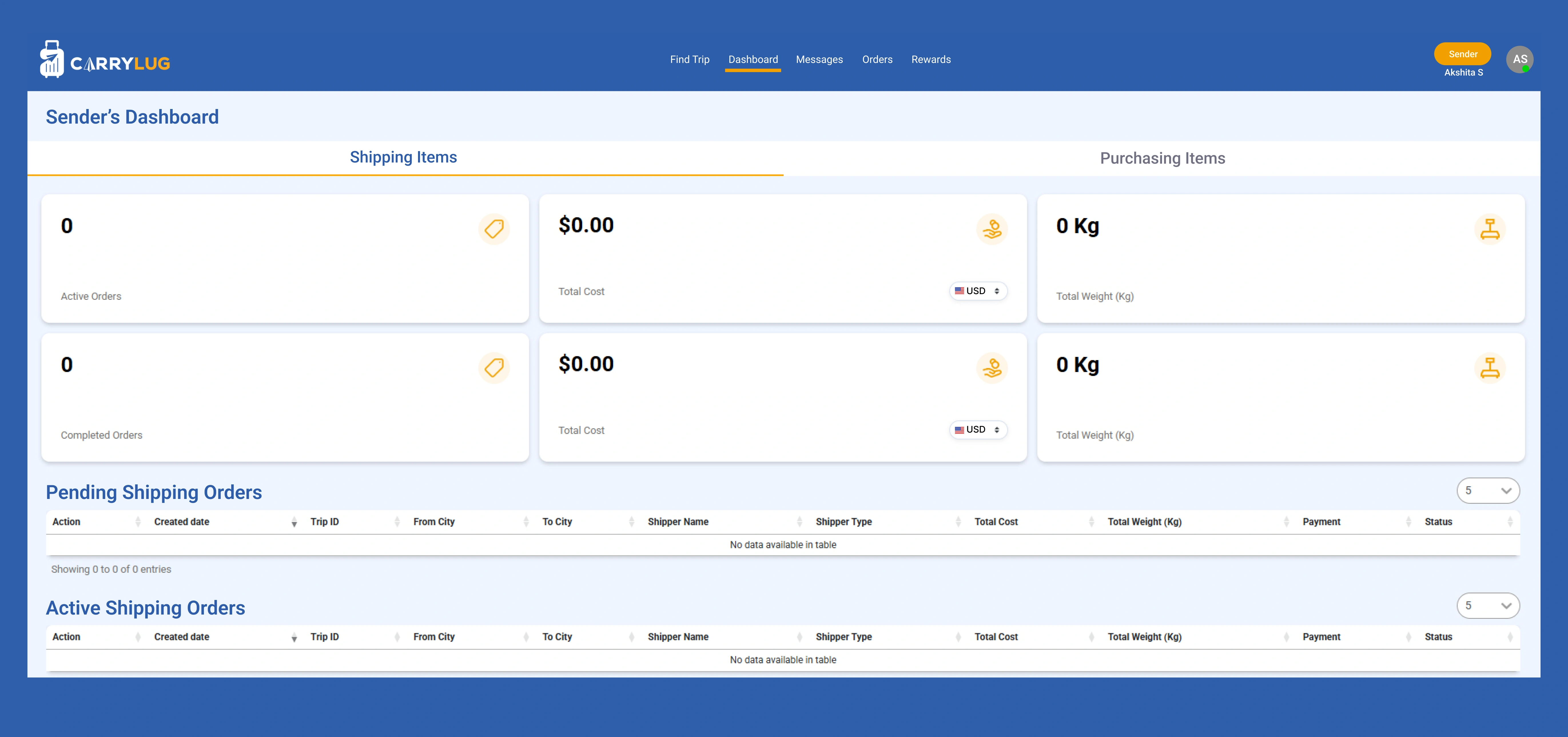
Track & Manage Your Shipments Easily

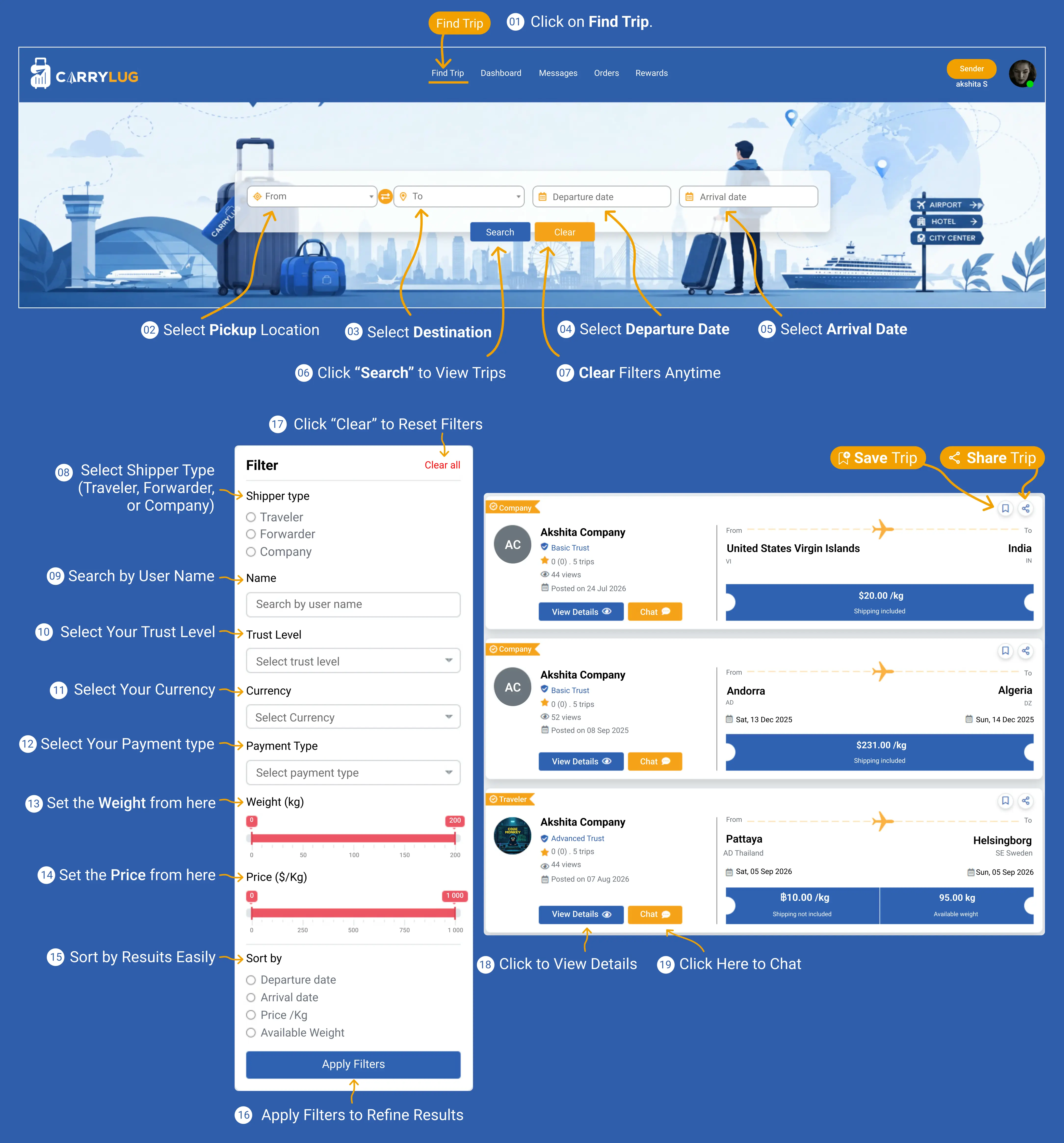
How Find the Right Shipper and Trip for Your Shipment
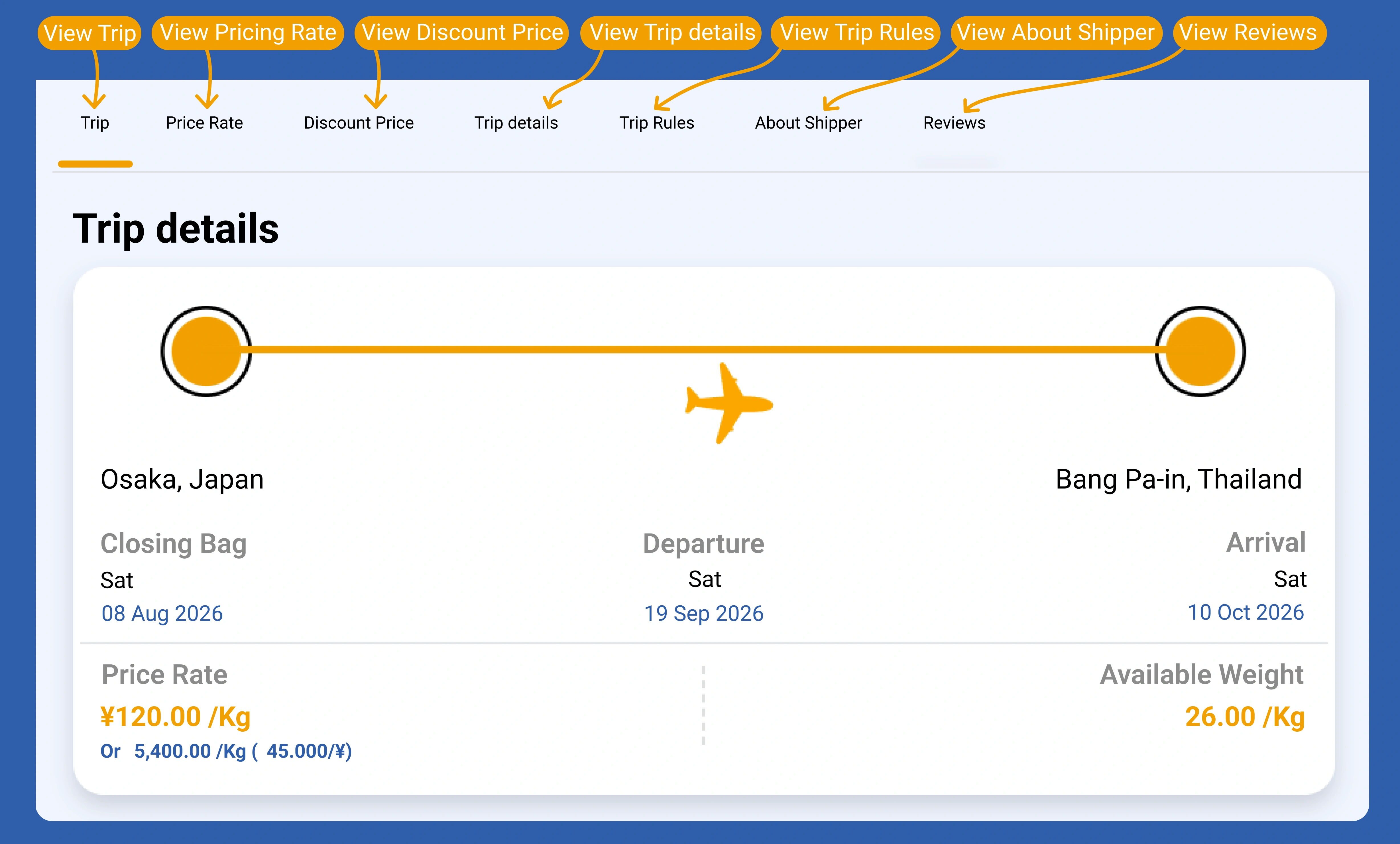
Your Selected Trip Details. Route, Dates & Pricing Details
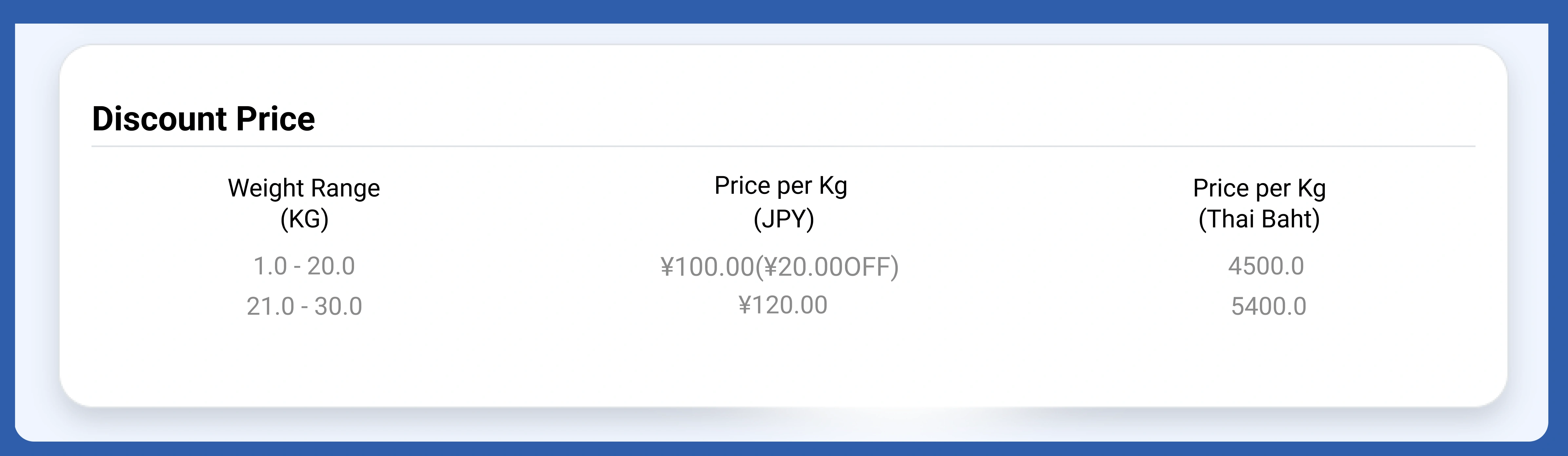
Discount Price by Weight Range
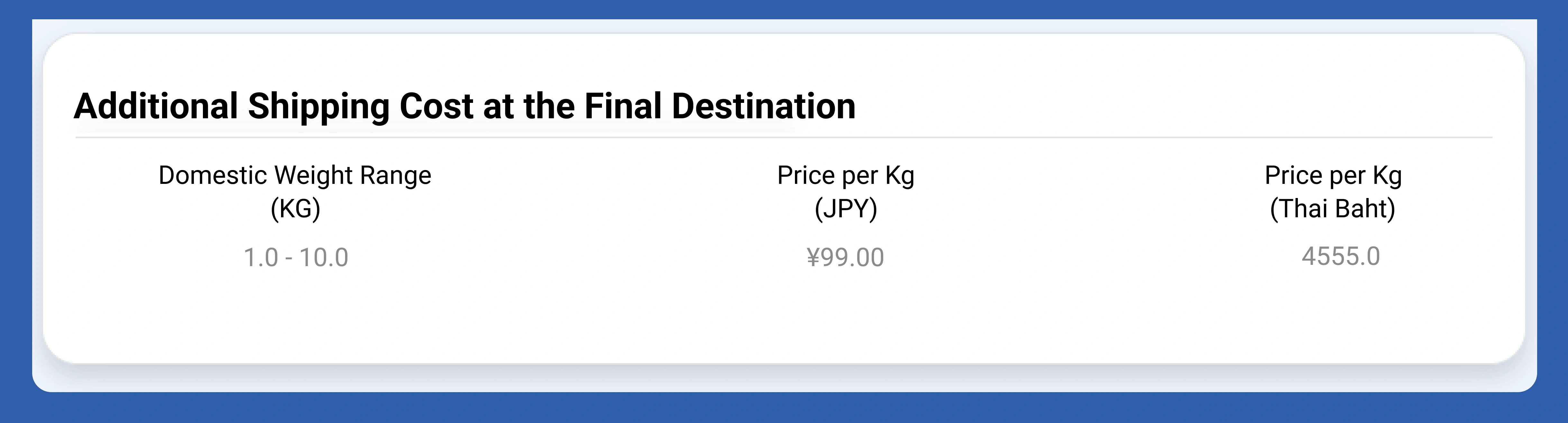
Additional Shipping Cost Details
Trip Information Overview

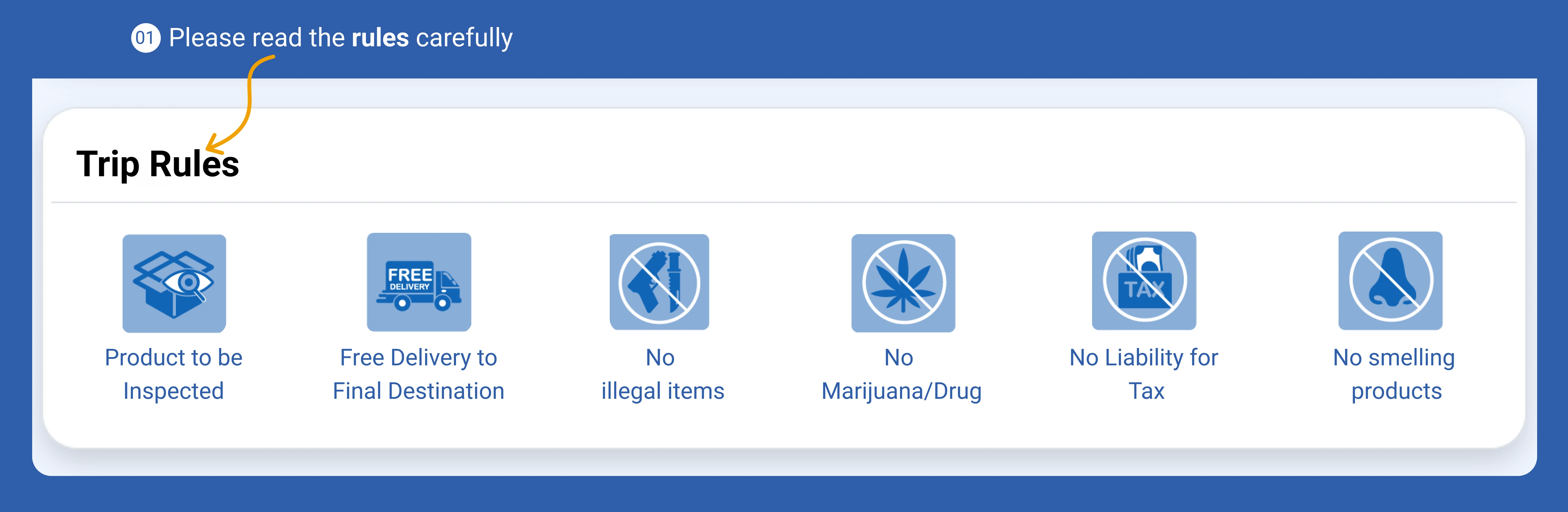
Read Trip Rules Carefully
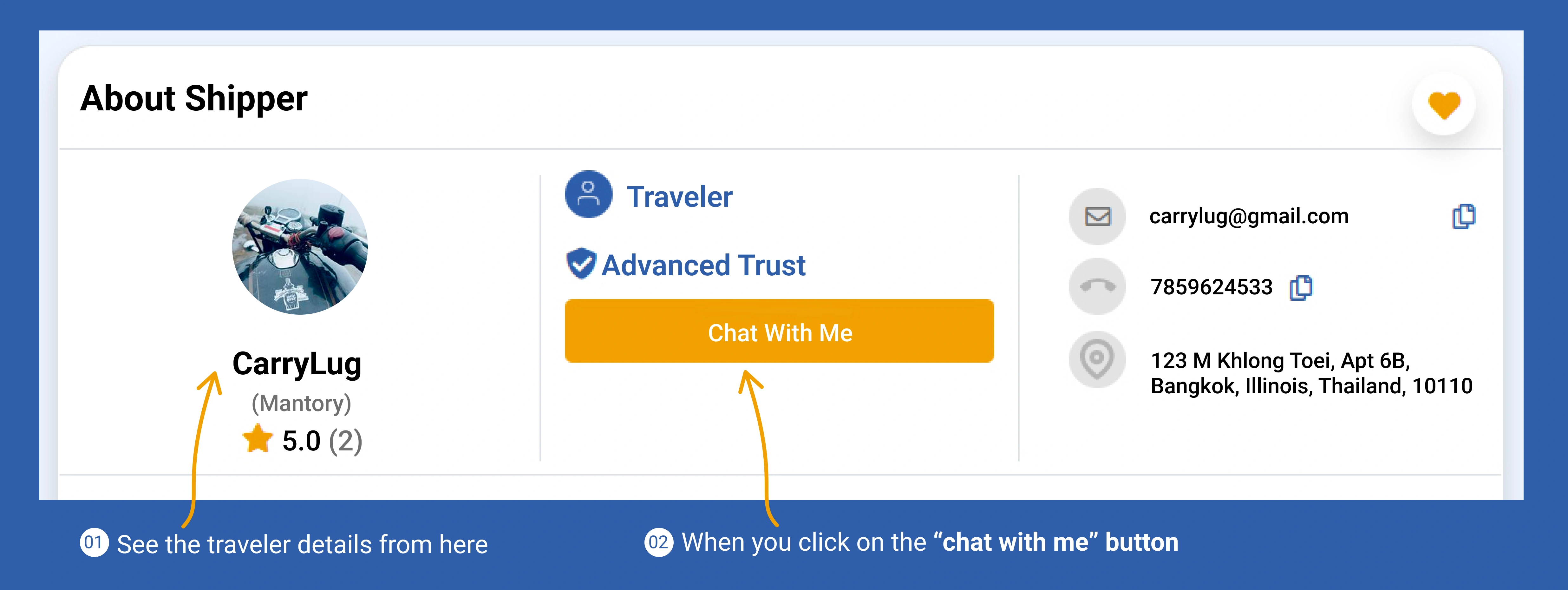
See Traveler Details & Chat with Them
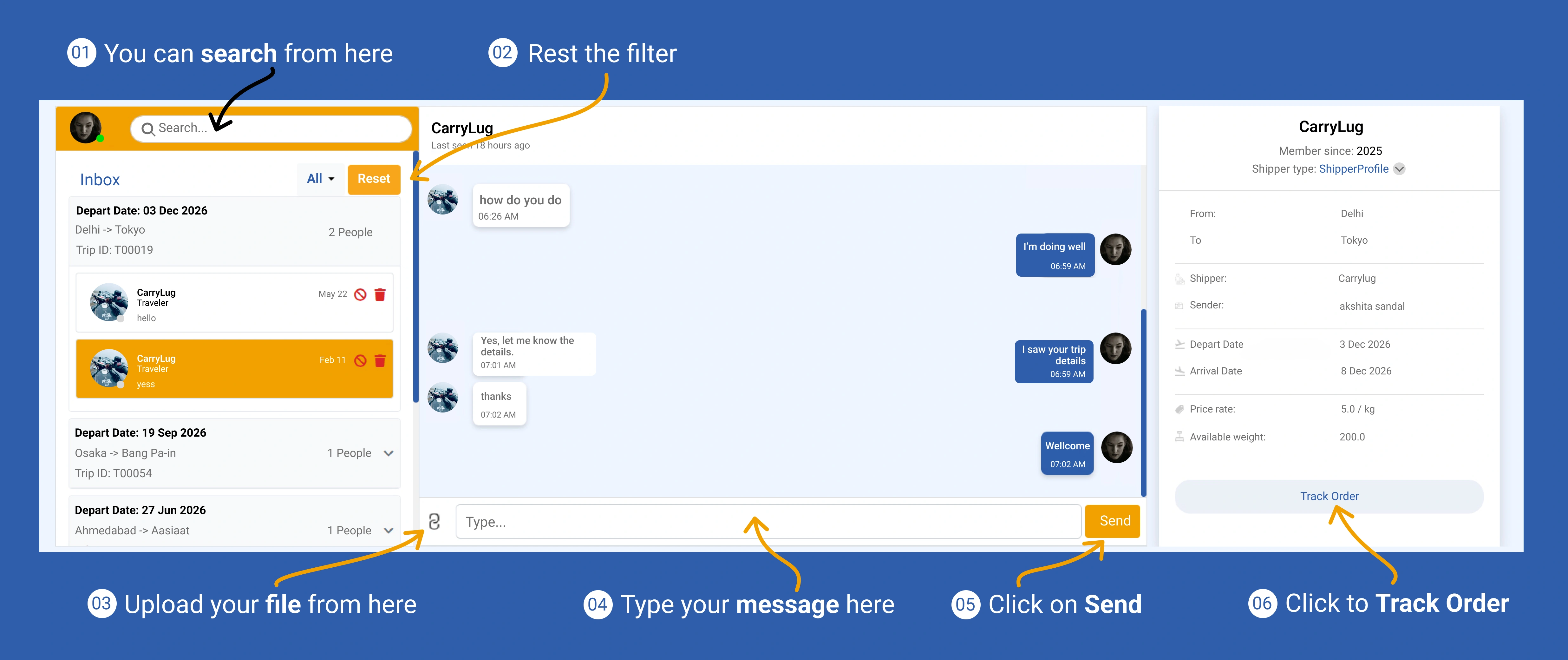
Search, Chat & Track Your Orders
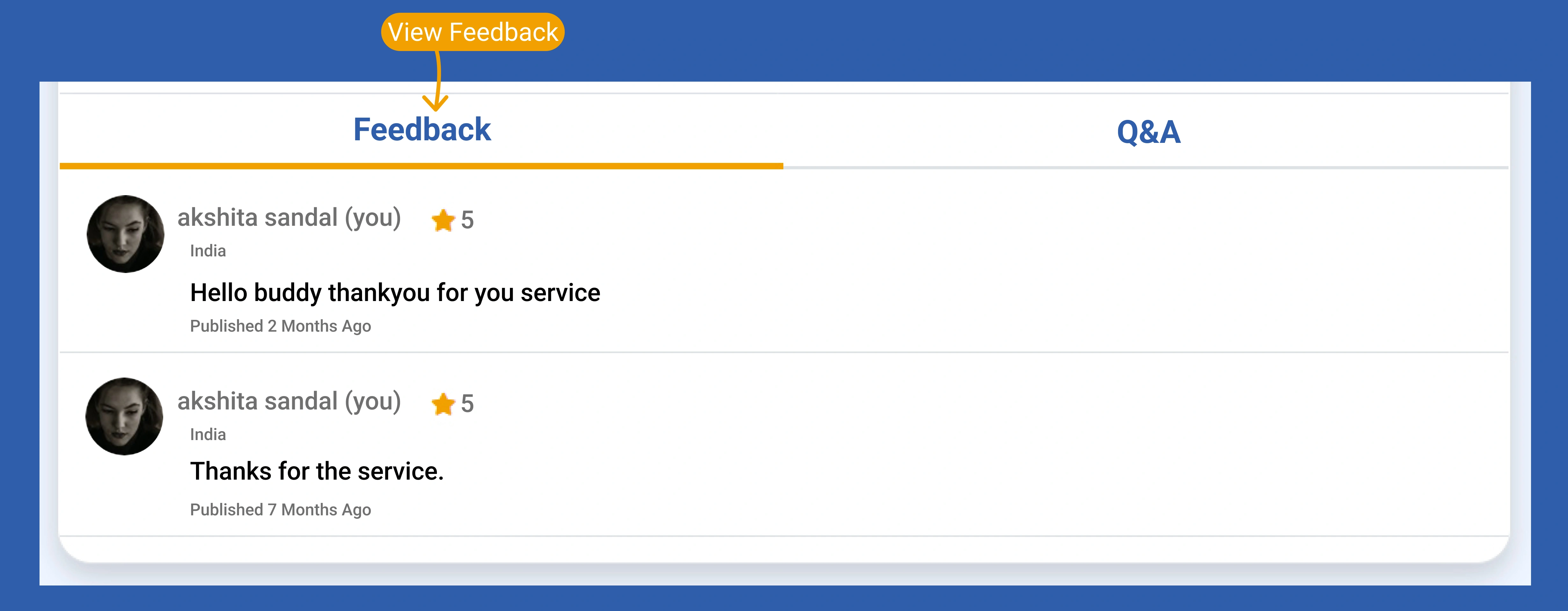
See User Reviews and Feedback
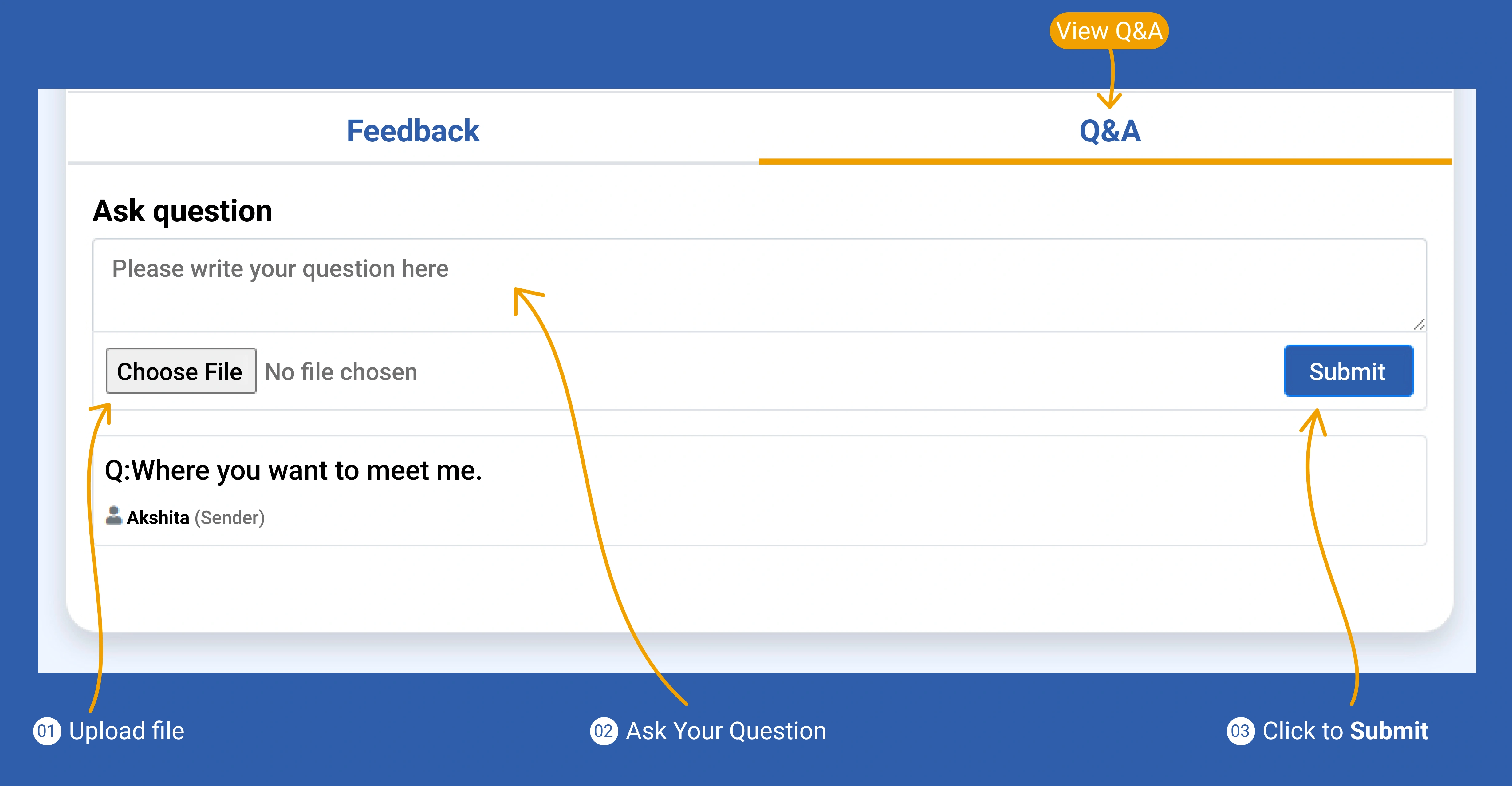
Ask Questions & Upload Files
Prepare Your Shipment in Easy Steps. Add Items for Shipping
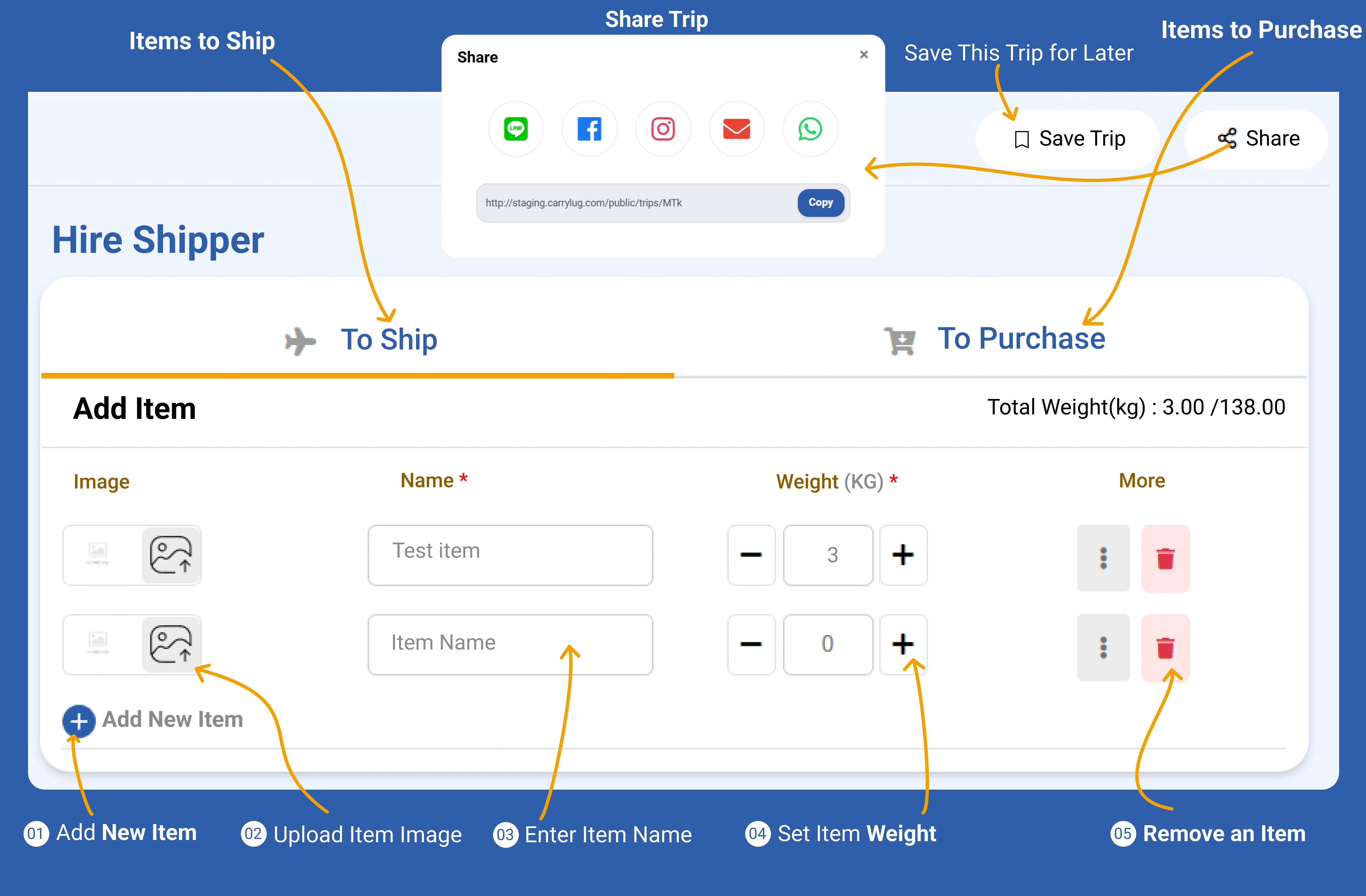
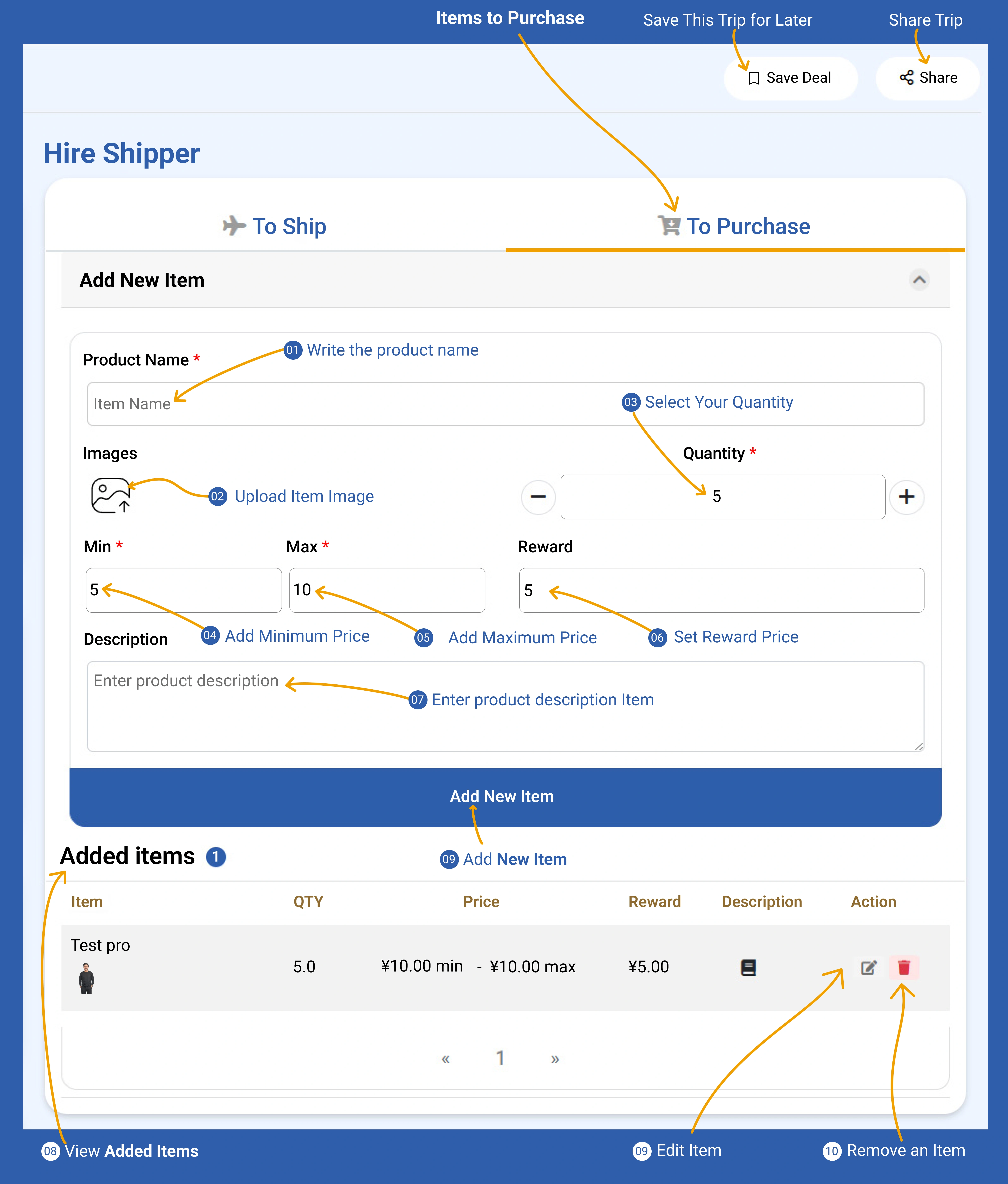
Add, Manage & Purchase Items
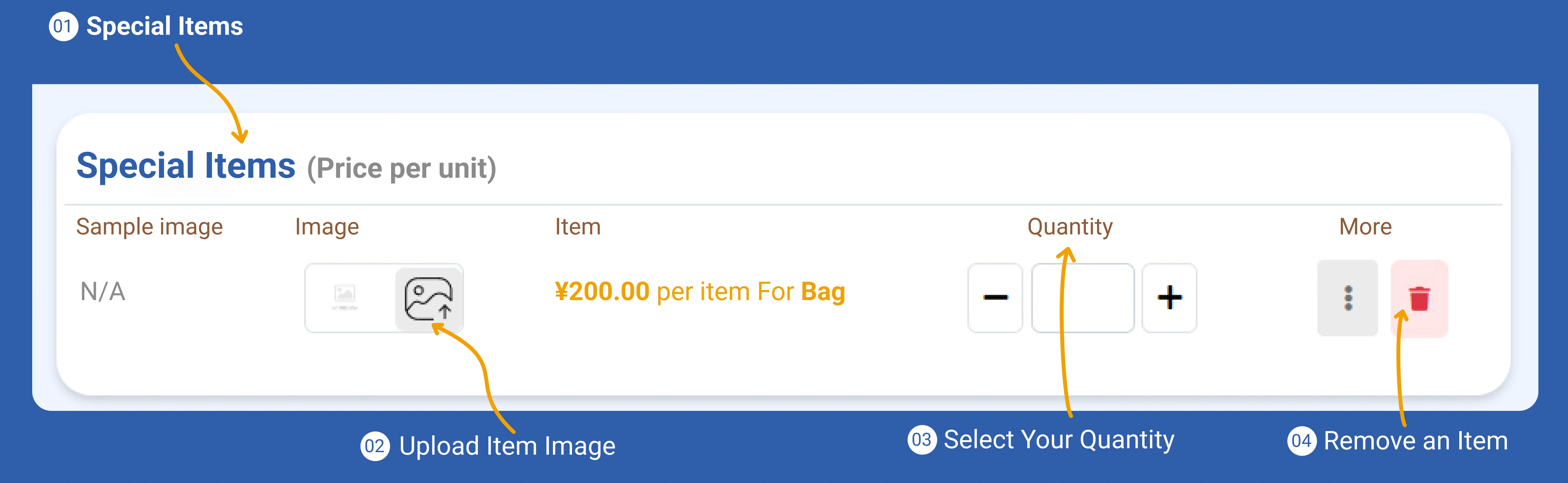
Add & Manage Special Items
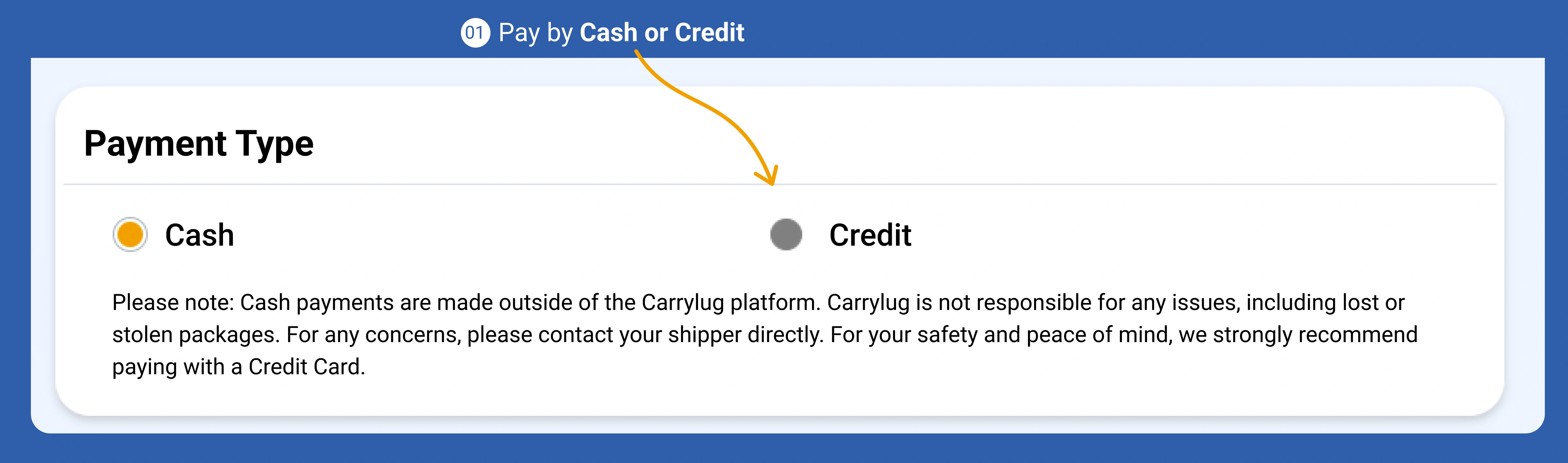
Choose Your Payment Method
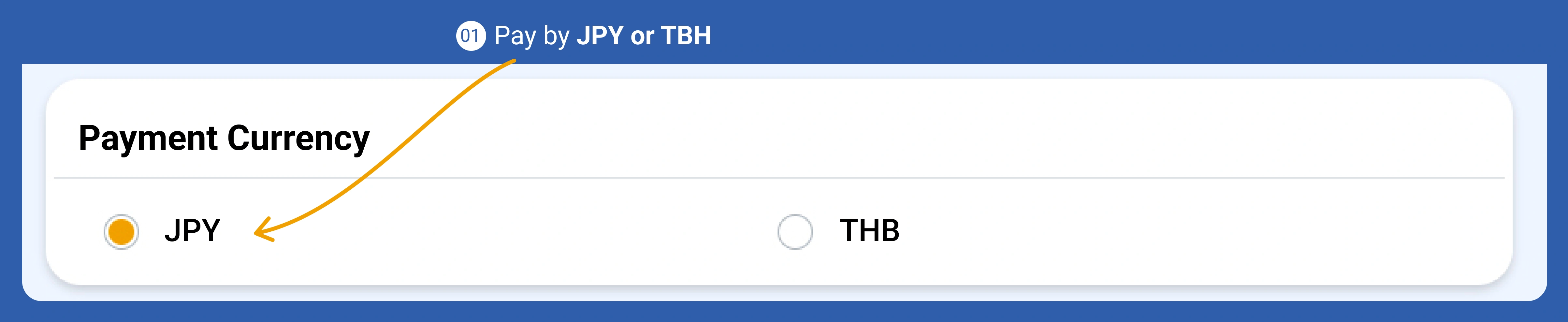
Select Your Payment Currency
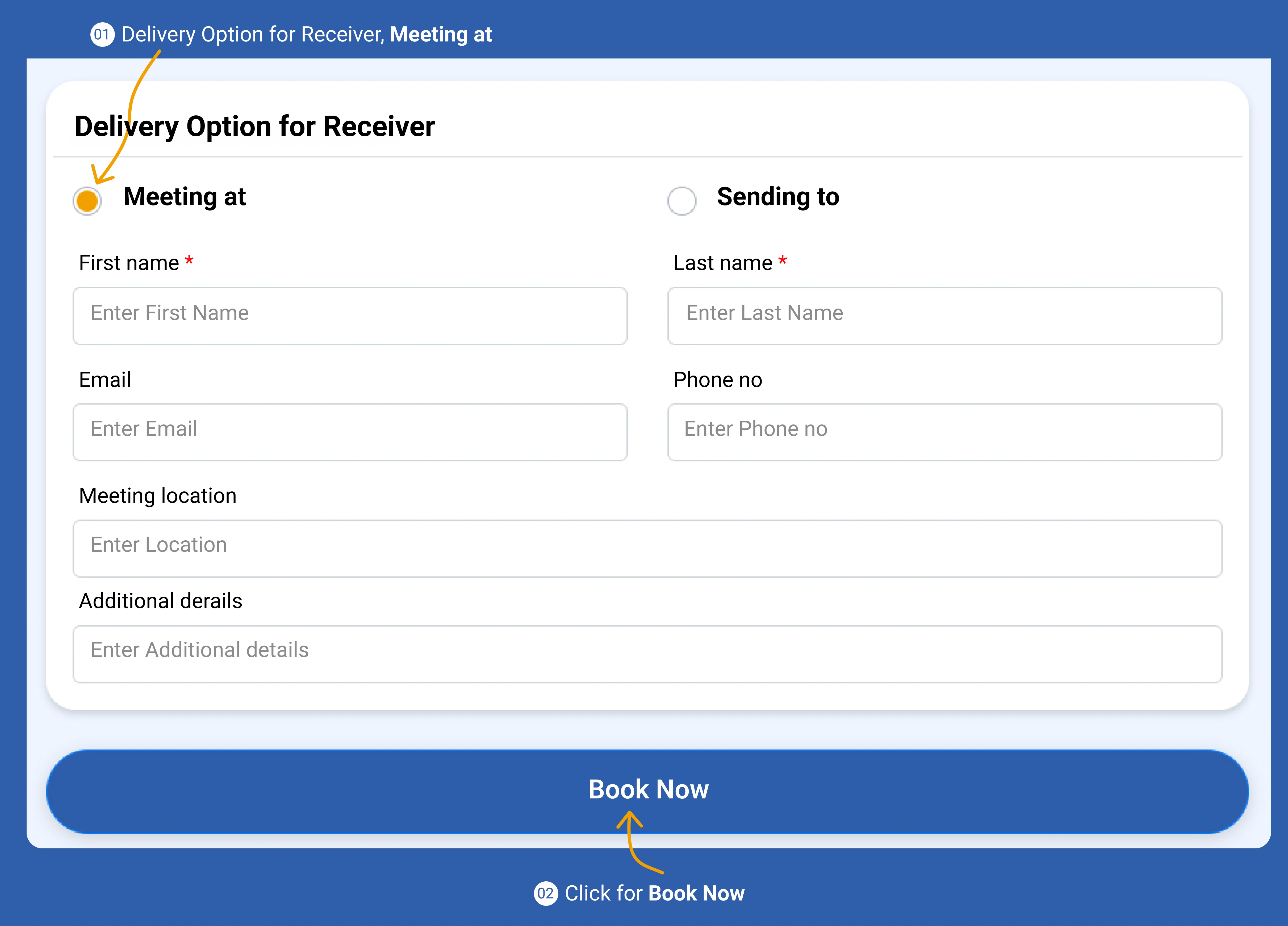
Choose Delivery Option & Book Now
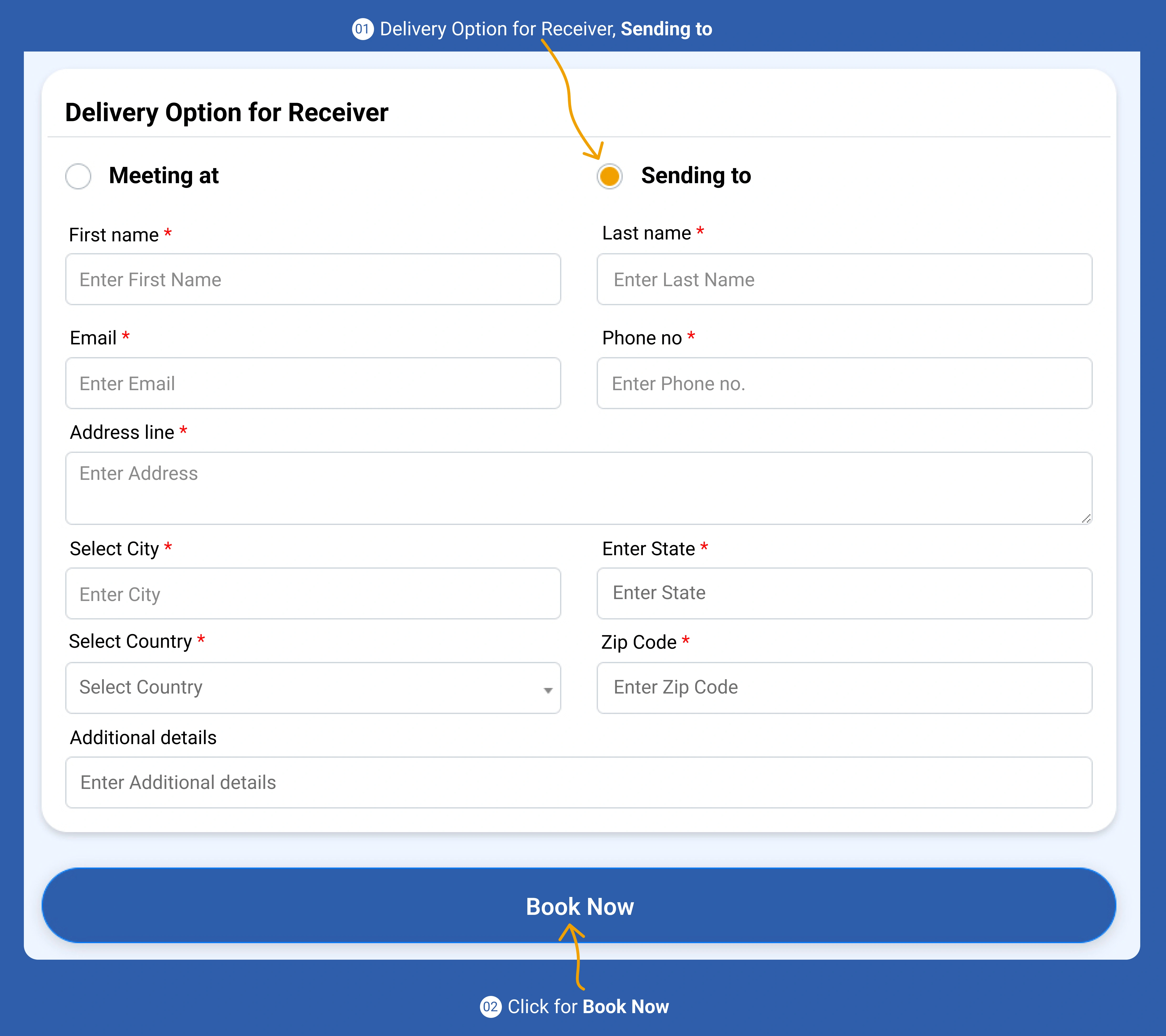
Choose Delivery Option & Book Now
Coming Soon
Coming Soon
Coming Soon
จัดเตรียมข้อมูลผู้ส่งของคุณเพื่อให้ผู้ขนส่งรู้จักและเชื่อถือคุณ
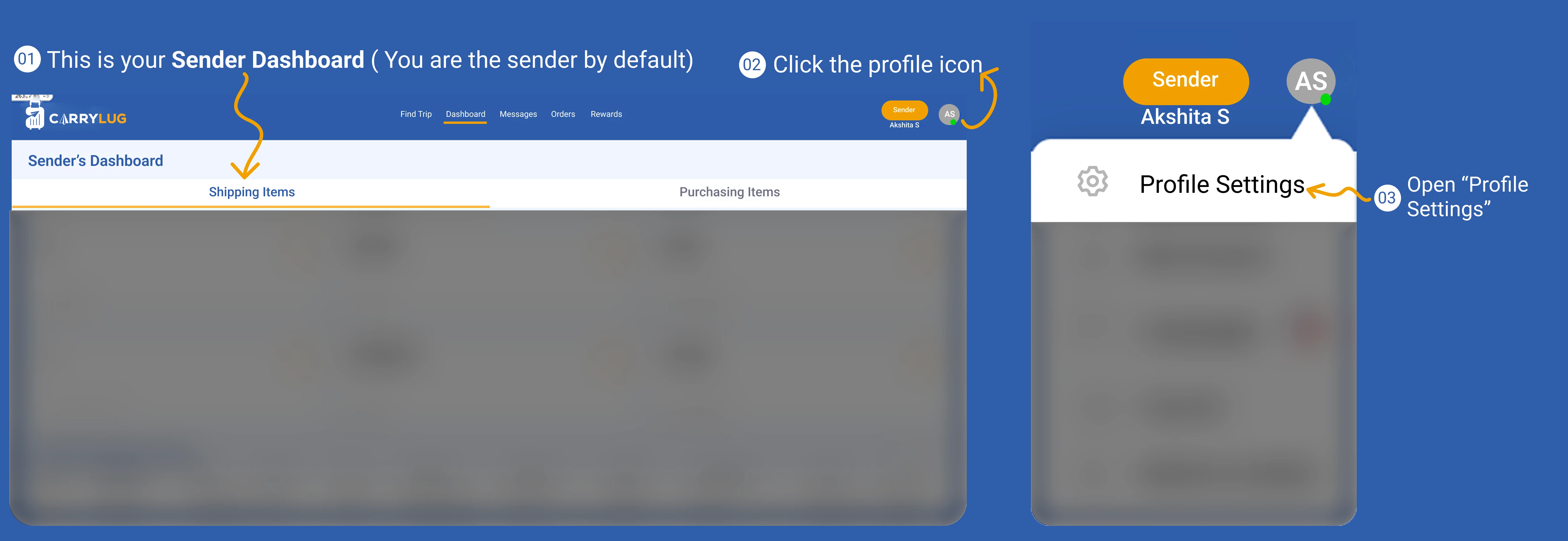
ตรวจสอบหน้าข้อมูลผู้ส่งและยืนยันข้อมูลส่วนบุคคลของคุณ
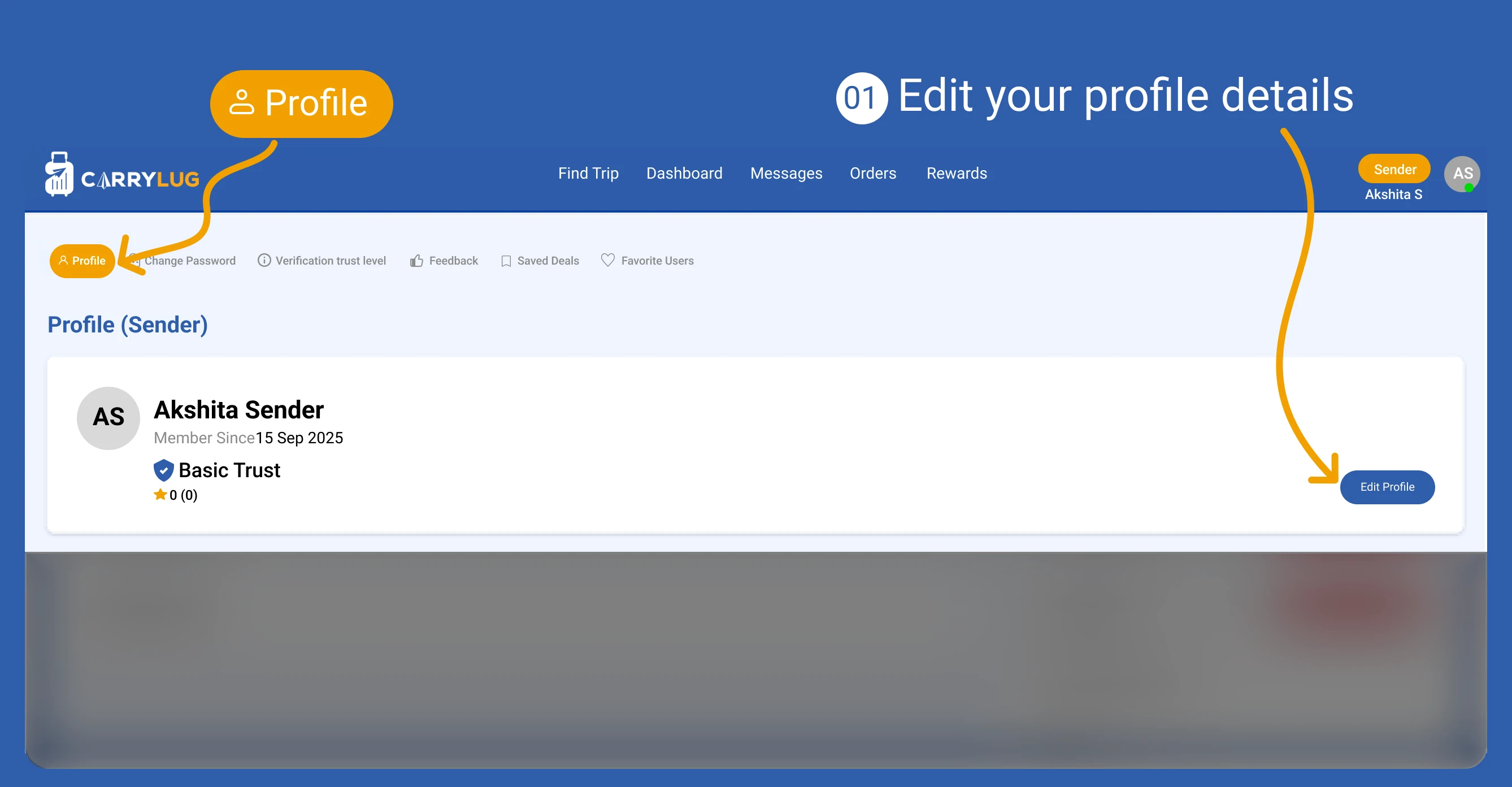
ปรับปรุงข้อมูลผู้ส่งให้เป็นปัจจุบัน เพื่อให้บัญชีของคุณถูกต้องอยู่เสมอ
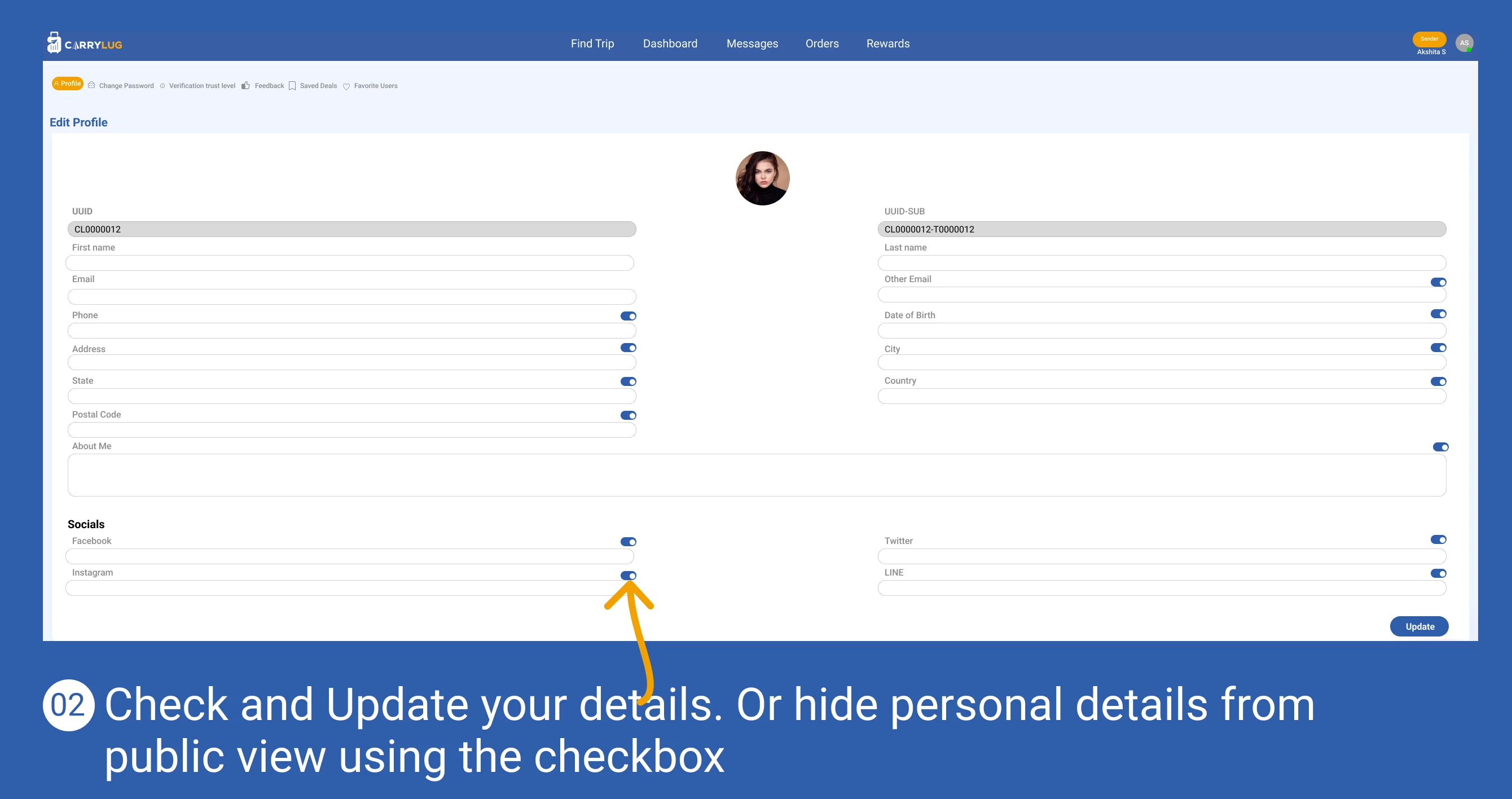
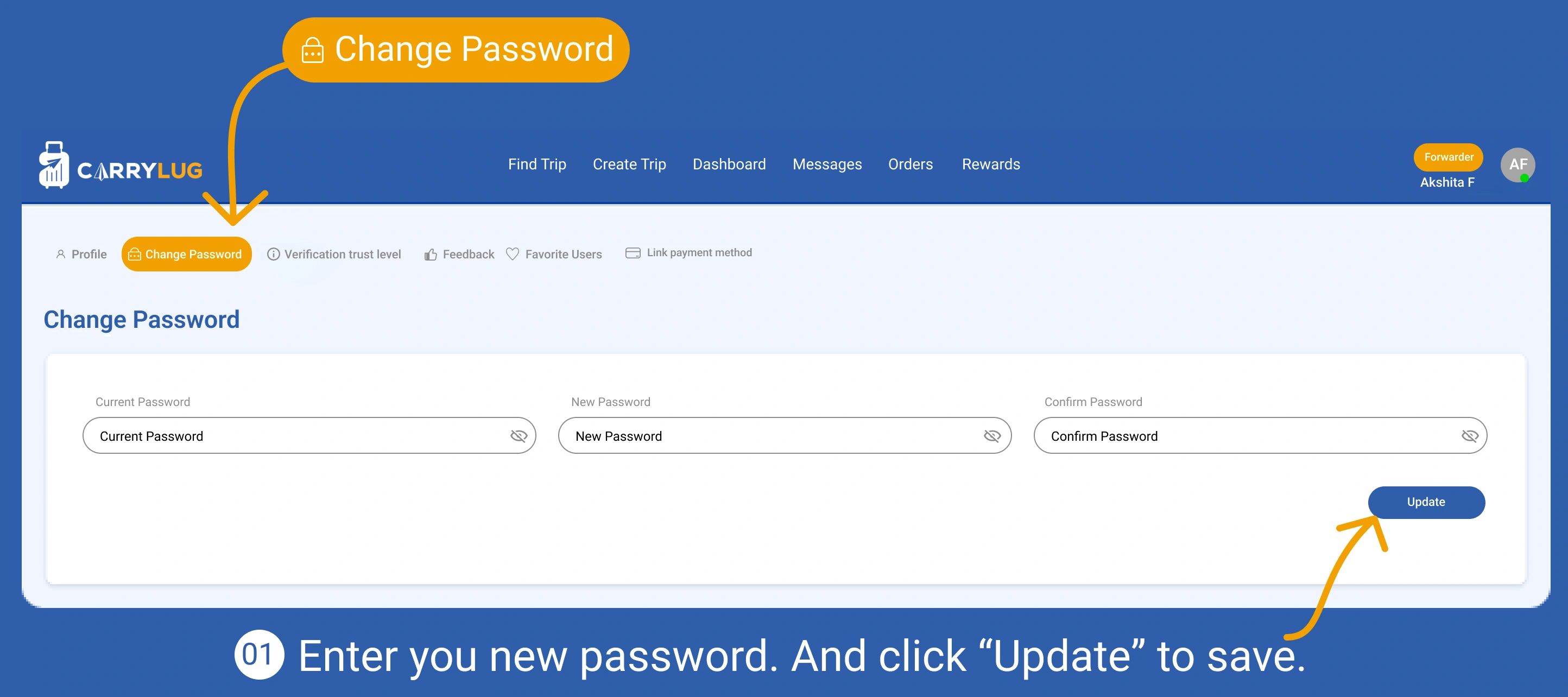
เพิ่มความปลอดภัยให้บัญชีด้วยการอัปเดตและยืนยันรหัสผ่าน
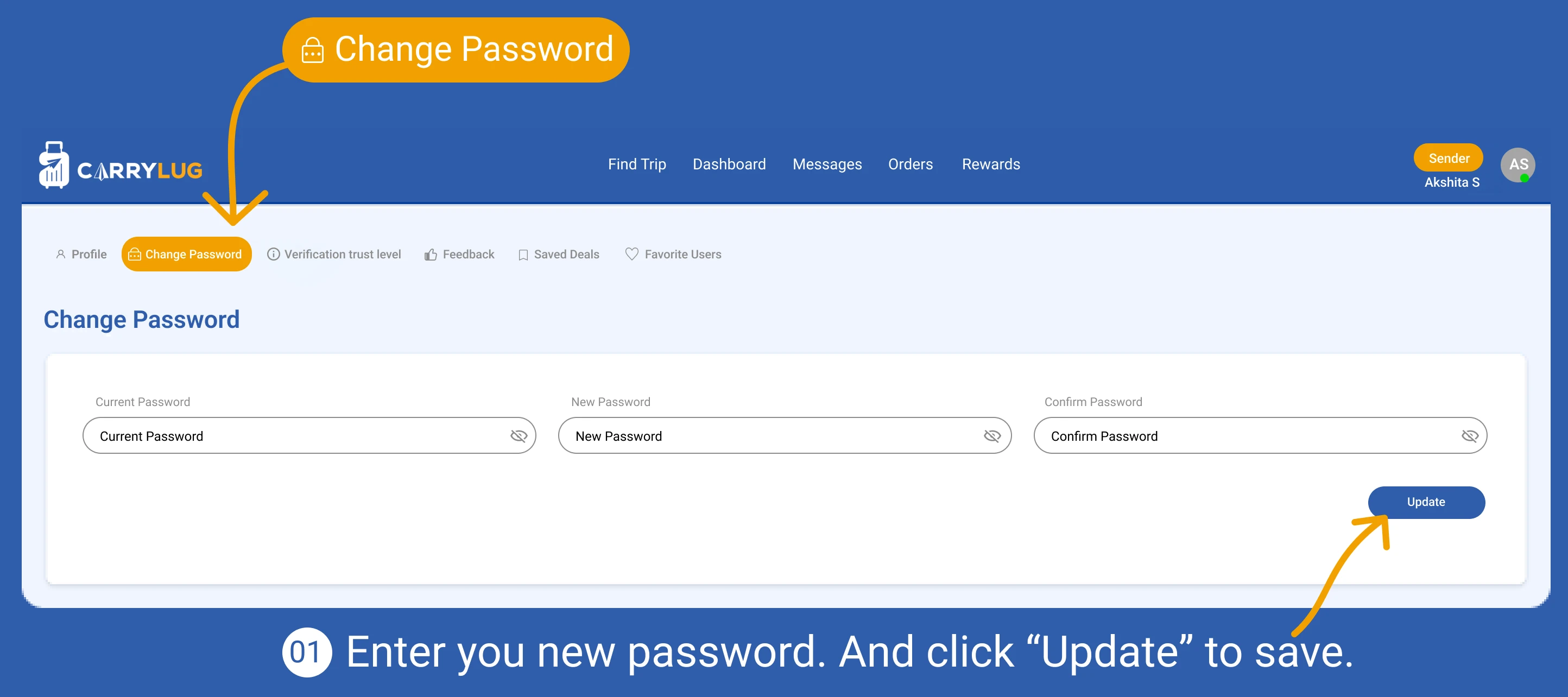
เปิดส่วนการยืนยันตัวตนเพื่อเพิ่มระดับความน่าเชื่อถือของคุณ
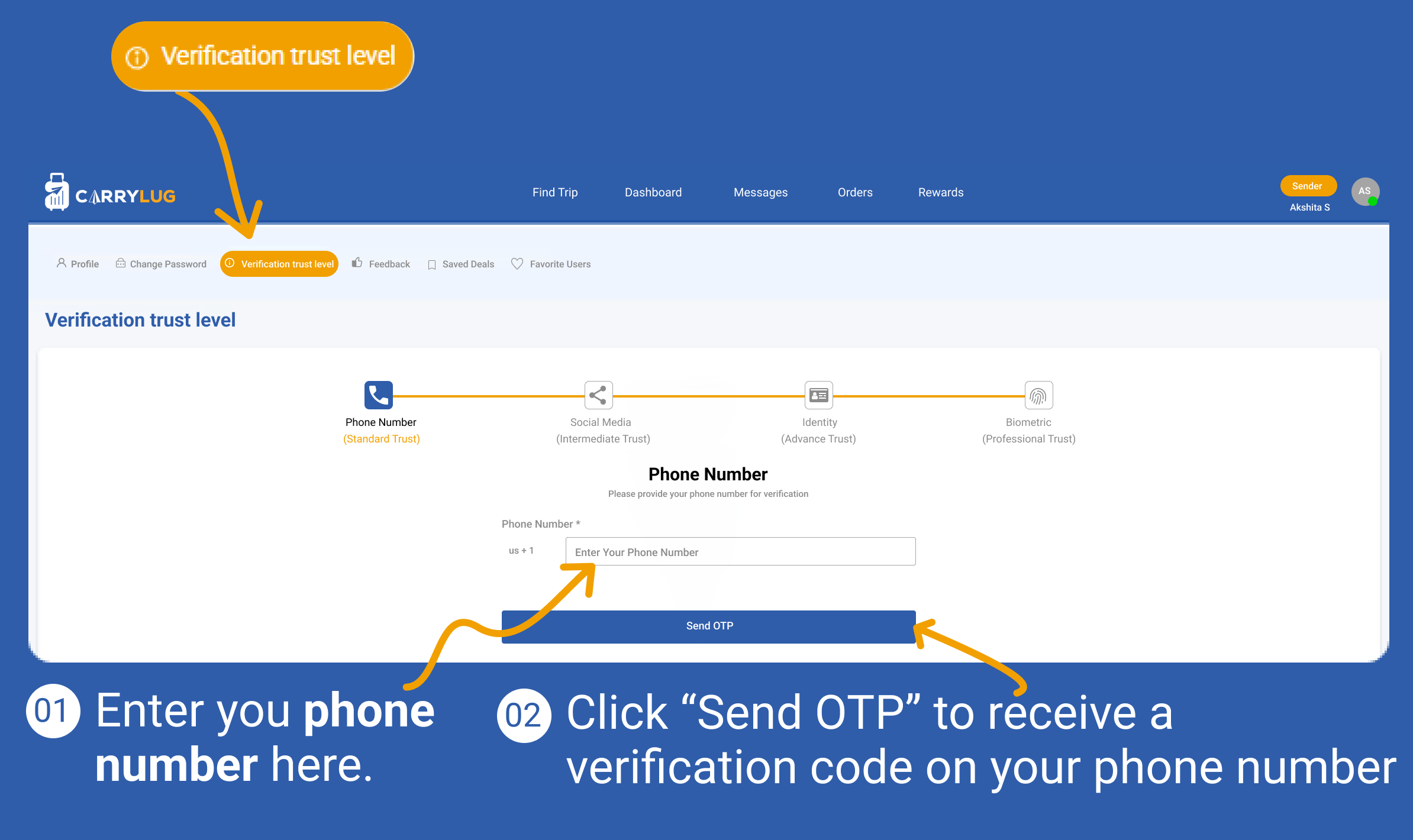
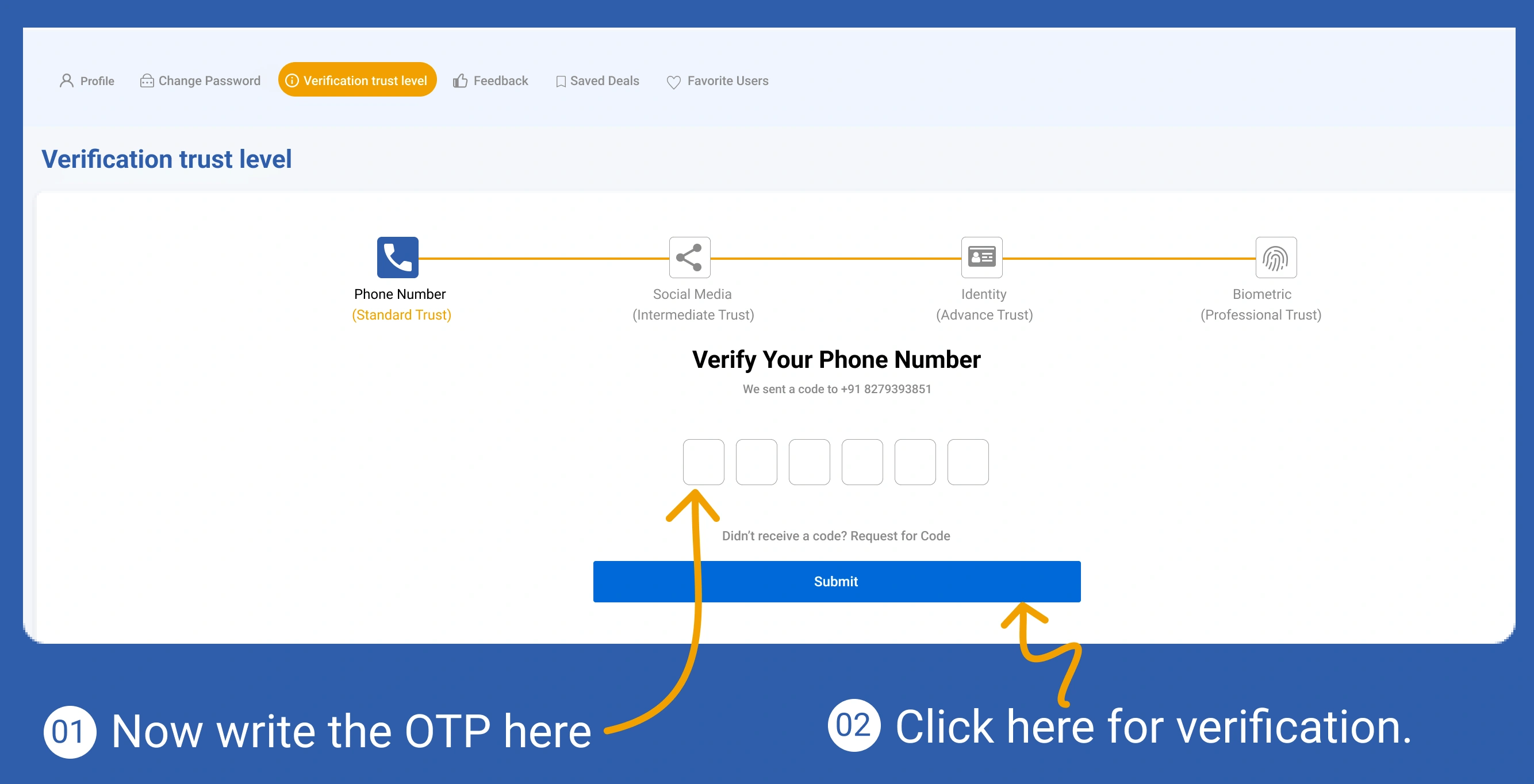
ยืนยันหมายเลขโทรศัพท์เพื่อเสริมความปลอดภัยของบัญชี
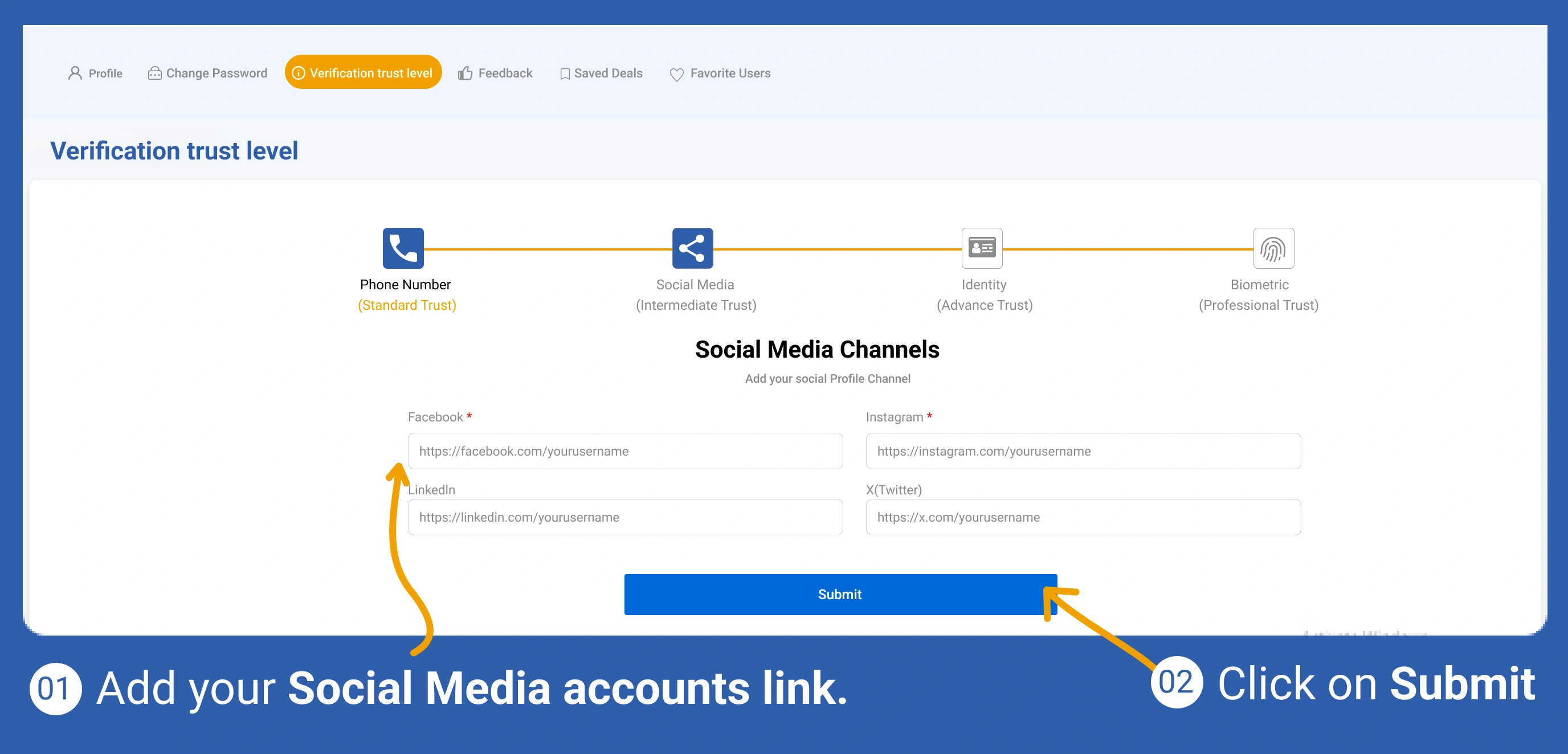
เพิ่มบัญชีสื่อสังคมออนไลน์เพื่อยืนยันข้อมูลโปรไฟล์เพิ่มเติม
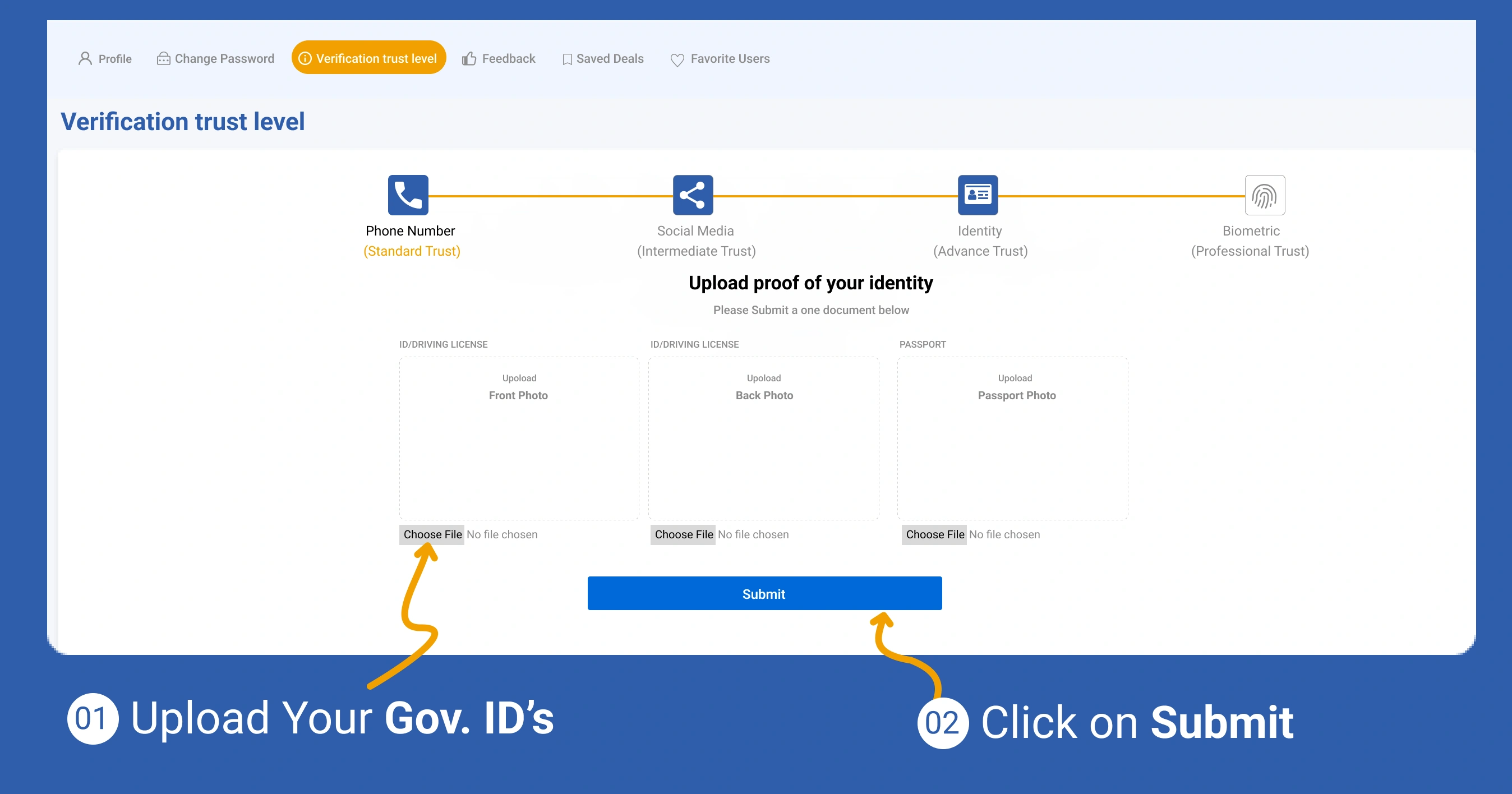
อัปโหลดเอกสารยืนยันตัวตนเพื่อดำเนินการยืนยันความน่าเชื่อถือให้ครบถ้วน
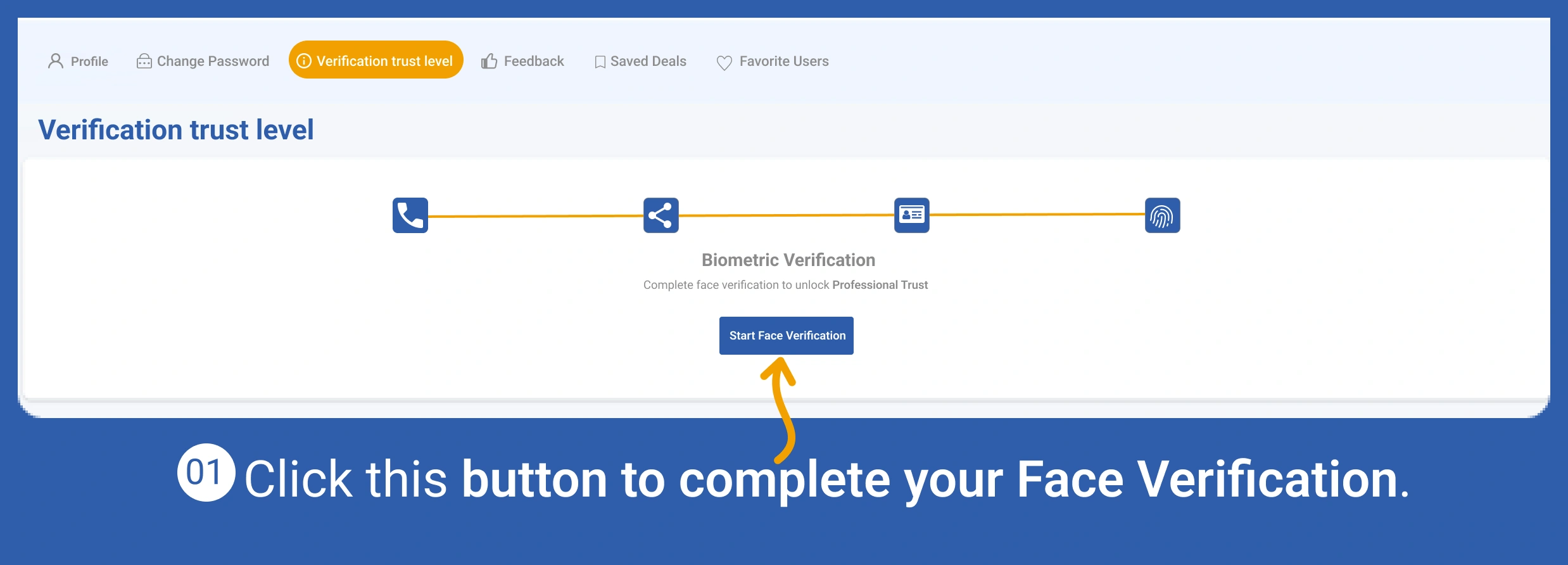
ทำการยืนยันตัวตนแบบชีวมิติเพื่อเพิ่มความน่าเชื่อถือของบัญชี
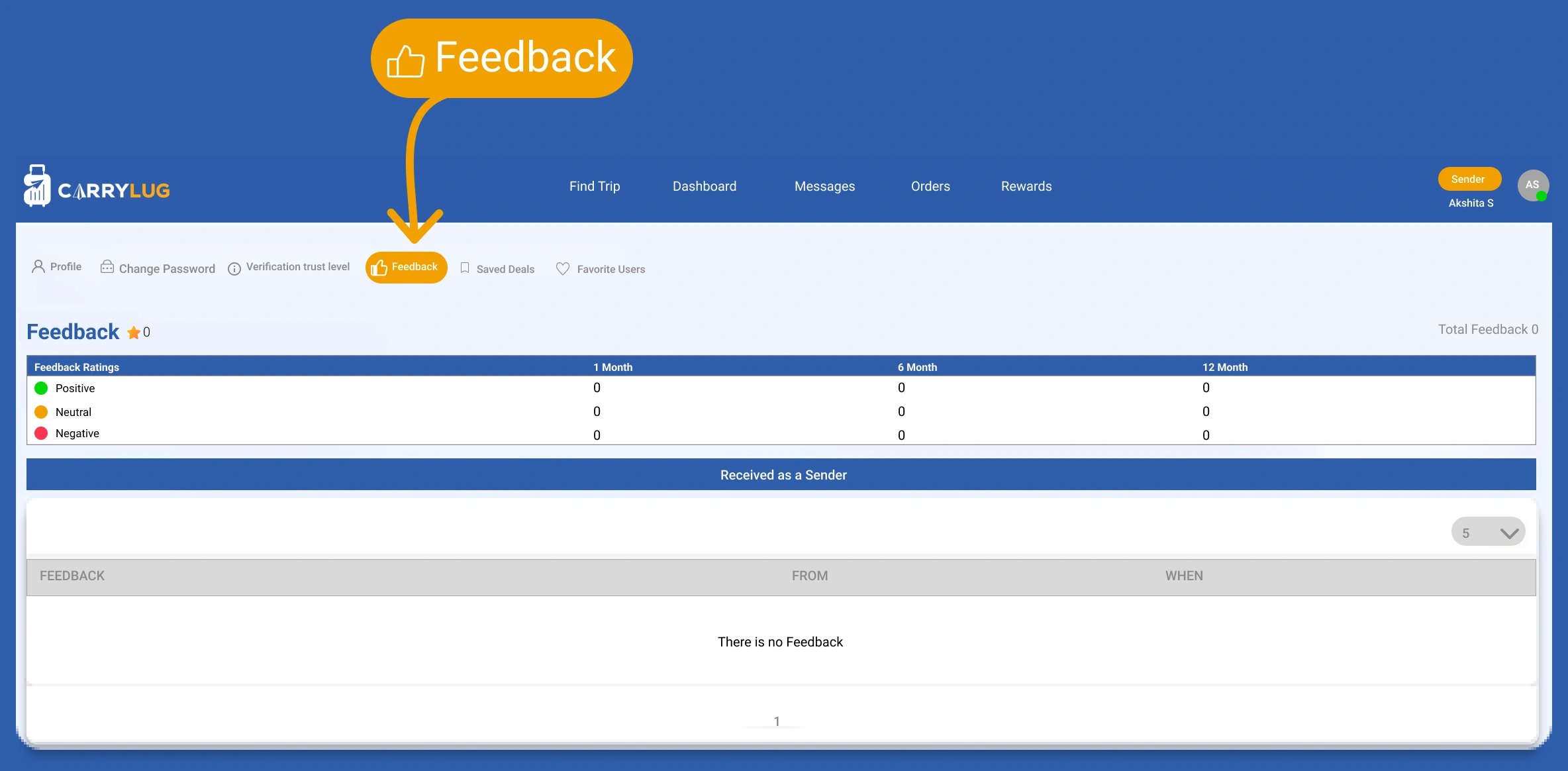
ตรวจสอบข้อคิดเห็นจากรายการก่อนหน้าและเรียนรู้จากคำวิจารณ์
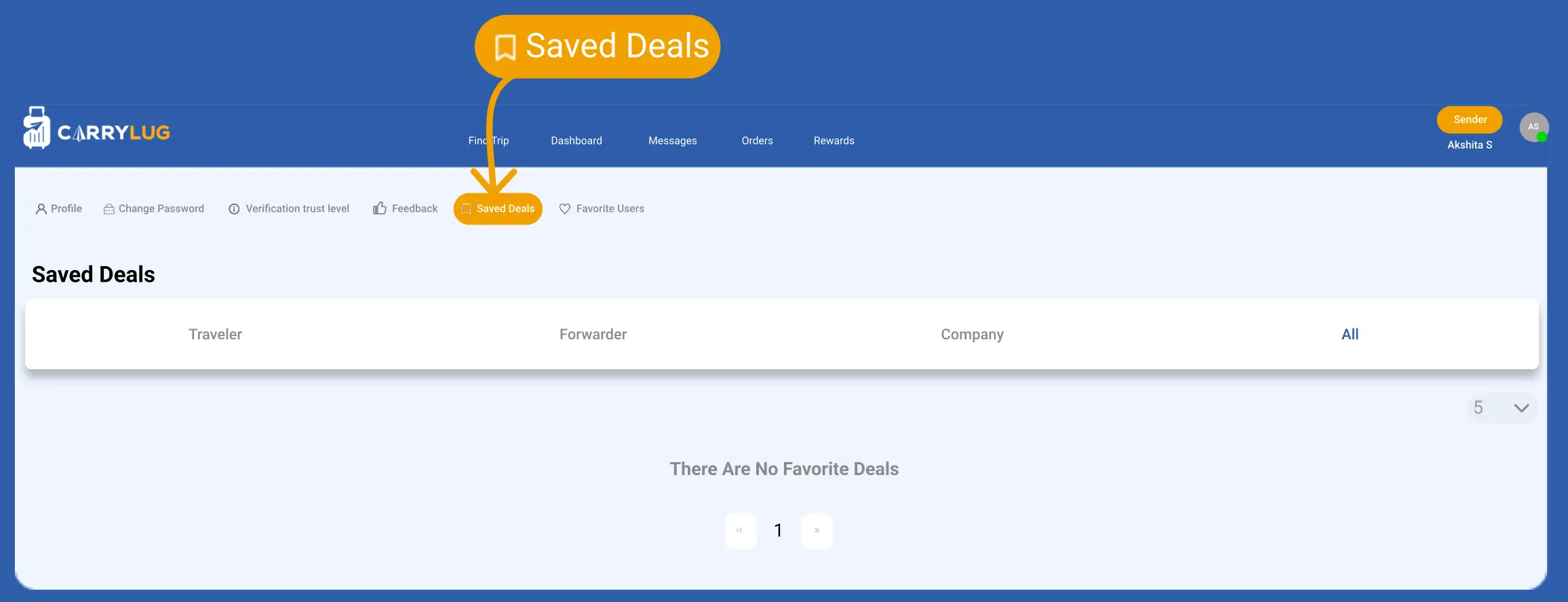
ดูรายการที่บันทึกไว้เพื่อจัดการโอกาสที่กำลังดำเนินอยู่
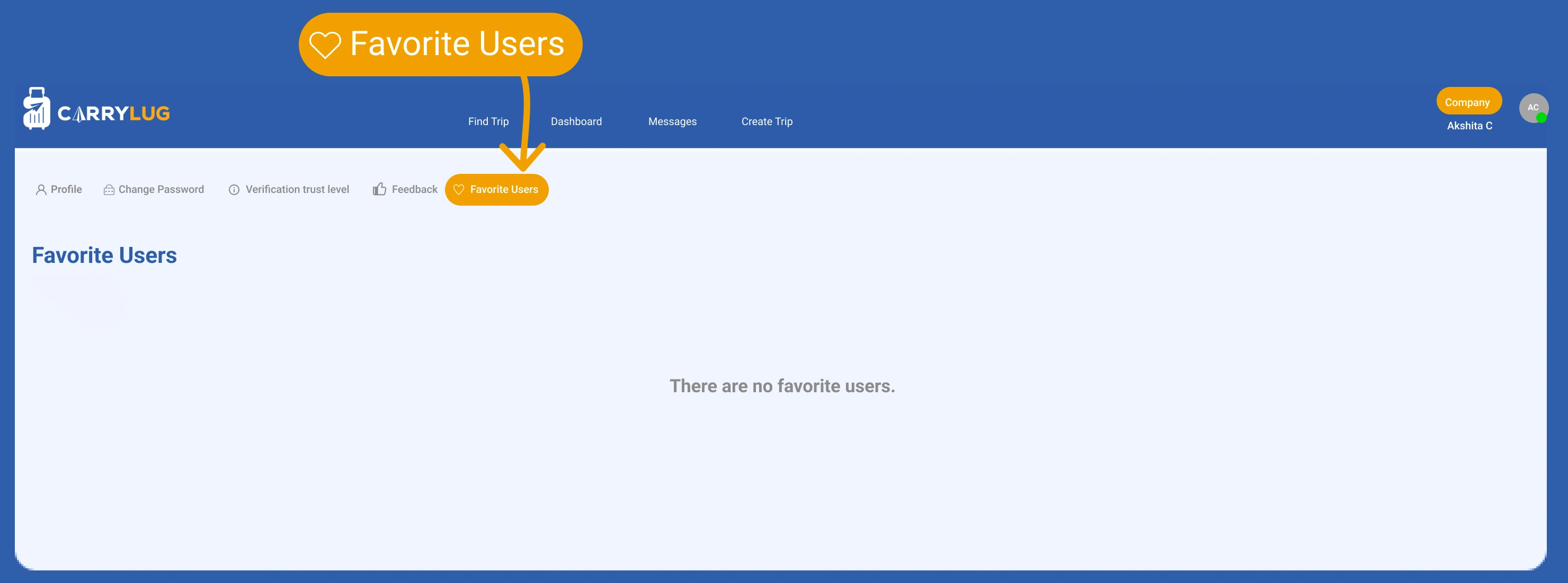
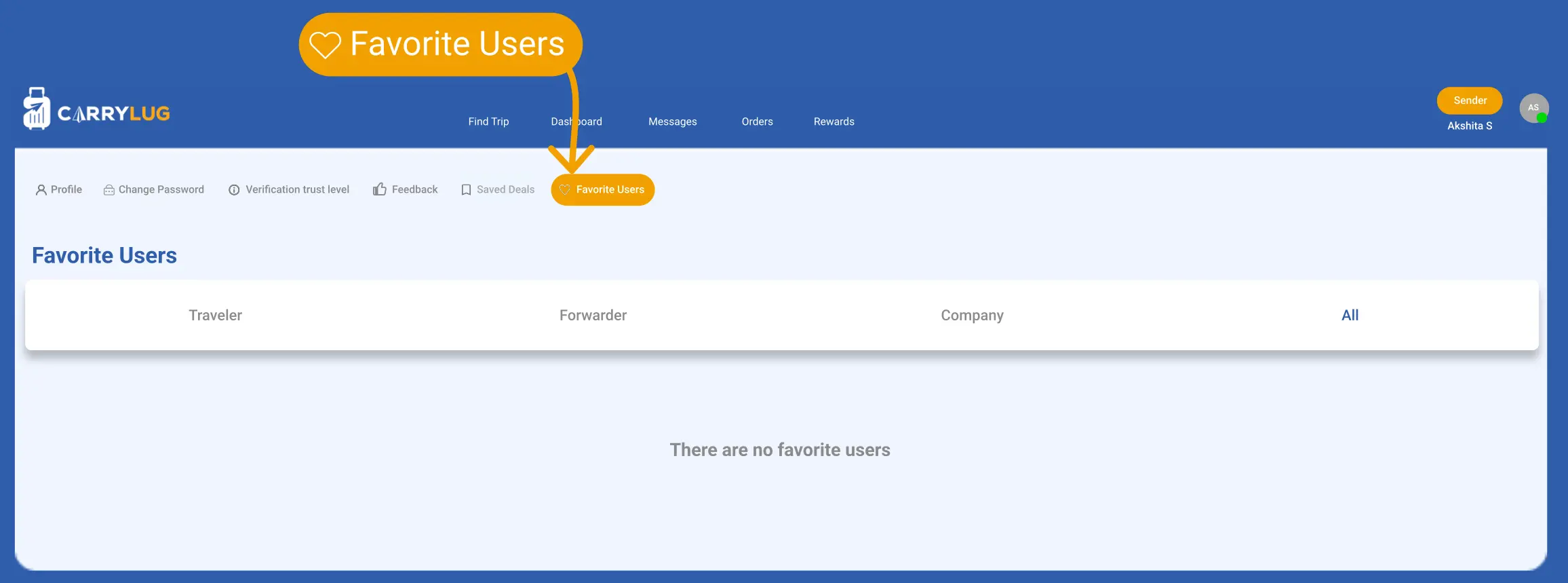
ดูผู้ใช้ที่คุณบันทึกเป็นรายการโปรดเพื่อกลับไปติดต่อผู้ขนส่งที่คุณไว้ใจได้

Track & Manage Your Shipments Easily
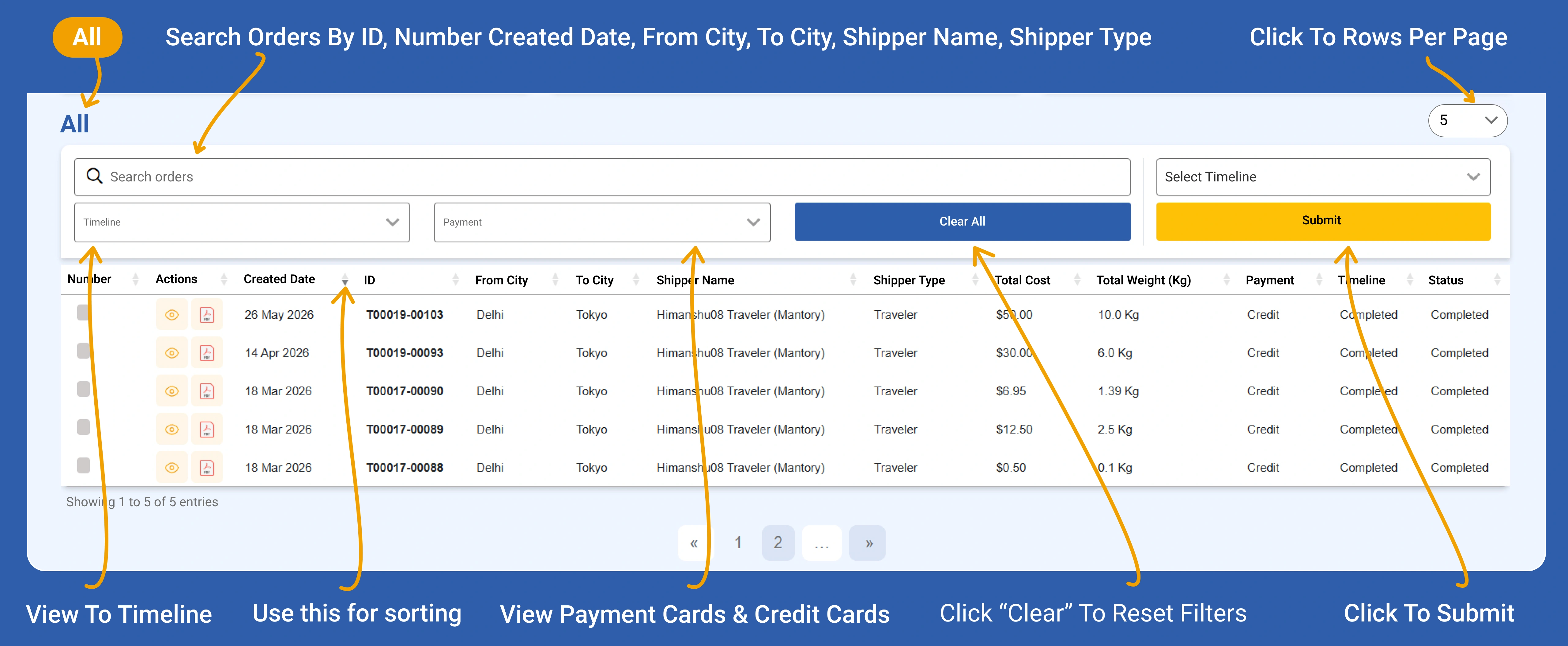
Search Orders by City, ID & Shipper
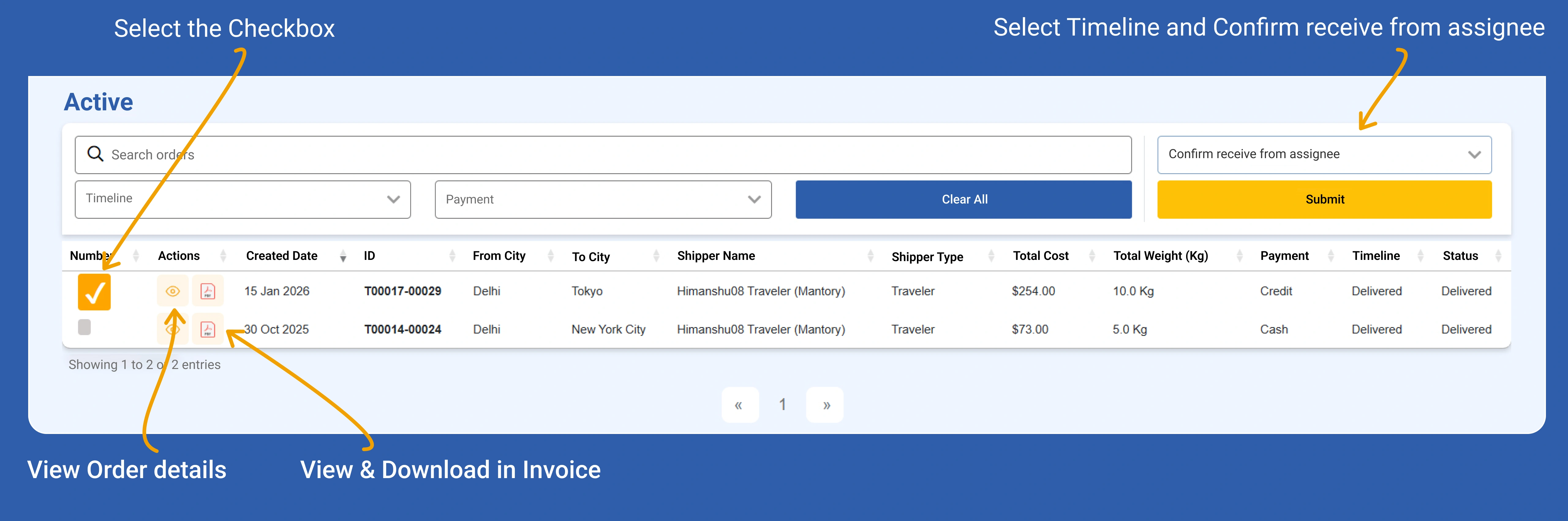
Order Assignment and Confirmation Guide
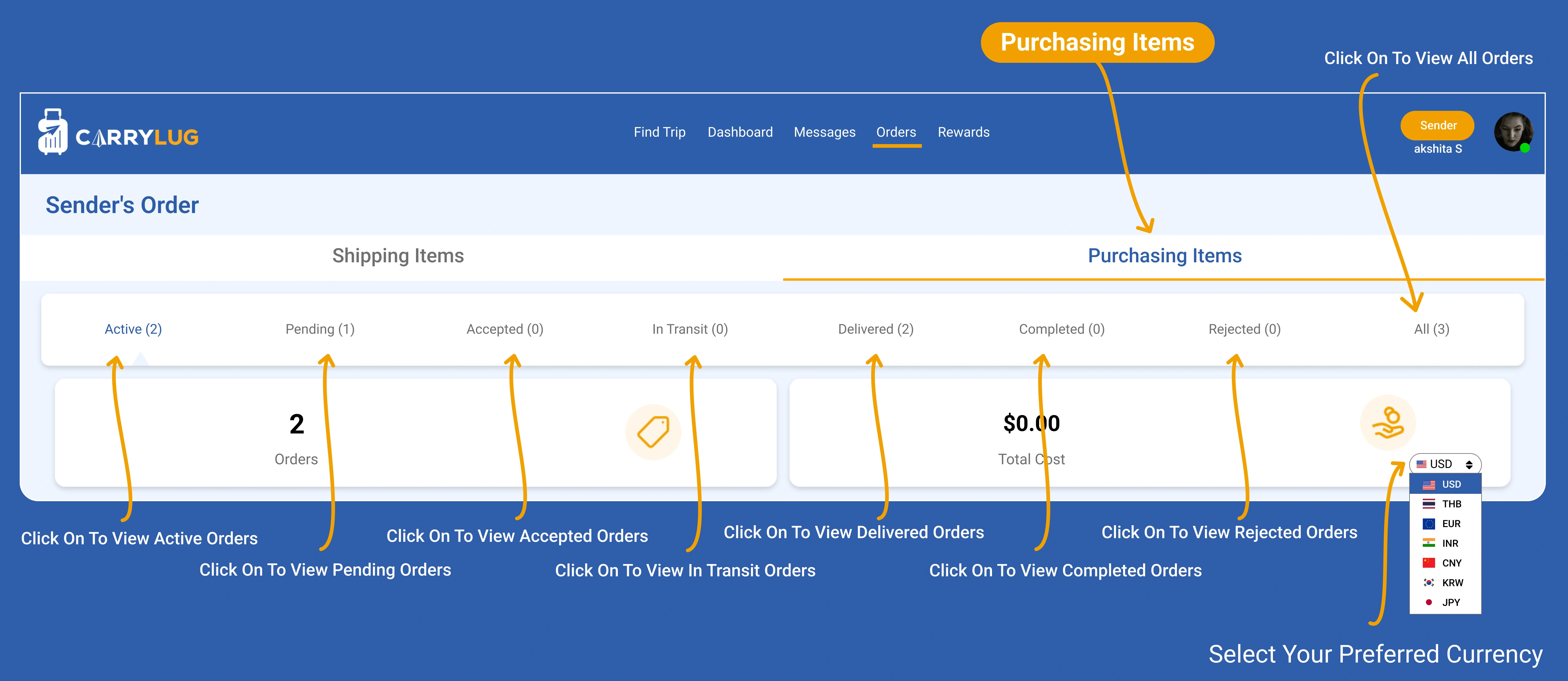
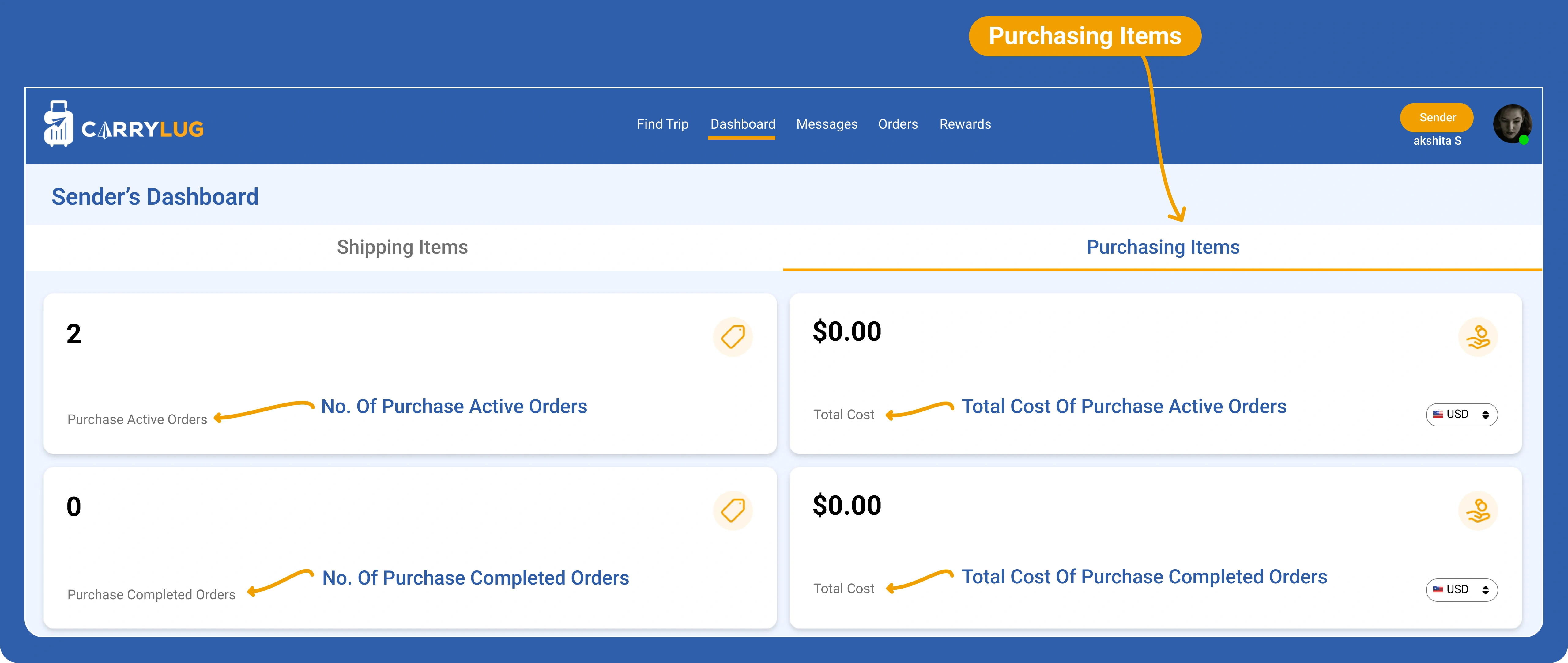
Manage Purchasing Orders by Status
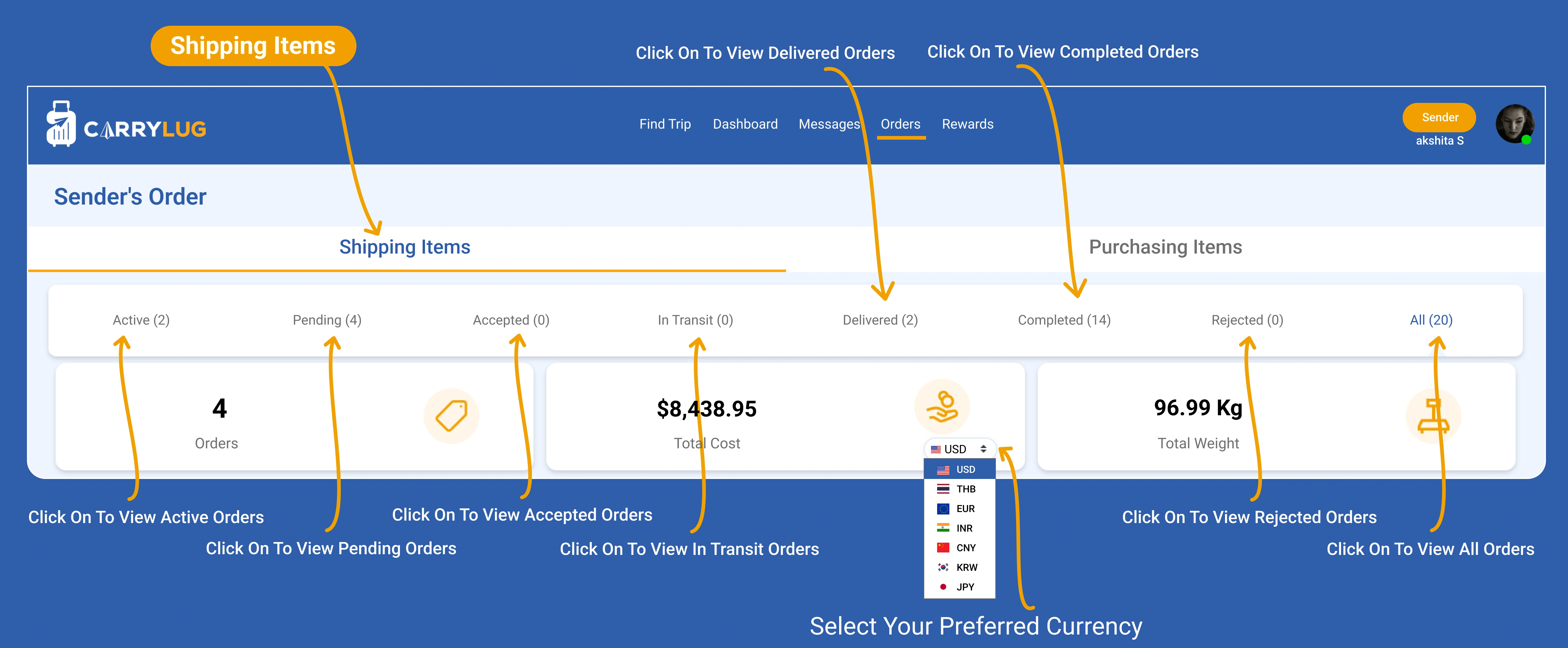
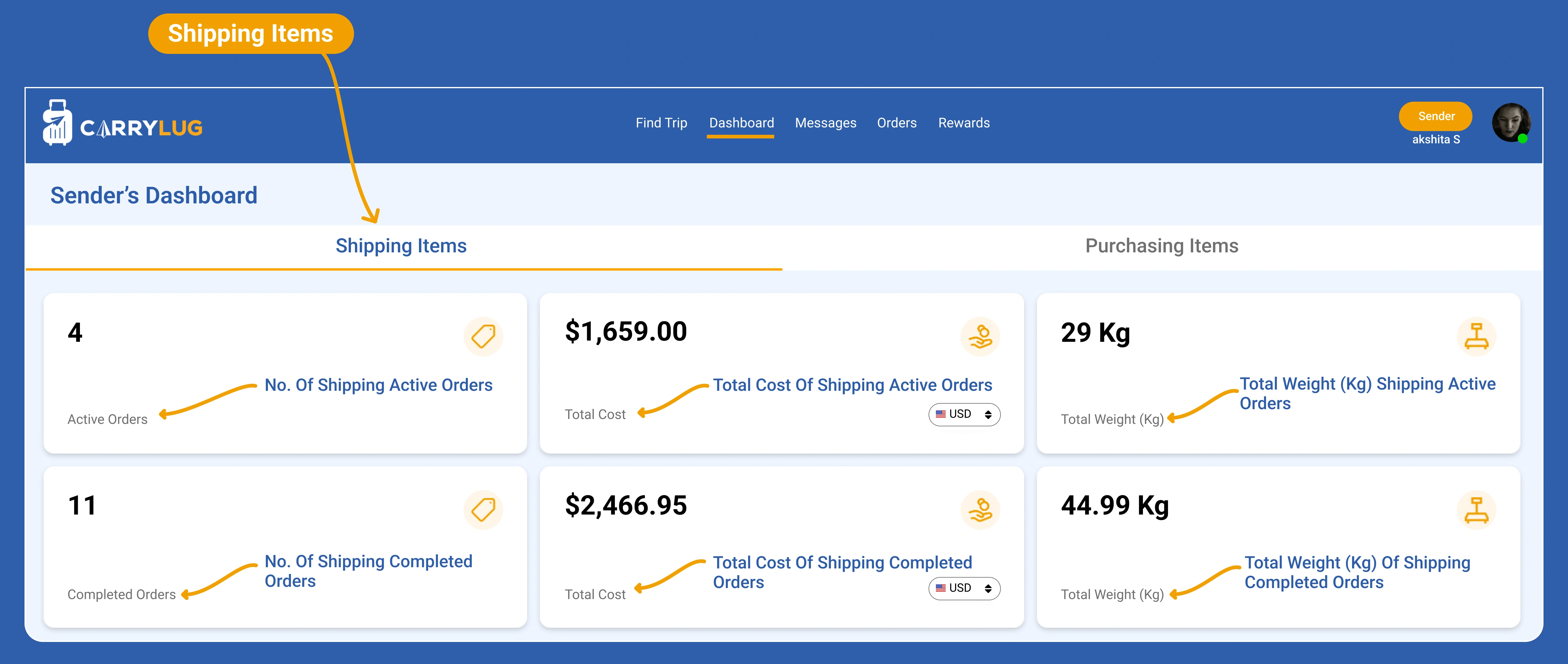
Manage Shipping Orders by Status
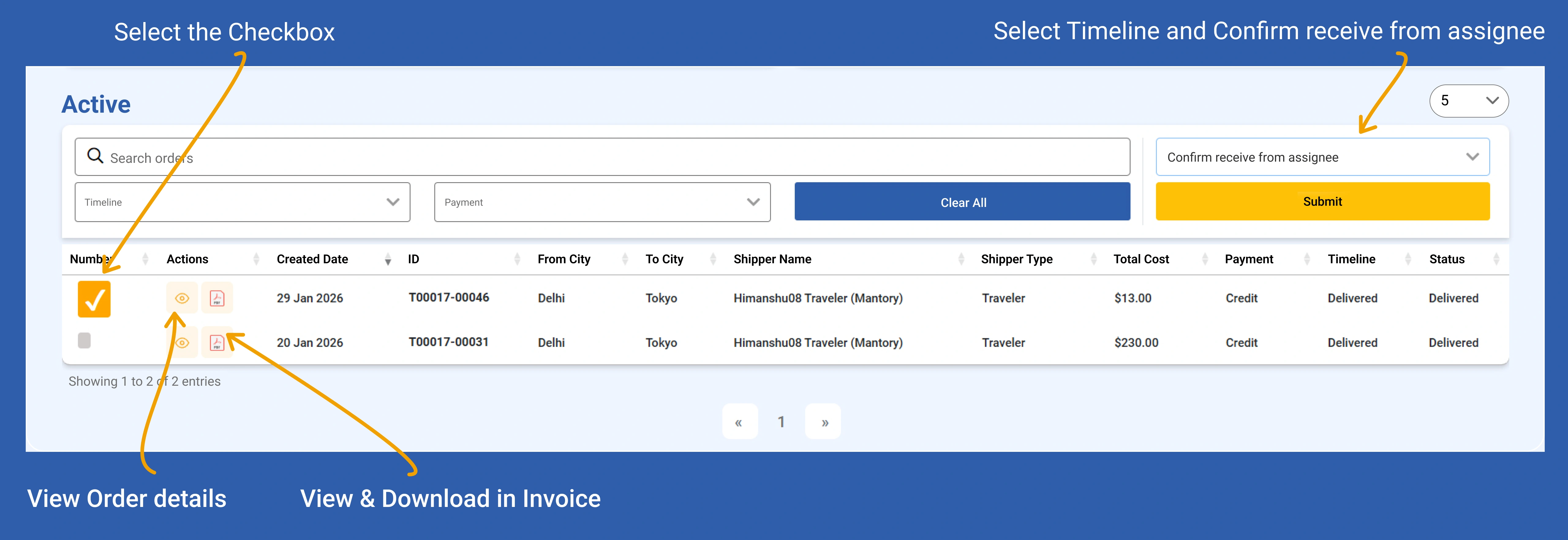
Confirm Order Receipt & Download Invoice

Track & Manage Your Shipments Easily
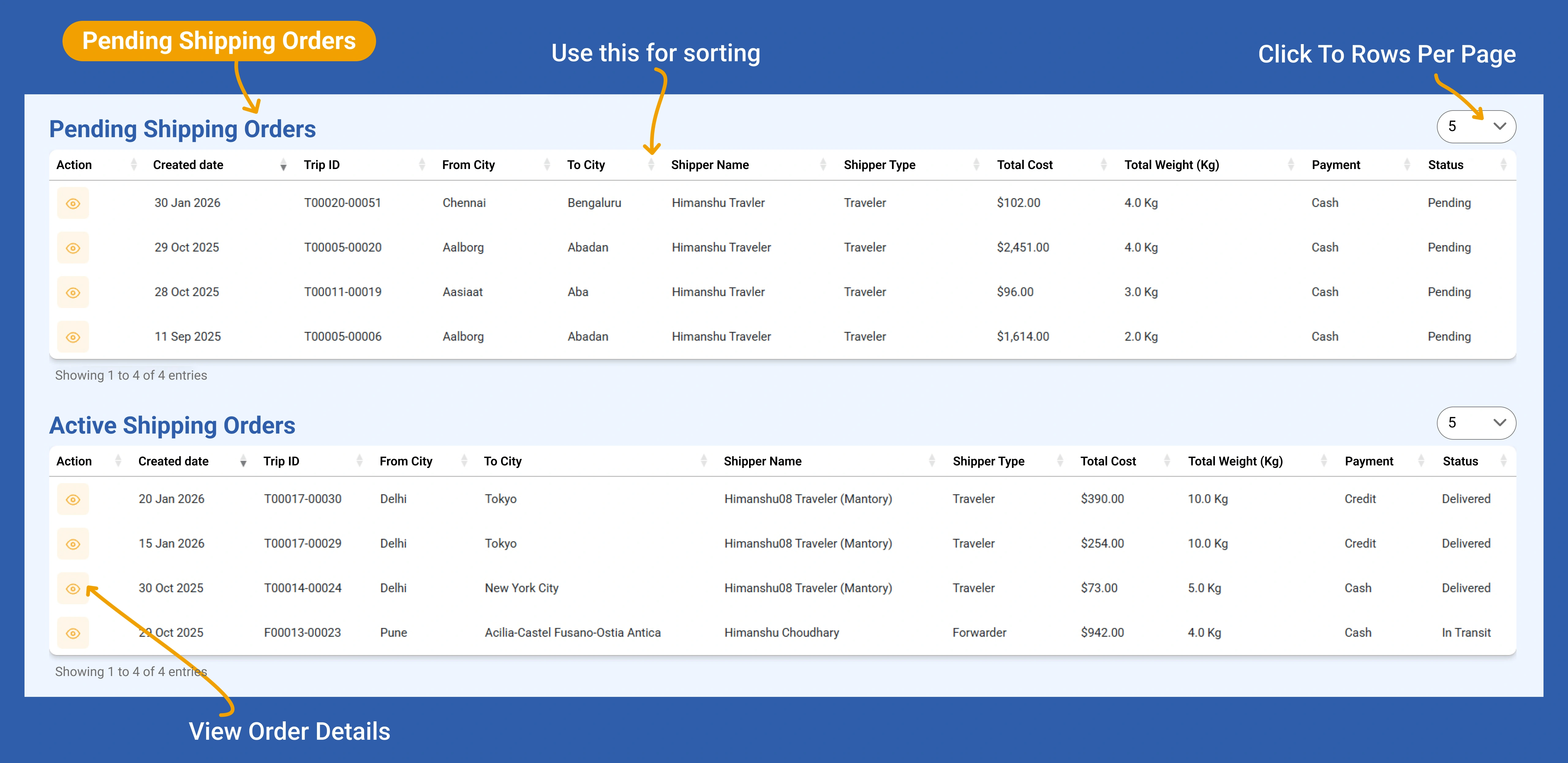
Track Pending Shipping Orders
Manage Your Purchasing Items
Track Pending Purchasing Orders
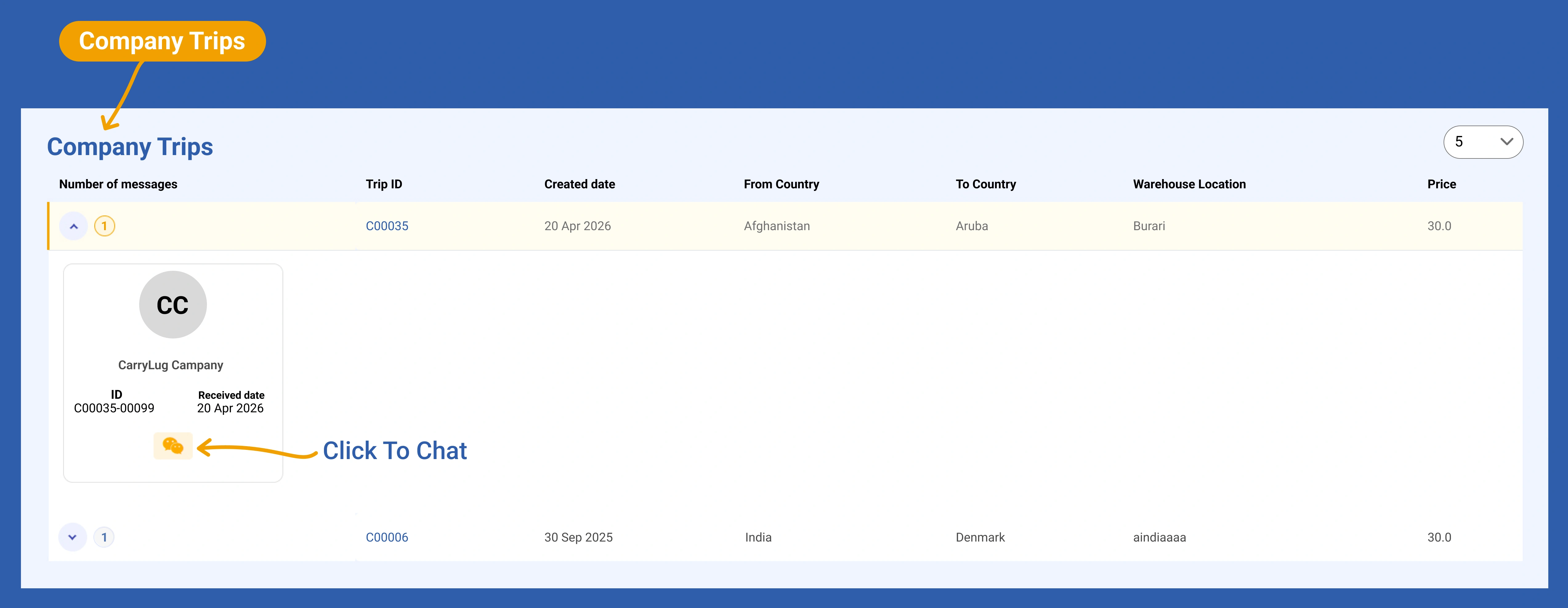
Browse Company Trips
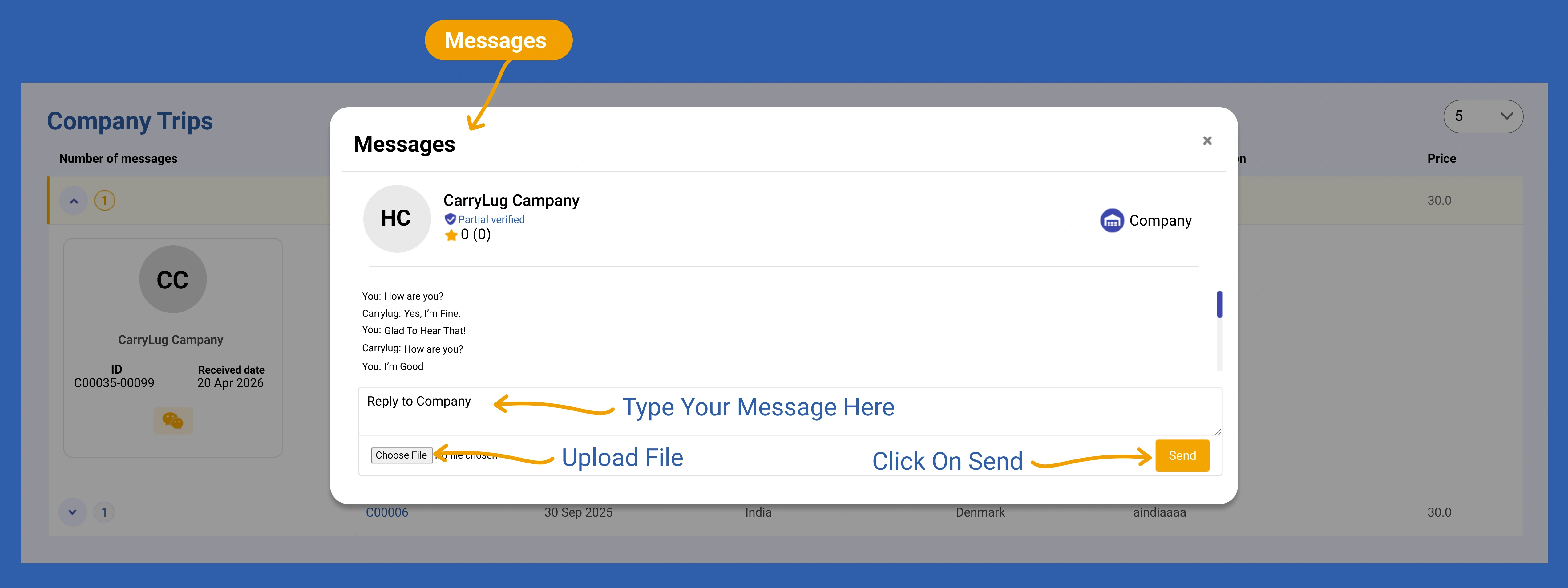
Send Messages & Upload Files
วิธีหาเงินในฐานะ ผู้ขนส่งของ CarryLug
ในฐานะนักเดินทางที่มักจะเดินทางด้วยสัมภาระเบา คุณจะมีพื้นที่ว่างในกระเป๋าเดินทางของคุณสำหรับการเดินทางครั้งถัดไปไปยังสหรัฐอเมริกา ไทย หรือที่อื่น ๆ ทำไมต้องเดินทางด้วยกระเป๋าครึ่งว่างเปล่าเมื่อคุณสามารถเปลี่ยนพื้นที่นั้นให้เป็นเงินสดได้? ทำตามขั้นตอนง่าย ๆ ด้านล่างเพื่อหาเงินเพิ่ม

เป็นนักเดินทาง
ให้ผู้ส่งพบคุณ กรอกรายละเอียดการเดินทางของคุณและเริ่มหาเงินจากการเดินทางที่คุณทำอยู่แล้ว สมัครและเปิดโปรไฟล์นักเดินทาง

เป็นผู้ส่งต่อ
ผู้ส่งต่อคือกระดูกสันหลังของ CarryLug พวกเขาช่วยเหลือผู้ส่ง รับรองการสื่อสารที่ราบรื่นและการจัดส่งที่ประสบความสำเร็จ สมัครและเปิดโปรไฟล์ผู้ส่งต่อ
เป็นบริษัท
บริษัทสามารถใช้ CarryLug เพื่อจัดการความต้องการในการจัดส่งและเชื่อมต่อกับผู้ส่ง สมัครและเปิดโปรไฟล์บริษัท
เป็นนักเดินทาง
Back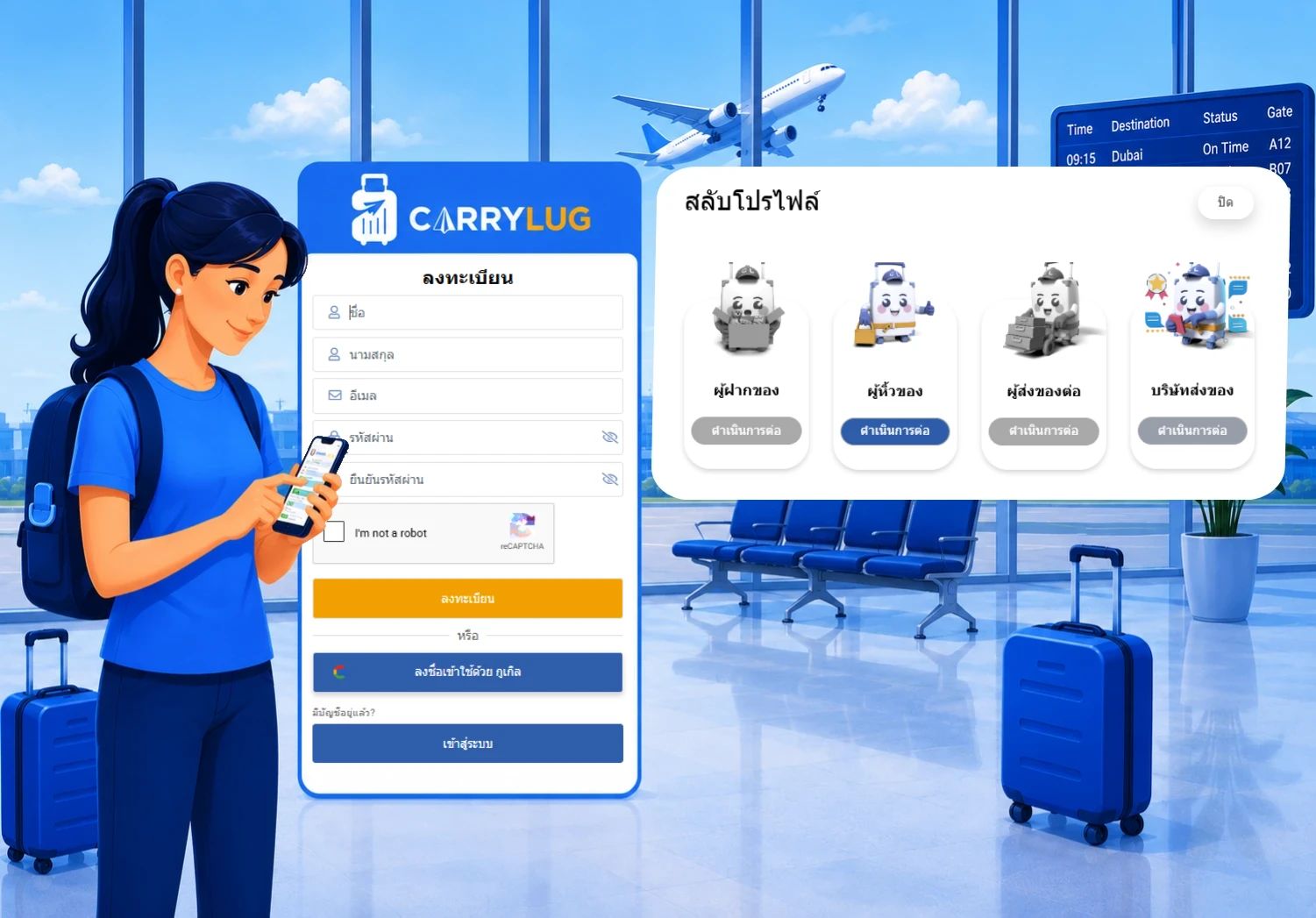
1. ลงทะเบียนเพื่อเป็นผู้ขนส่งของ CarryLug
เพิ่มรายละเอียดของคุณ เพื่อให้ผู้ส่งเชื่อถือและเลือกคุณเป็นผู้ขนส่ง ข้อมูลส่วนตัวของคุณจึงเป็นสิ่งจำเป็น รวมถึงตารางการเดินทาง/การมาถึงของคุณ เวลาในการปิดกระเป๋าเดินทาง ค่าบริการ และน้ำหนักสูงสุดที่คุณสามารถขนส่งได้ และจุดรับของของคุณ เมื่อโปรไฟล์ของคุณได้รับการอนุมัติแล้ว มันจะแสดงในตลาดของเราและคุณจะพร้อมเริ่มทำงาน
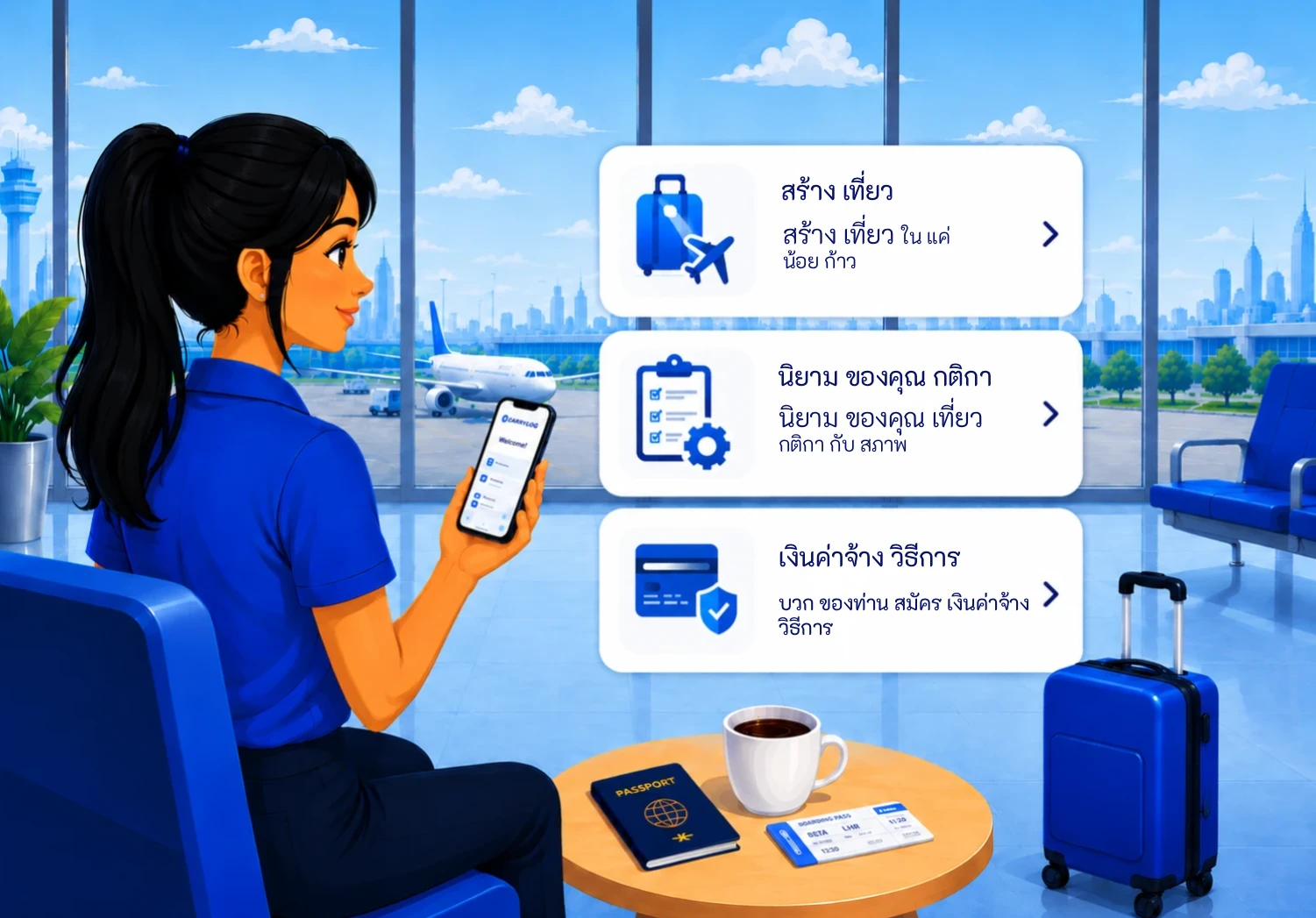
2. โพสต์รายละเอียดเพื่อหาคู่ที่เหมาะสม
เพลิดเพลินกับแม่แบบการโพสต์ที่เรียบง่ายของเรา ต่างจากการโพสต์ในหน้า Facebook เพียงแค่กรอกรายละเอียดการเดินทางในช่องที่มีอยู่ สิ่งนี้จะช่วยประหยัดเวลาและหลีกเลี่ยงข้อมูลที่ไม่จำเป็น ระบบแชทส่วนตัวและบอร์ดข้อความของเราช่วยให้สามารถอภิปรายหัวข้อของคุณกับผู้ใช้แต่ละรายได้
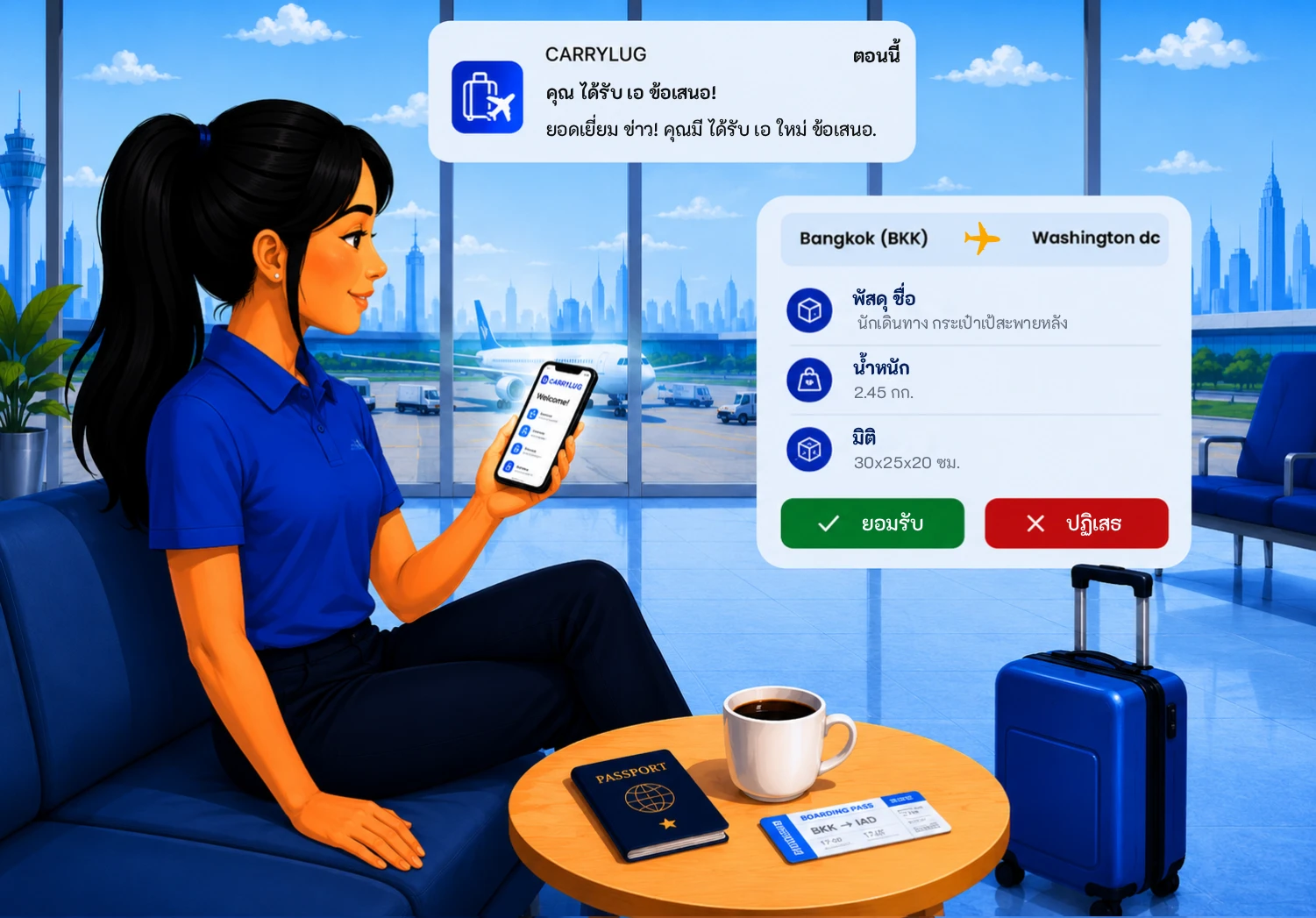
3. กำหนดกฎระเบียบและวิธีการชำระเงินของคุณ
ปิดดีล คุณจะต้องแจ้งกฎระเบียบการจัดส่งและวิธีการชำระค่าบริการของคุณแก่ผู้ส่ง (การโอนเงินผ่านธนาคาร เงินสด PayPal เป็นต้น) รายละเอียดการชำระเงินจะตกลงกันโดยทั้งสองฝ่าย ไม่ว่าจะชำระล่วงหน้าหรือเมื่อพัสดุมาถึงจุดหมายปลายทาง
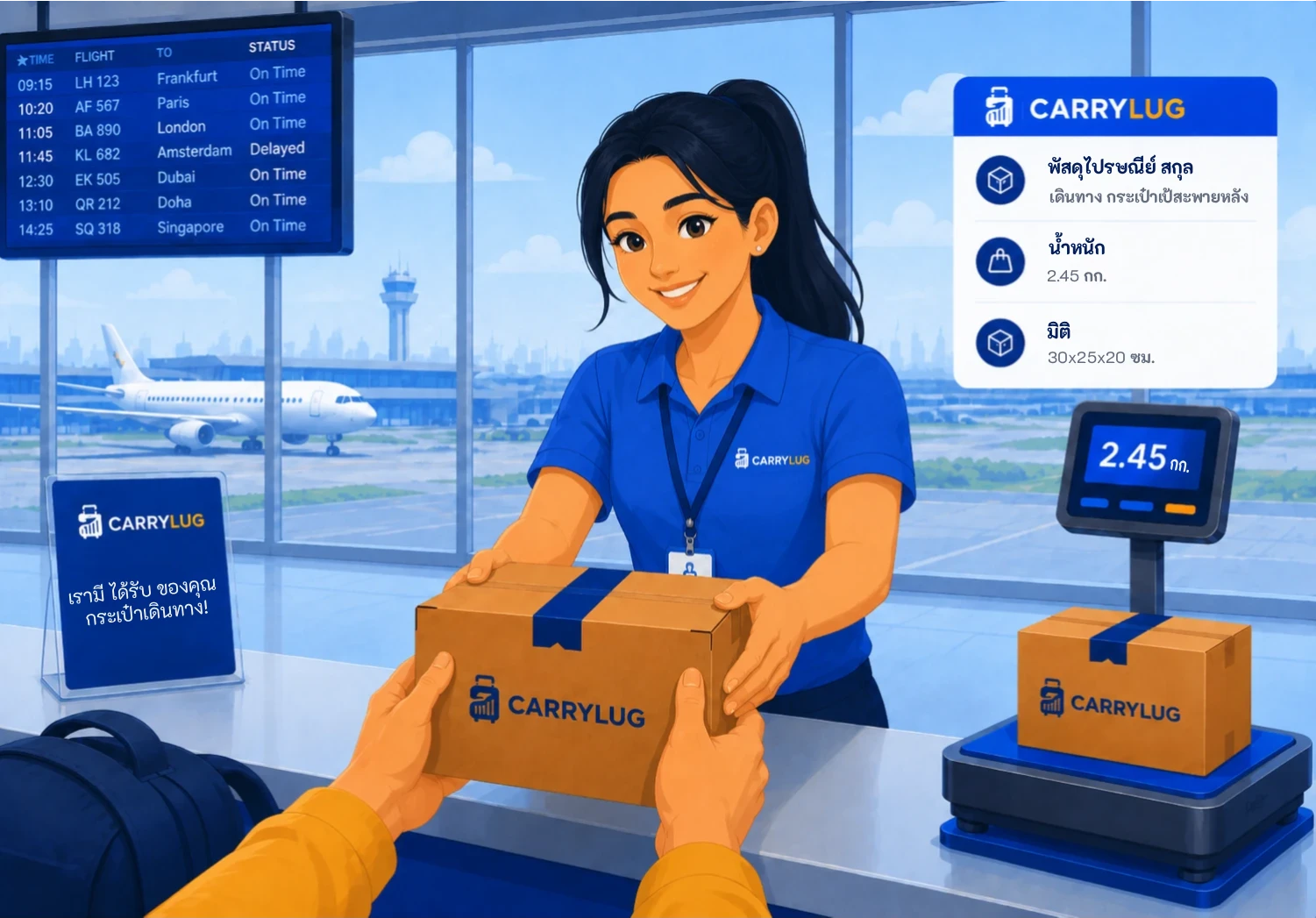
4. แพ็คและเตรียมการจัดส่งอย่างมืออาชีพ
ป้ายติดพัสดุที่พิมพ์ได้ง่าย ระบบของเราจะเตรียมรายละเอียดการจัดส่งที่จำเป็นทั้งหมดในรูปแบบที่สามารถพิมพ์ได้ เราขอแนะนำให้คุณพิมพ์ป้ายก่อนการบรรจุเพื่อให้แน่ใจว่ารับสินค้าทั้งหมดแล้วและพร้อมที่จะบรรจุลงในกระเป๋าเดินทางของคุณ อย่าลืมอัปเดตสถานะการจัดส่งในระบบติดตามของเราทันทีที่คุณได้รับพัสดุ
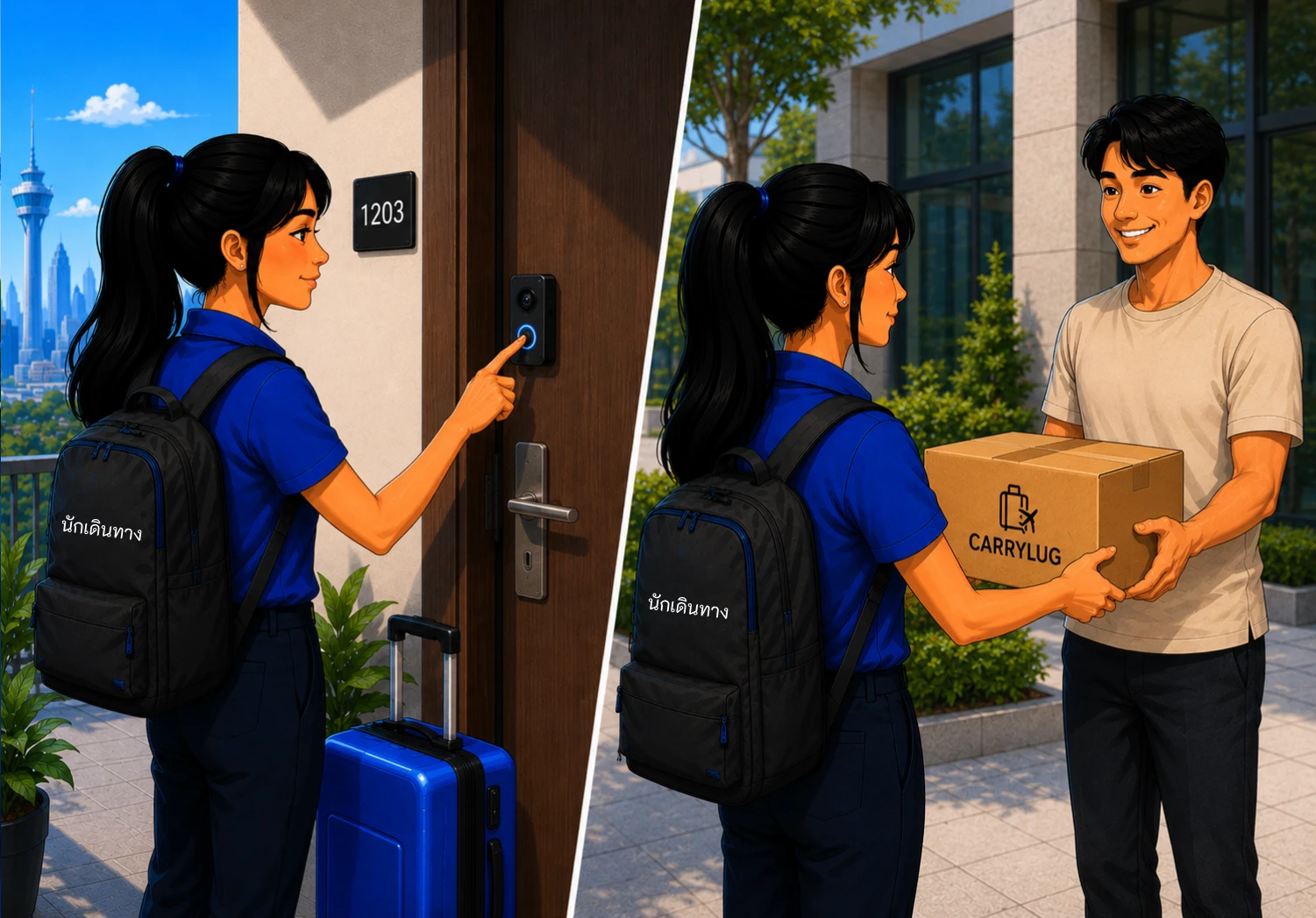
5. ขึ้นเครื่องบินและจัดส่งตามสถานที่ที่กำหนดไว้ล่วงหน้าหรือส่งทางไปรษณีย์
มอบพัสดุ ด้วยความยุ่งยากน้อยมาก เมื่อคุณมาถึงจุดหมายปลายทาง ให้ดำเนินการจัดส่งแต่ละพัสดุในรายการของคุณทันที ไม่ว่าจะส่งที่สถานที่ที่กำหนดไว้ล่วงหน้าหรือส่งผ่านผู้ให้บริการไปรษณีย์ในประเทศ ไม่ว่าจะเป็นวิธีใด ระบบก็ใช้งานได้ง่ายและราบรื่นด้วยรายการอัตโนมัติที่สร้างขึ้นและป้ายที่พิมพ์ได้
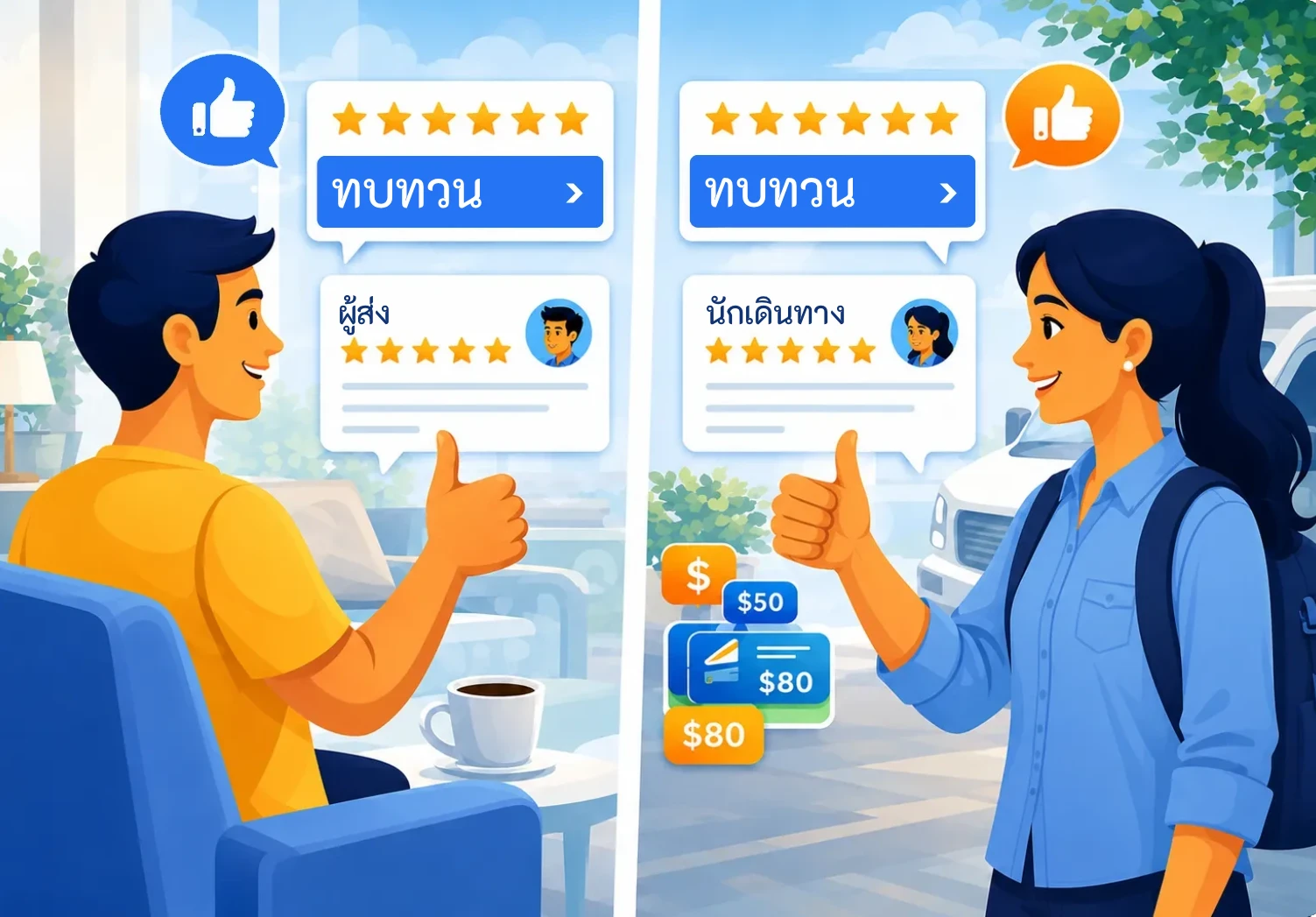
6. ขอรีวิวและยิ้ม
รับดาวที่คุณสมควรได้รับ เมื่อผู้ส่งได้รับพัสดุ พวกเขาจะคลิก “เสร็จสิ้น” อย่าลืมขอให้พวกเขาทิ้งรีวิวดี ๆ บนแพลตฟอร์มของเราหรืออย่างน้อยให้ดาวคุณบ้าง ความคิดเห็นของพวกเขาสามารถช่วยปรับปรุงชื่อเสียงของคุณในฐานะผู้ขนส่งที่เชื่อถือได้
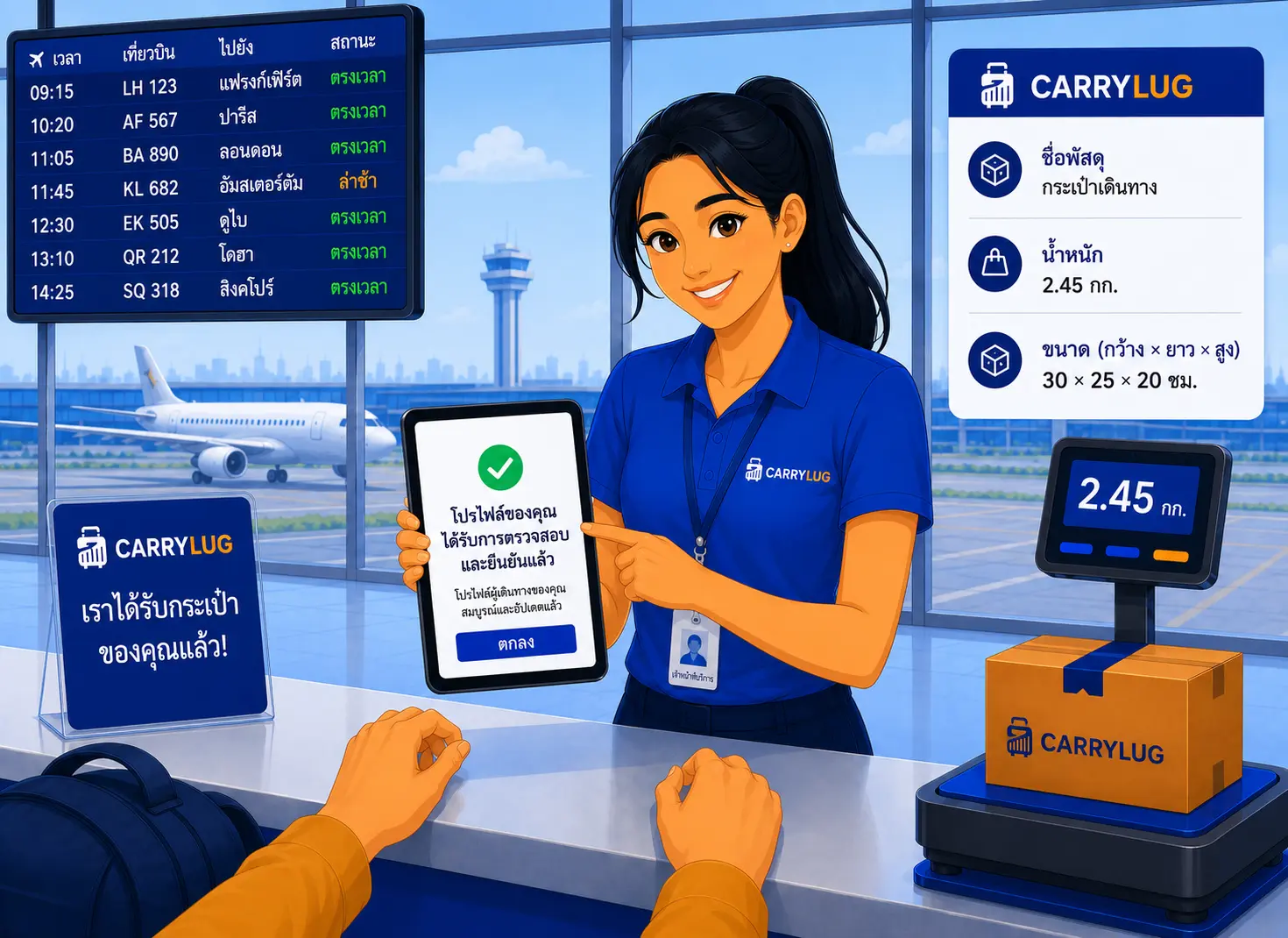
7. ตรวจสอบการตั้งค่าโปรไฟล์นักเดินทางของคุณ
ตรวจสอบรายละเอียดโปรไฟล์นักเดินทางของคุณ ตรวจสอบโปรไฟล์ การยืนยันตัวตน ข้อคิดเห็น และผู้ใช้ที่บันทึกไว้ เพื่อให้ผู้ส่งเข้าใจความน่าเชื่อถือของคุณก่อนเลือกใช้บริการ
เป็นผู้ส่งต่อ
Back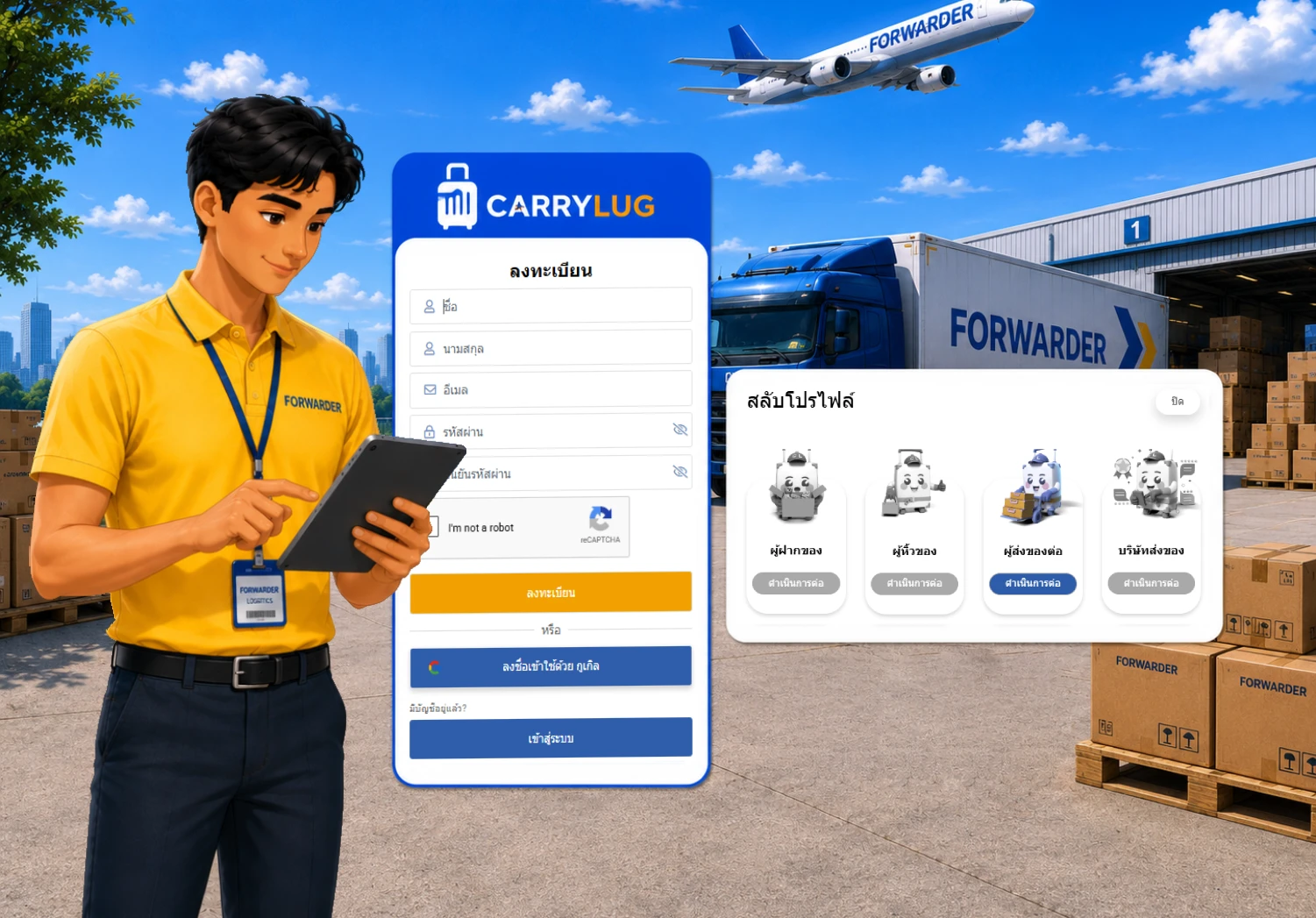
1. ลงทะเบียนเพื่อเป็นผู้ขนส่งของ CarryLug
เพิ่มรายละเอียดของคุณ เพื่อให้ผู้ส่งเชื่อถือและเลือกคุณเป็นผู้ขนส่ง ข้อมูลส่วนตัวของคุณจึงเป็นสิ่งจำเป็น รวมถึงตารางการเดินทาง/การมาถึงของคุณ เวลาในการปิดกระเป๋าเดินทาง ค่าบริการ และน้ำหนักสูงสุดที่คุณสามารถขนส่งได้ และจุดรับของของคุณ เมื่อโปรไฟล์ของคุณได้รับการอนุมัติแล้ว มันจะแสดงในตลาดของเราและคุณจะพร้อมเริ่มทำงาน
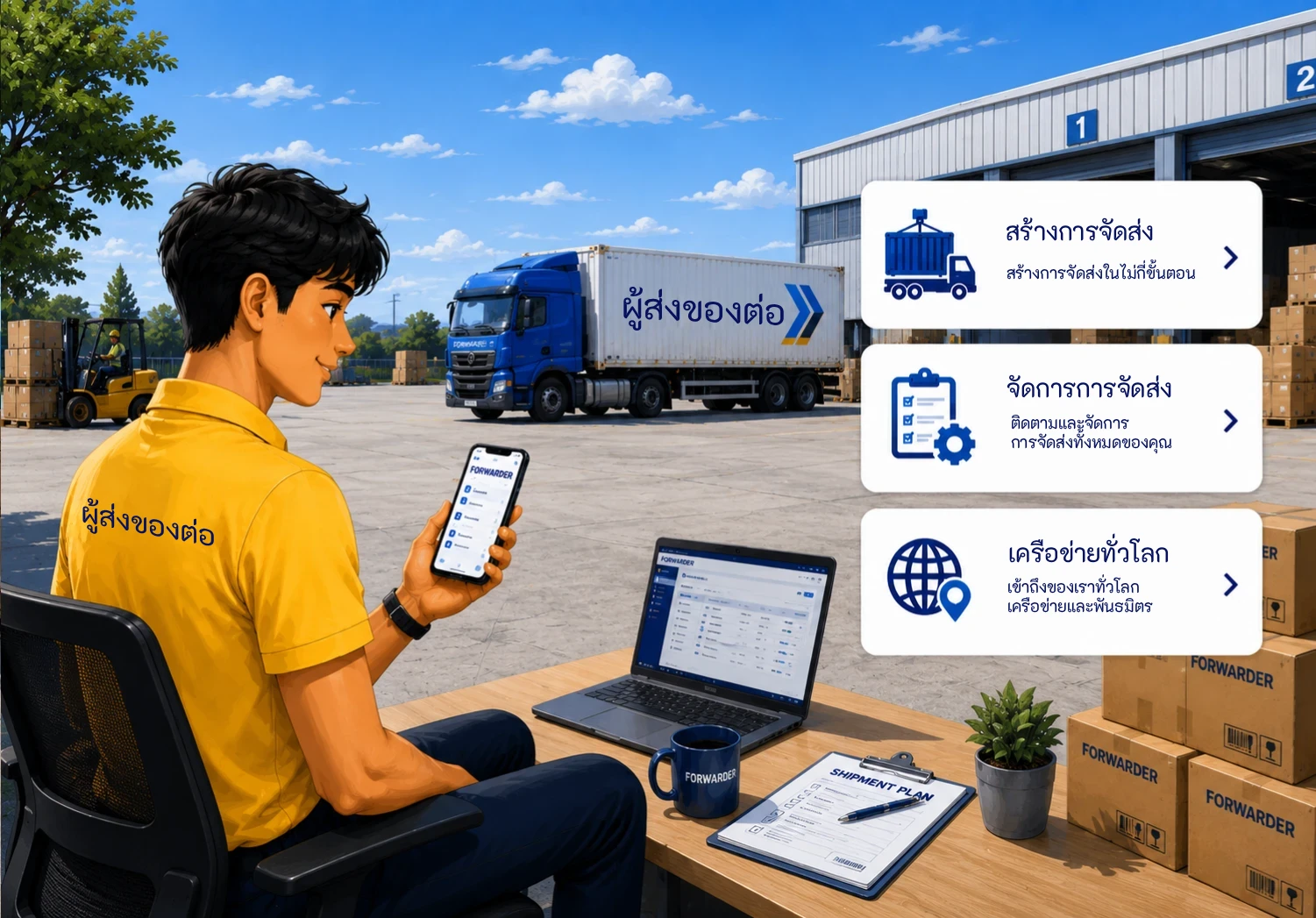
2. โพสต์รายละเอียดเพื่อหาคู่ที่เหมาะสม
เพลิดเพลินกับแม่แบบการโพสต์ที่เรียบง่ายของเรา ต่างจากการโพสต์ในหน้า Facebook เพียงแค่กรอกรายละเอียดการเดินทางในช่องที่มีอยู่ สิ่งนี้จะช่วยประหยัดเวลาและหลีกเลี่ยงข้อมูลที่ไม่จำเป็น ระบบแชทส่วนตัวและบอร์ดข้อความของเราช่วยให้สามารถอภิปรายหัวข้อของคุณกับผู้ใช้แต่ละรายได้
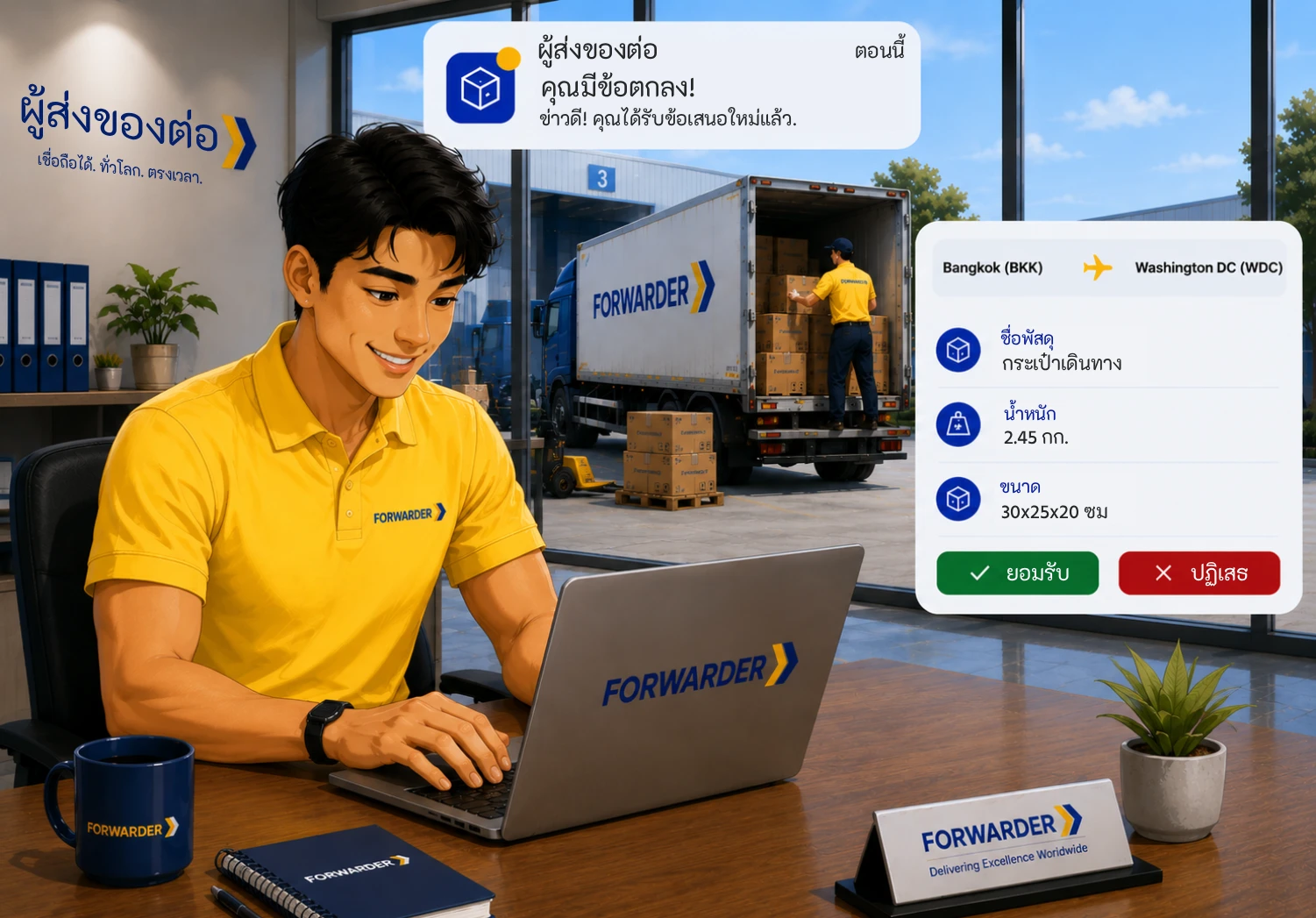
3. กำหนดกฎระเบียบและวิธีการชำระเงินของคุณ
ปิดดีล คุณจะต้องแจ้งกฎระเบียบการจัดส่งและวิธีการชำระค่าบริการของคุณแก่ผู้ส่ง (การโอนเงินผ่านธนาคาร เงินสด PayPal เป็นต้น) รายละเอียดการชำระเงินจะตกลงกันโดยทั้งสองฝ่าย ไม่ว่าจะชำระล่วงหน้าหรือเมื่อพัสดุมาถึงจุดหมายปลายทาง
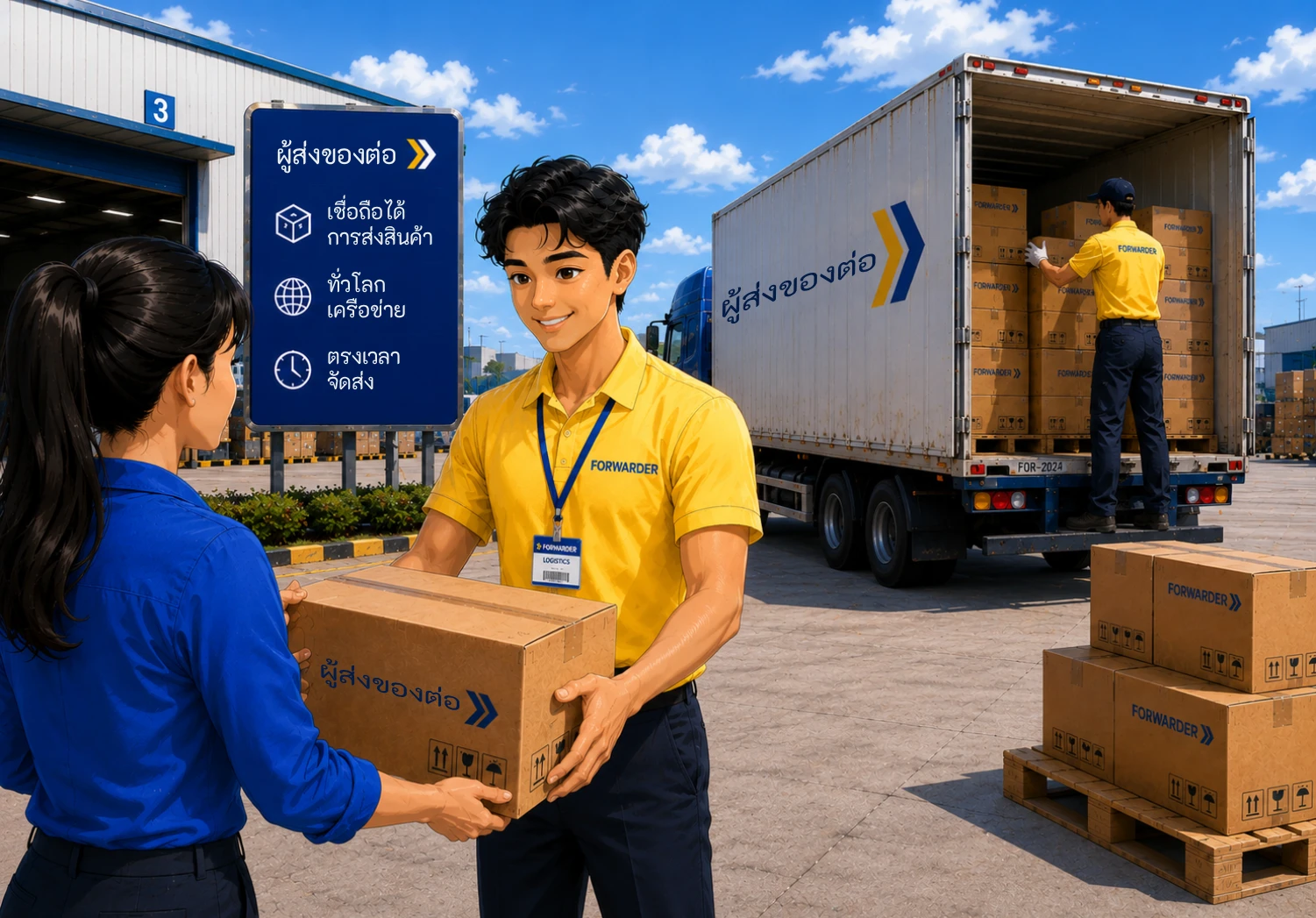
4. แพ็คและเตรียมการจัดส่งอย่างมืออาชีพ
ป้ายติดพัสดุที่พิมพ์ได้ง่าย ระบบของเราจะเตรียมรายละเอียดการจัดส่งที่จำเป็นทั้งหมดในรูปแบบที่สามารถพิมพ์ได้ เราขอแนะนำให้คุณพิมพ์ป้ายก่อนการบรรจุเพื่อให้แน่ใจว่ารับสินค้าทั้งหมดแล้วและพร้อมที่จะบรรจุลงในกระเป๋าเดินทางของคุณ อย่าลืมอัปเดตสถานะการจัดส่งในระบบติดตามของเราทันทีที่คุณได้รับพัสดุ
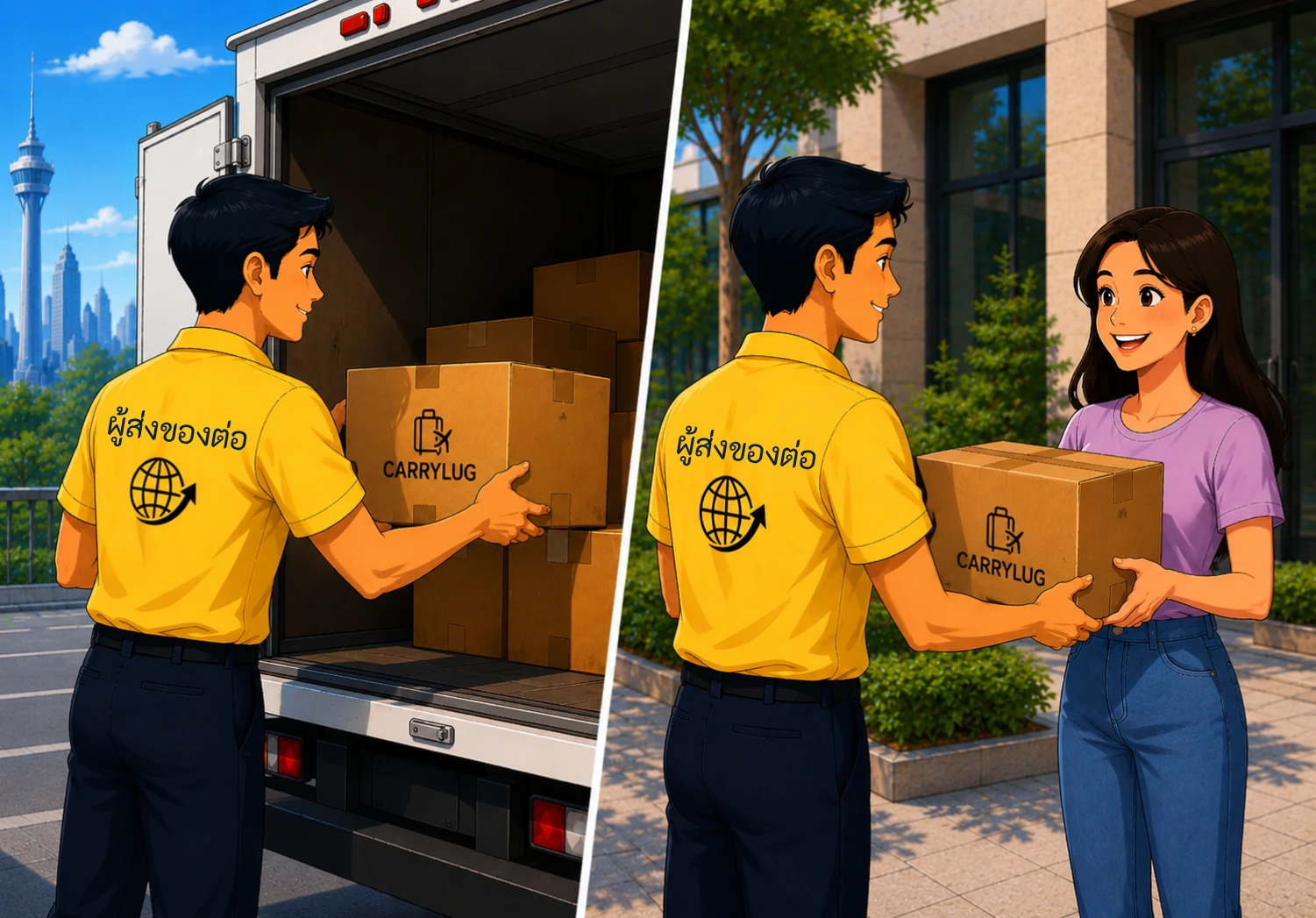
5. ขึ้นเครื่องบินและจัดส่งตามสถานที่ที่กำหนดไว้ล่วงหน้าหรือส่งทางไปรษณีย์
มอบพัสดุ ด้วยความยุ่งยากน้อยมาก เมื่อคุณมาถึงจุดหมายปลายทาง ให้ดำเนินการจัดส่งแต่ละพัสดุในรายการของคุณทันที ไม่ว่าจะส่งที่สถานที่ที่กำหนดไว้ล่วงหน้าหรือส่งผ่านผู้ให้บริการไปรษณีย์ในประเทศ ไม่ว่าจะเป็นวิธีใด ระบบก็ใช้งานได้ง่ายและราบรื่นด้วยรายการอัตโนมัติที่สร้างขึ้นและป้ายที่พิมพ์ได้
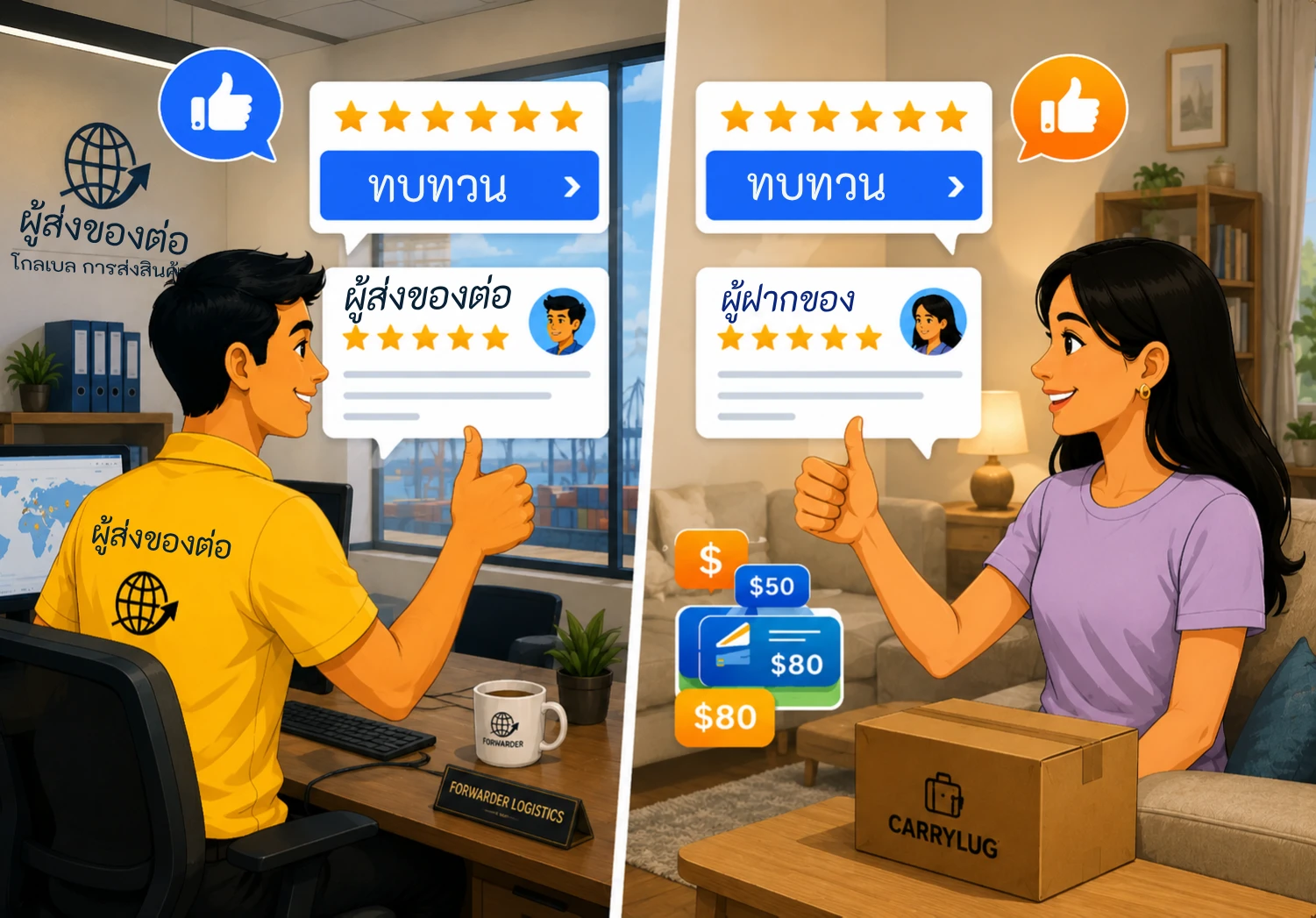
6. ขอรีวิวและยิ้ม
รับดาวที่คุณสมควรได้รับ เมื่อผู้ส่งได้รับพัสดุ พวกเขาจะคลิก “เสร็จสิ้น” อย่าลืมขอให้พวกเขาทิ้งรีวิวดี ๆ บนแพลตฟอร์มของเราหรืออย่างน้อยให้ดาวคุณบ้าง ความคิดเห็นของพวกเขาสามารถช่วยปรับปรุงชื่อเสียงของคุณในฐานะผู้ขนส่งที่เชื่อถือได้
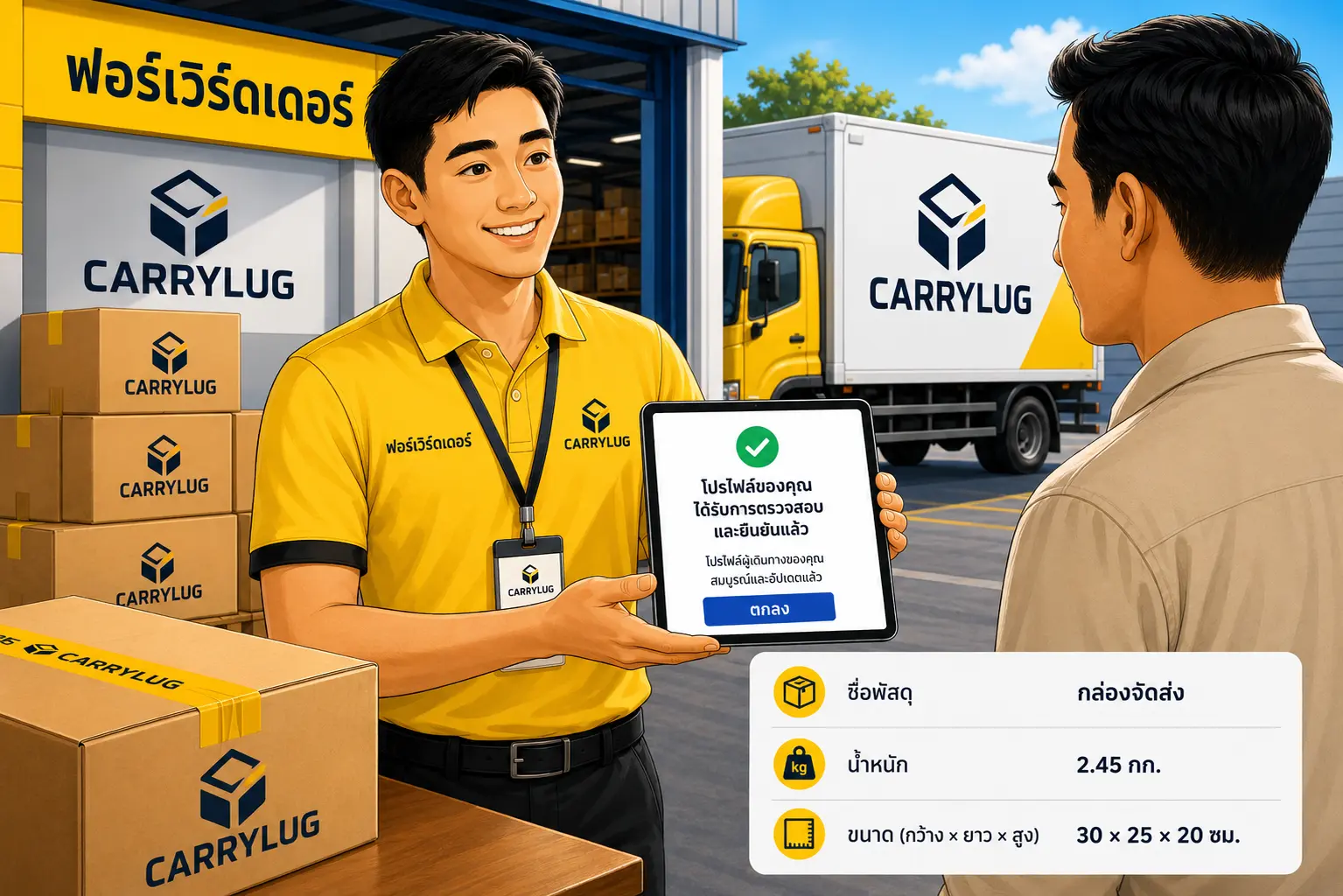
7. ตรวจสอบการตั้งค่าโปรไฟล์ผู้ส่งต่อของคุณ
ตรวจสอบรายละเอียดโปรไฟล์ผู้ส่งต่อของคุณ ตรวจสอบโปรไฟล์ การยืนยันตัวตน ข้อคิดเห็น และผู้ใช้ที่บันทึกไว้ เพื่อให้ผู้ส่งเข้าใจความน่าเชื่อถือของคุณก่อนเลือกใช้บริการ
เป็นบริษัท
Back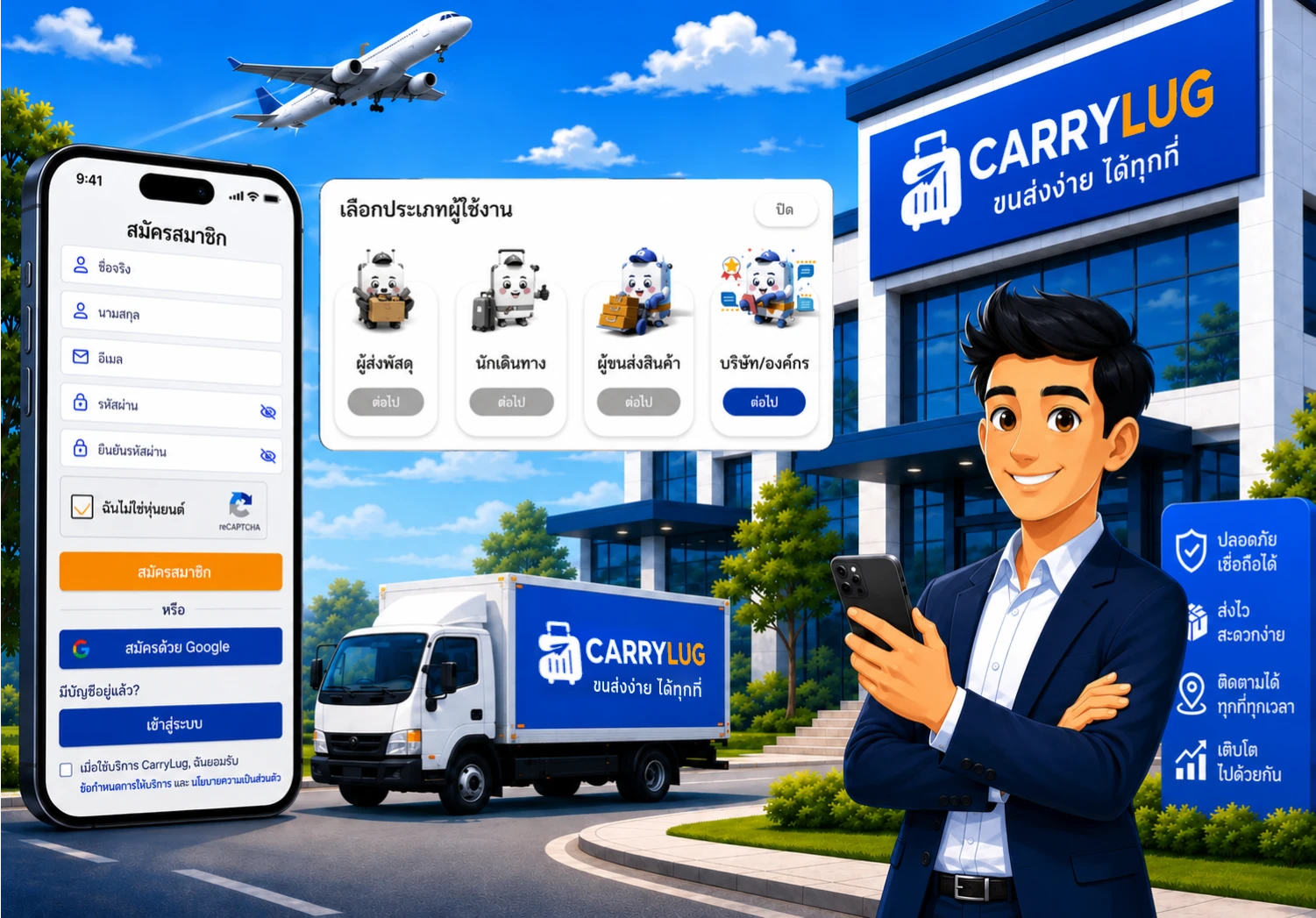
1. ลงทะเบียนเพื่อเป็นผู้ขนส่งของ CarryLug
เพิ่มรายละเอียดของคุณ เพื่อให้ผู้ส่งเชื่อถือและเลือกคุณเป็นผู้ขนส่ง ข้อมูลส่วนตัวของคุณจึงเป็นสิ่งจำเป็น รวมถึงตารางการเดินทาง/การมาถึงของคุณ เวลาในการปิดกระเป๋าเดินทาง ค่าบริการ และน้ำหนักสูงสุดที่คุณสามารถขนส่งได้ และจุดรับของของคุณ เมื่อโปรไฟล์ของคุณได้รับการอนุมัติแล้ว มันจะแสดงในตลาดของเราและคุณจะพร้อมเริ่มทำงาน
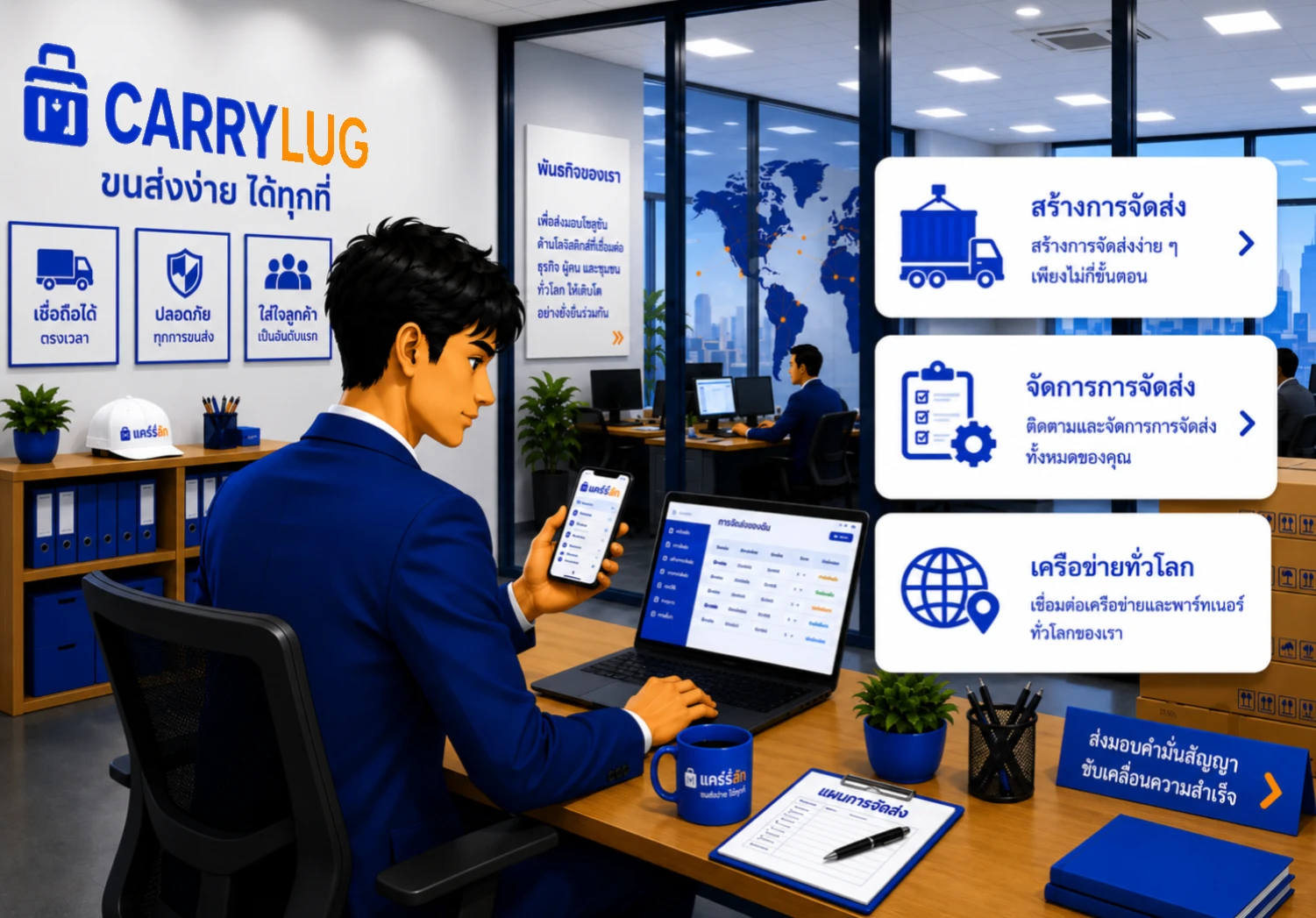
2. โพสต์รายละเอียดเพื่อหาคู่ที่เหมาะสม
เพลิดเพลินกับแม่แบบการโพสต์ที่เรียบง่ายของเรา ต่างจากการโพสต์ในหน้า Facebook เพียงแค่กรอกรายละเอียดการเดินทางในช่องที่มีอยู่ สิ่งนี้จะช่วยประหยัดเวลาและหลีกเลี่ยงข้อมูลที่ไม่จำเป็น ระบบแชทส่วนตัวและบอร์ดข้อความของเราช่วยให้สามารถอภิปรายหัวข้อของคุณกับผู้ใช้แต่ละรายได้

3. กำหนดกฎระเบียบและวิธีการชำระเงินของคุณ
ปิดดีล คุณจะต้องแจ้งกฎระเบียบการจัดส่งและวิธีการชำระค่าบริการของคุณแก่ผู้ส่ง (การโอนเงินผ่านธนาคาร เงินสด PayPal เป็นต้น) รายละเอียดการชำระเงินจะตกลงกันโดยทั้งสองฝ่าย ไม่ว่าจะชำระล่วงหน้าหรือเมื่อพัสดุมาถึงจุดหมายปลายทาง
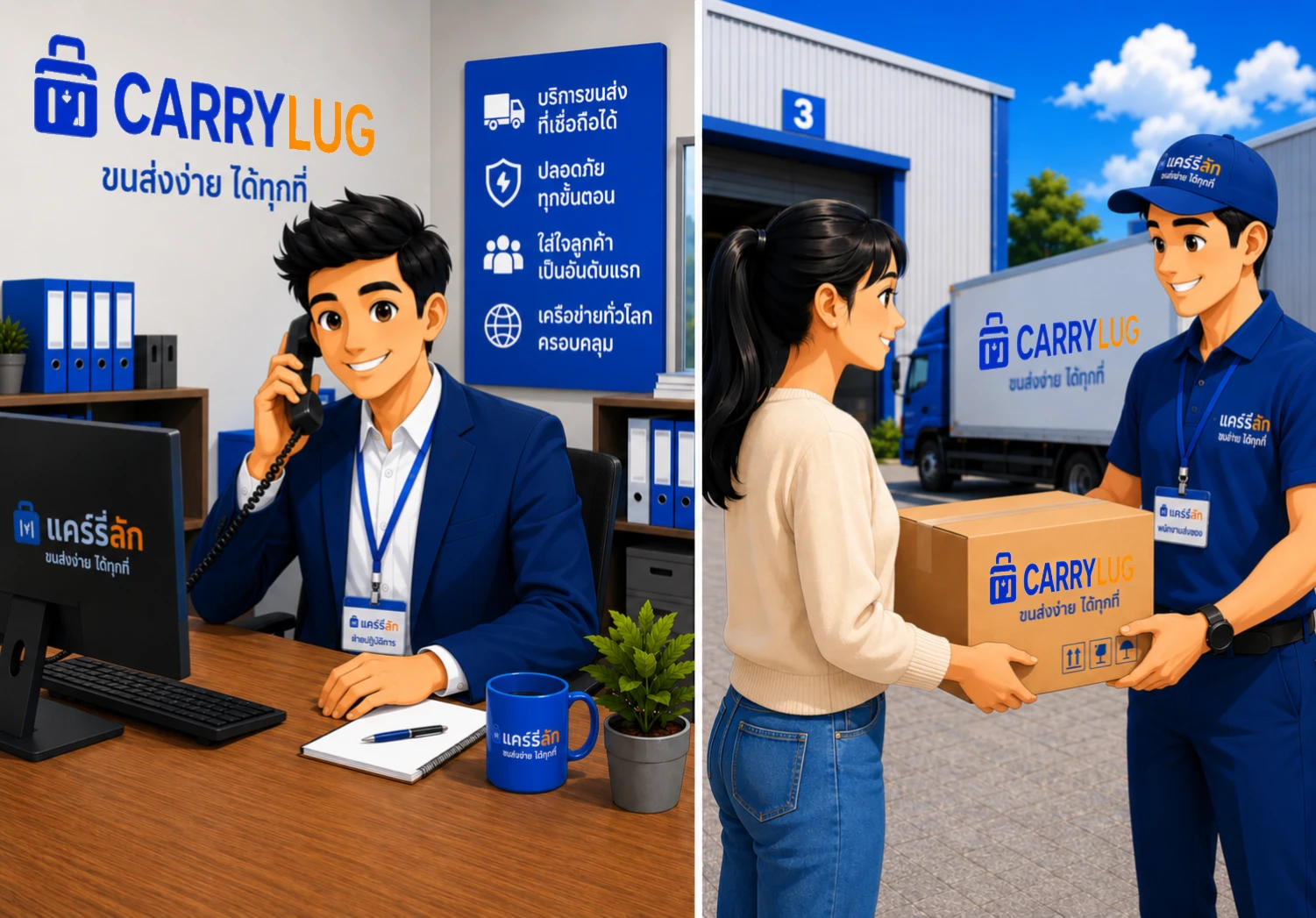
4. แพ็คและเตรียมการจัดส่งอย่างมืออาชีพ
ป้ายติดพัสดุที่พิมพ์ได้ง่าย ระบบของเราจะเตรียมรายละเอียดการจัดส่งที่จำเป็นทั้งหมดในรูปแบบที่สามารถพิมพ์ได้ เราขอแนะนำให้คุณพิมพ์ป้ายก่อนการบรรจุเพื่อให้แน่ใจว่ารับสินค้าทั้งหมดแล้วและพร้อมที่จะบรรจุลงในกระเป๋าเดินทางของคุณ อย่าลืมอัปเดตสถานะการจัดส่งในระบบติดตามของเราทันทีที่คุณได้รับพัสดุ
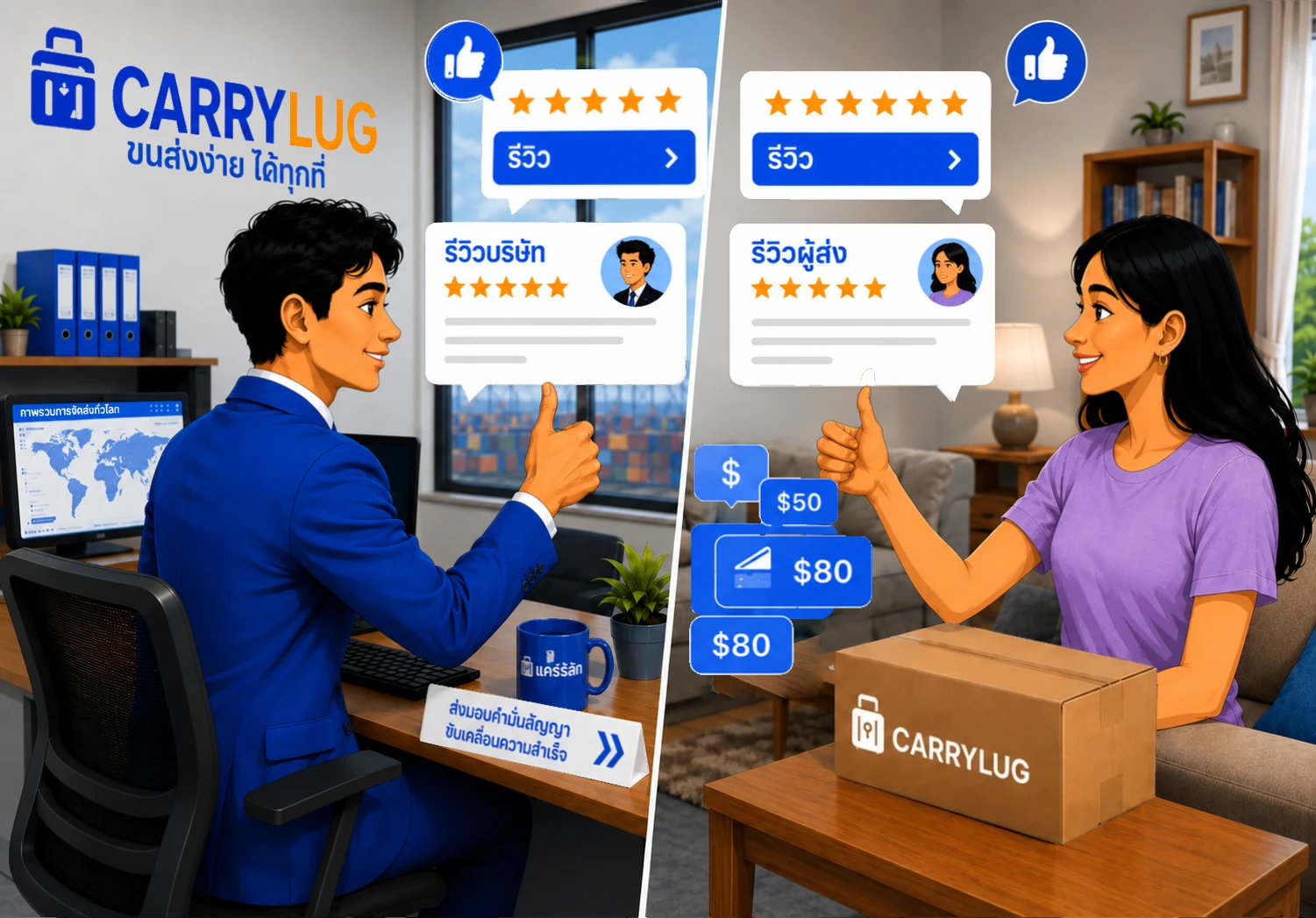
5. ขึ้นเครื่องบินและจัดส่งตามสถานที่ที่กำหนดไว้ล่วงหน้าหรือส่งทางไปรษณีย์
มอบพัสดุ ด้วยความยุ่งยากน้อยมาก เมื่อคุณมาถึงจุดหมายปลายทาง ให้ดำเนินการจัดส่งแต่ละพัสดุในรายการของคุณทันที ไม่ว่าจะส่งที่สถานที่ที่กำหนดไว้ล่วงหน้าหรือส่งผ่านผู้ให้บริการไปรษณีย์ในประเทศ ไม่ว่าจะเป็นวิธีใด ระบบก็ใช้งานได้ง่ายและราบรื่นด้วยรายการอัตโนมัติที่สร้างขึ้นและป้ายที่พิมพ์ได้
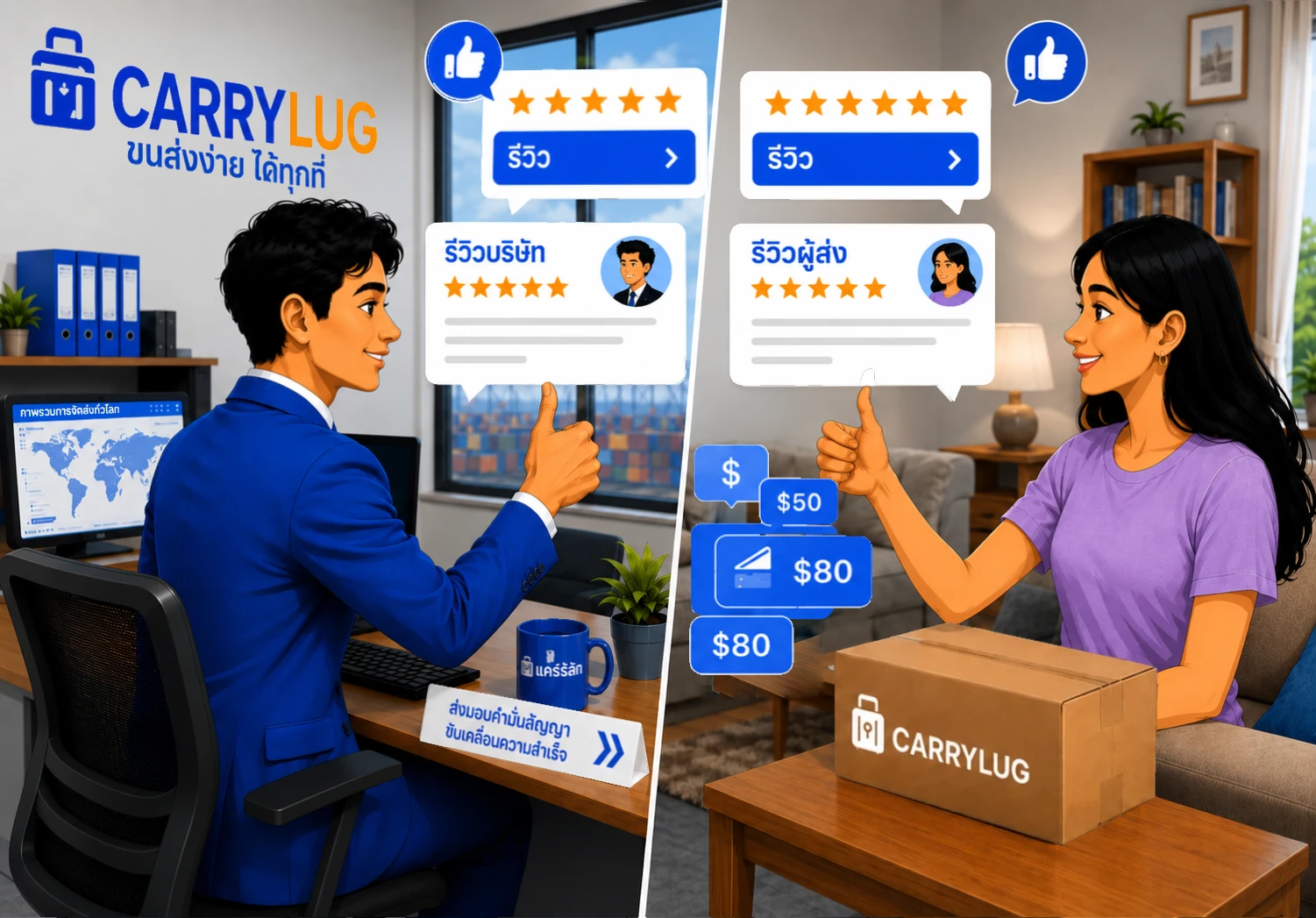
6. ขอรีวิวและยิ้ม
รับดาวที่คุณสมควรได้รับ เมื่อผู้ส่งได้รับพัสดุ พวกเขาจะคลิก “เสร็จสิ้น” อย่าลืมขอให้พวกเขาทิ้งรีวิวดี ๆ บนแพลตฟอร์มของเราหรืออย่างน้อยให้ดาวคุณบ้าง ความคิดเห็นของพวกเขาสามารถช่วยปรับปรุงชื่อเสียงของคุณในฐานะผู้ขนส่งที่เชื่อถือได้
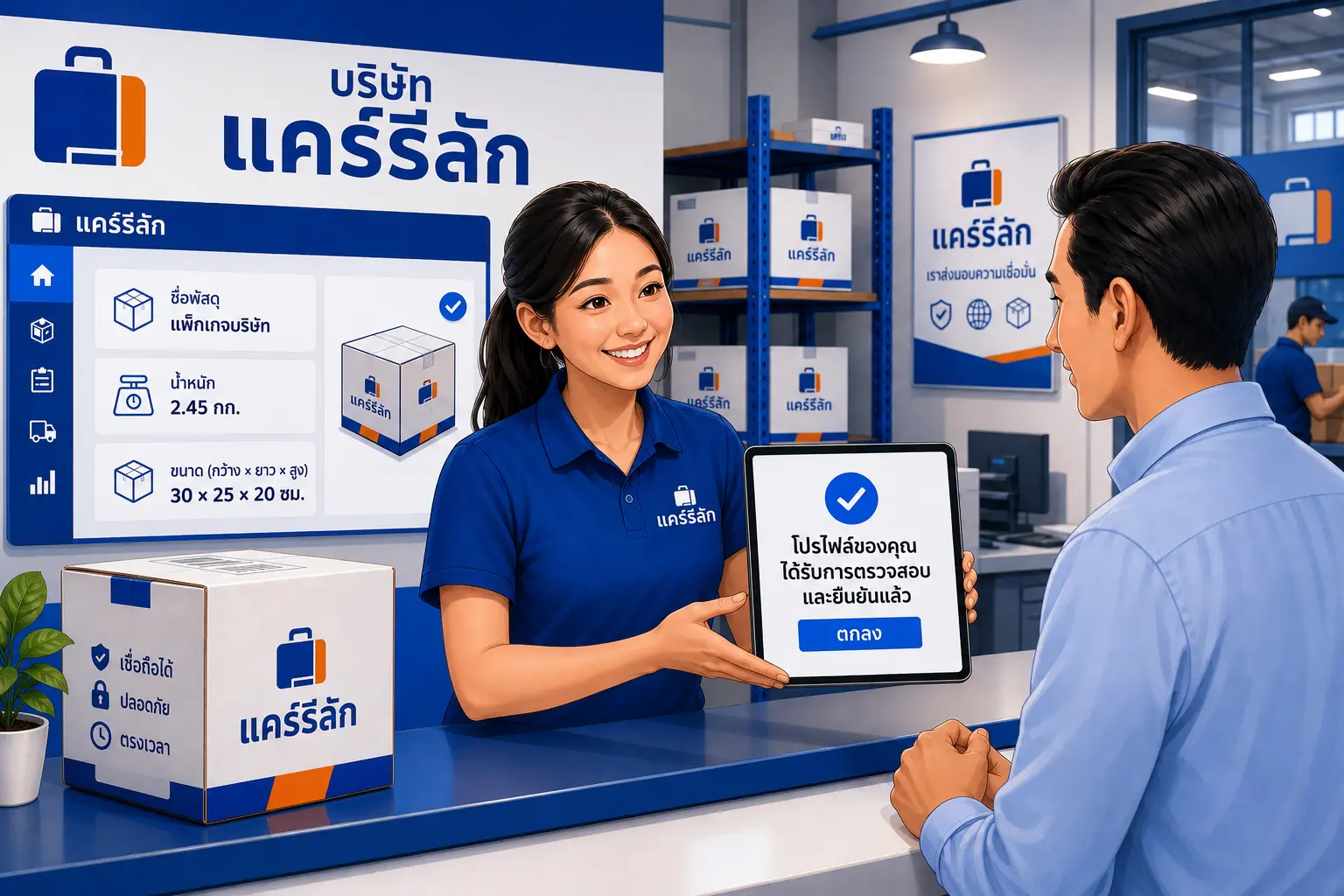
7. ตรวจสอบการตั้งค่าโปรไฟล์บริษัทของคุณ
ตรวจสอบรายละเอียดโปรไฟล์บริษัทของคุณ ตรวจสอบโปรไฟล์ การยืนยันตัวตน ข้อคิดเห็น และผู้ใช้ที่บันทึกไว้ เพื่อให้ผู้ส่งเข้าใจความน่าเชื่อถือก่อนเลือกบริษัทของคุณ
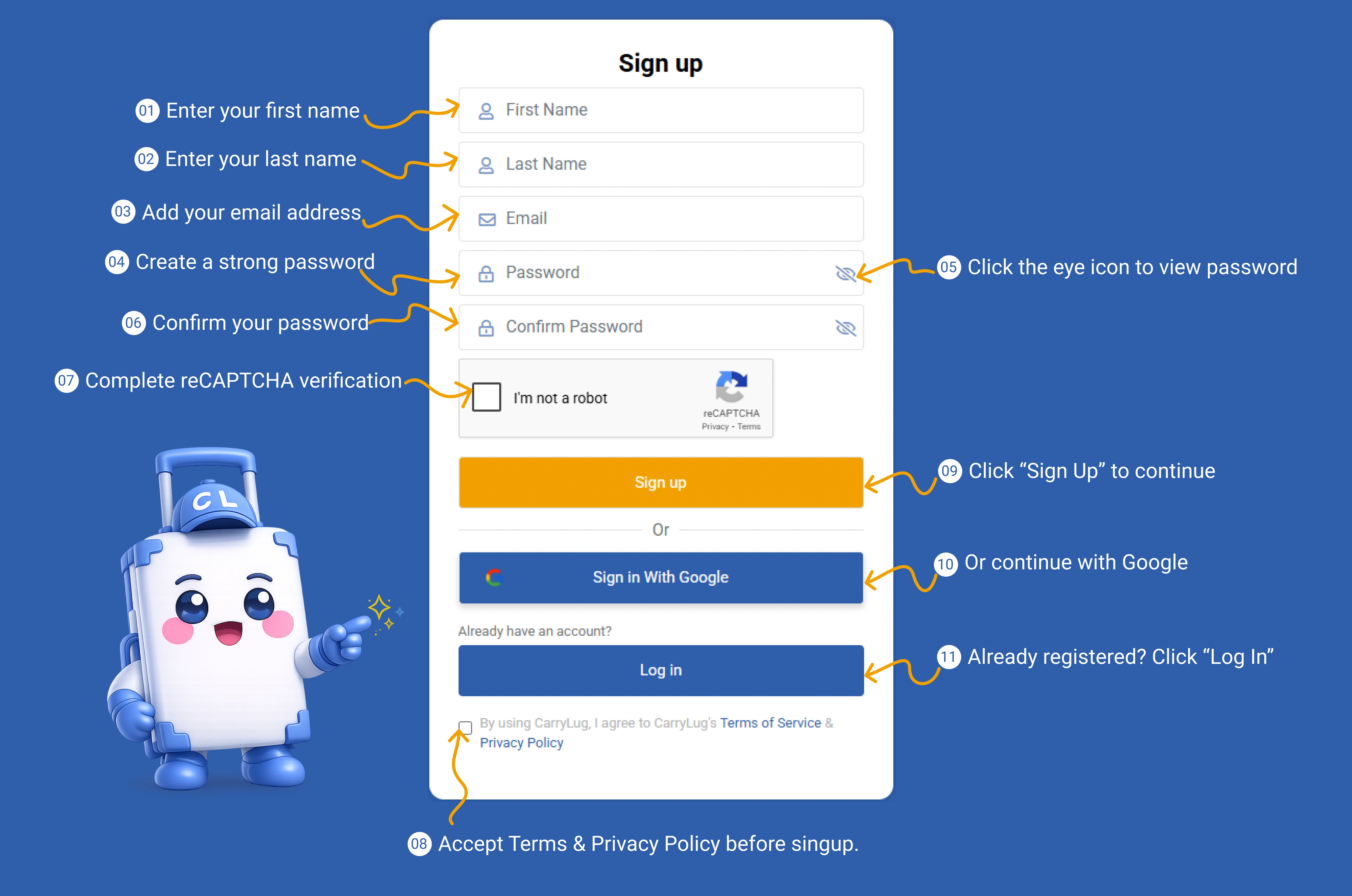
สร้างบัญชี CarryLug เพื่อเริ่มต้นใช้งานในฐานะนักเดินทาง
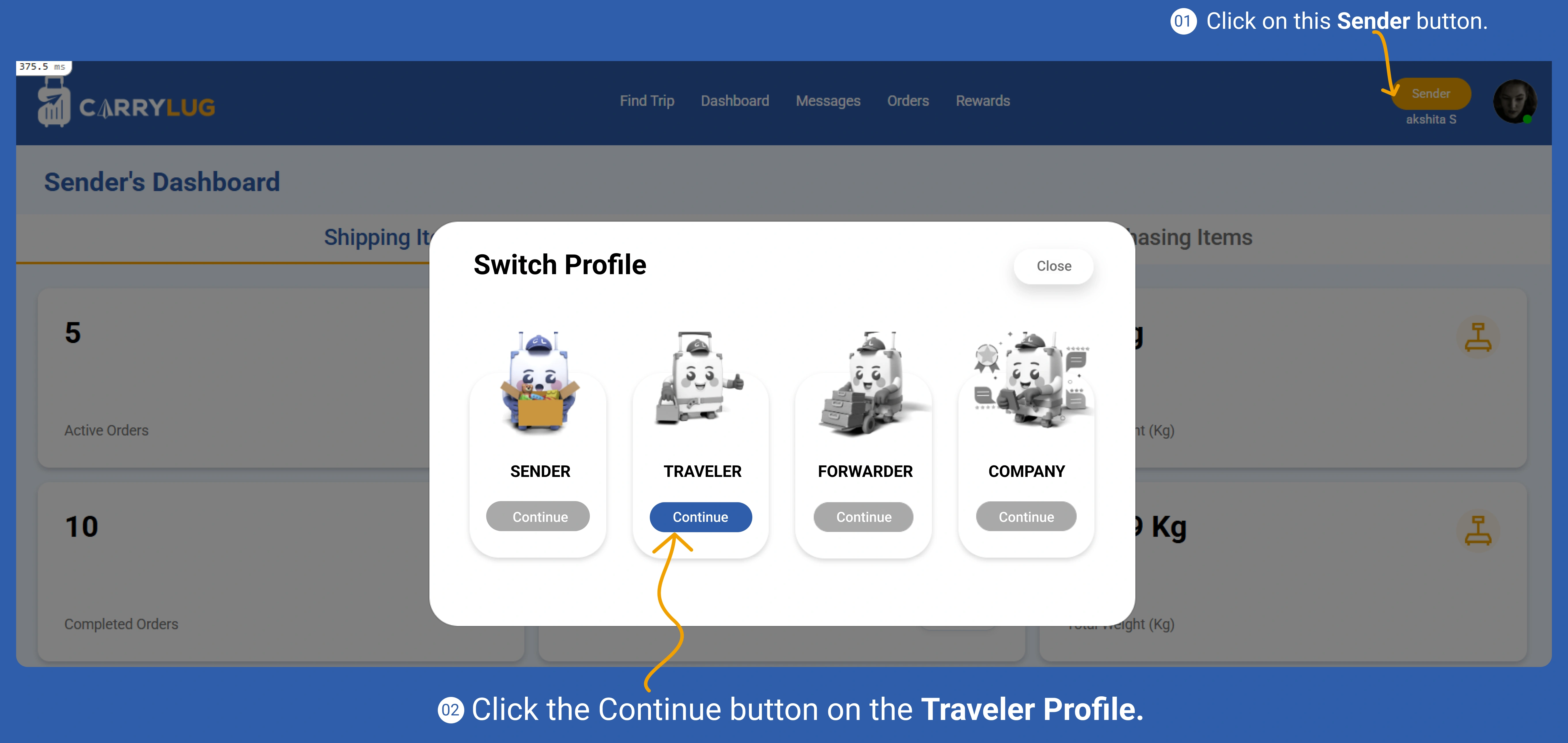
เปิดโหมดนักเดินทางจากหน้าแดชบอร์ด
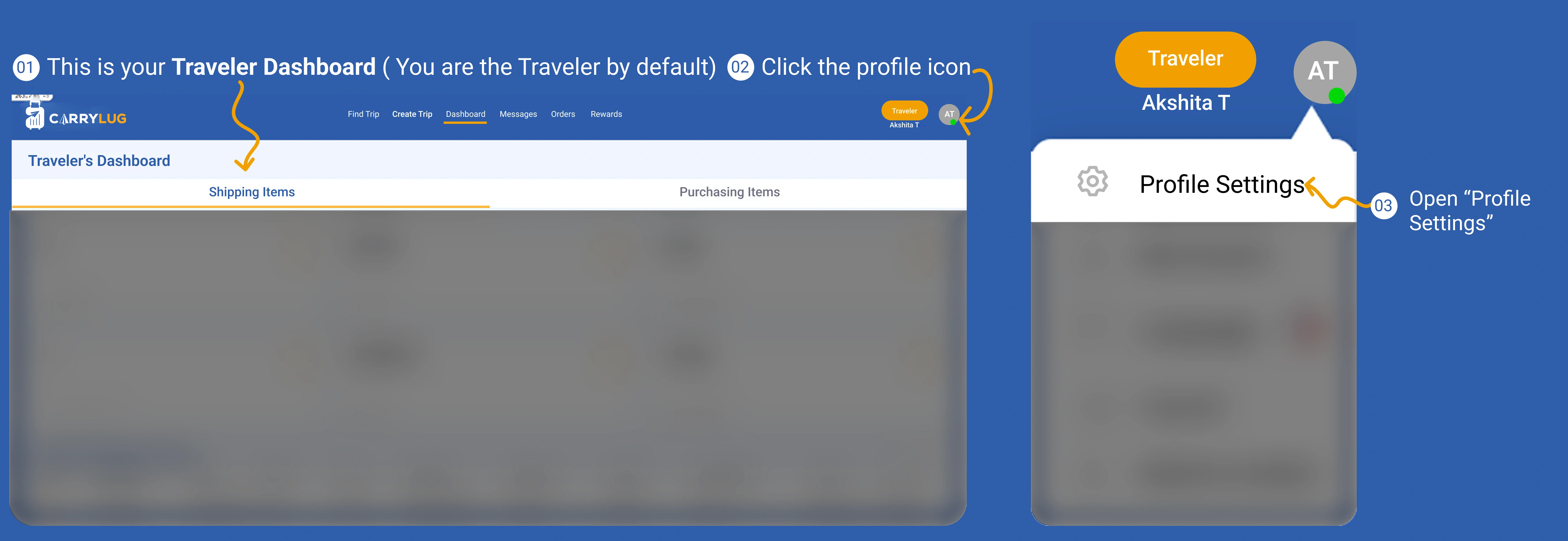
เปิดหน้าโปรไฟล์นักเดินทางและเริ่มตั้งค่าข้อมูล
เพิ่มข้อมูลโปรไฟล์เพื่อให้ผู้ส่งดูข้อมูลของคุณได้ชัดเจน
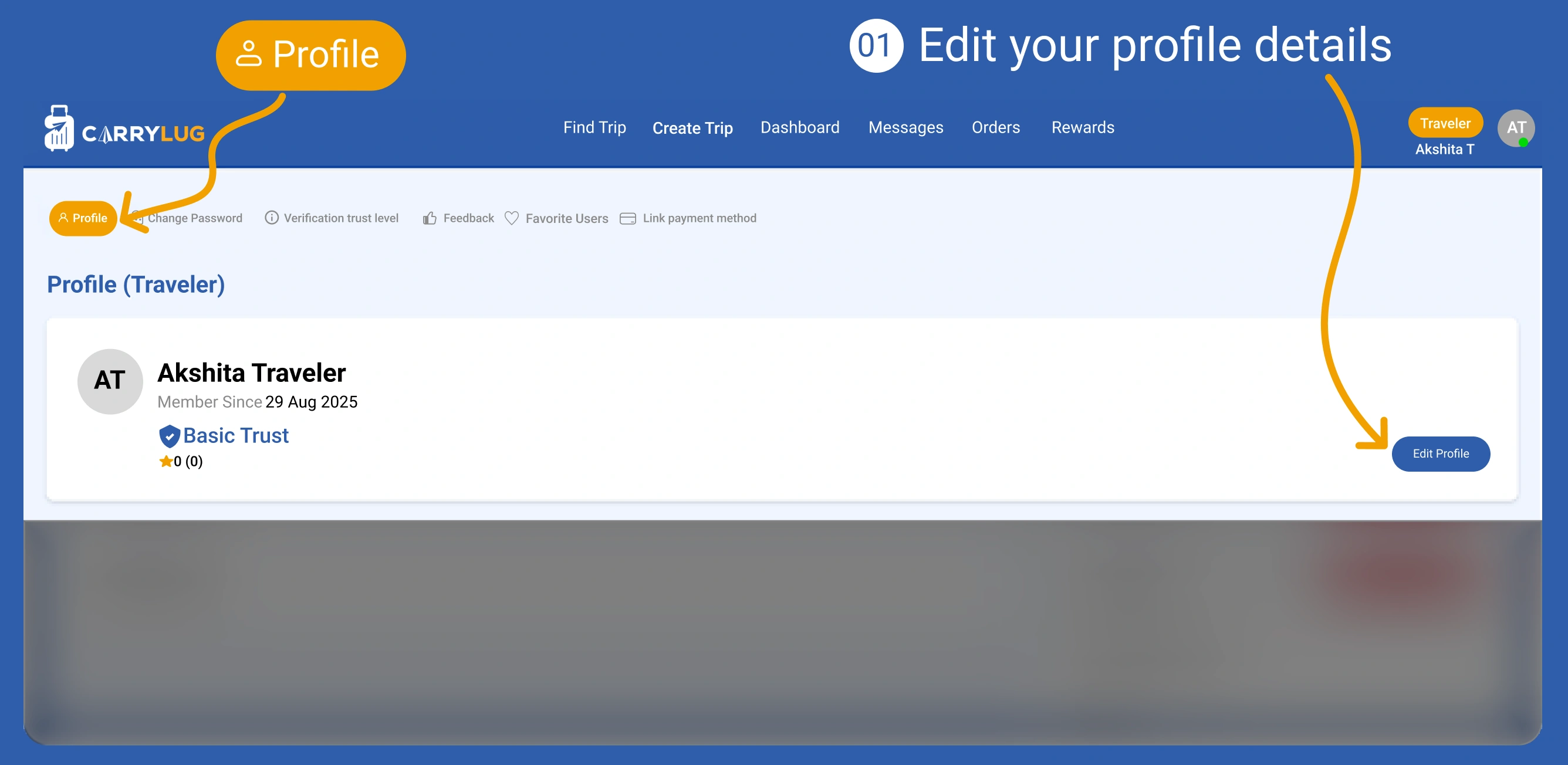
ตรวจสอบและอัปเดตโปรไฟล์ก่อนโพสต์ทริป
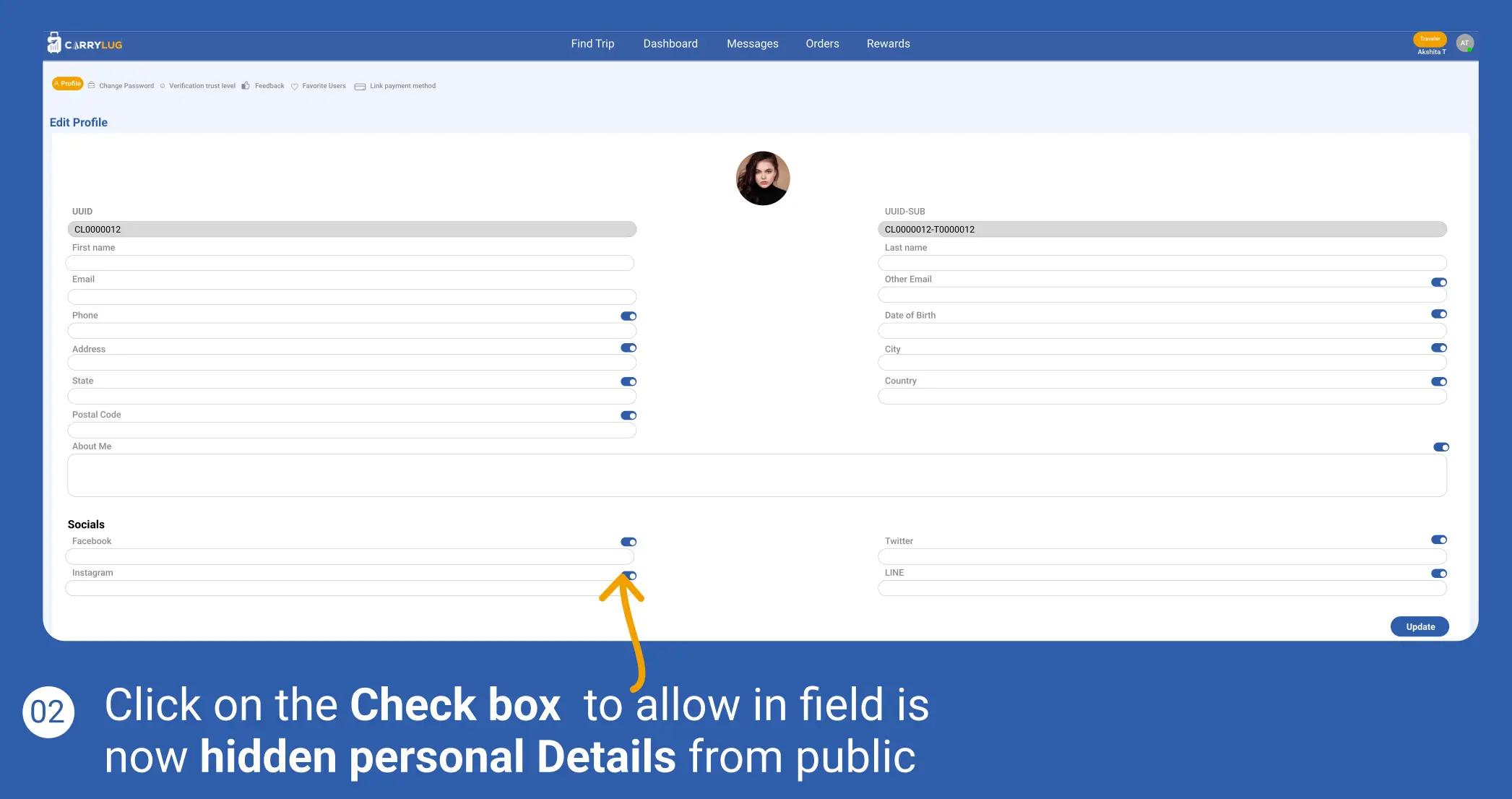
เปลี่ยนรหัสผ่านเพื่อให้บัญชีปลอดภัย
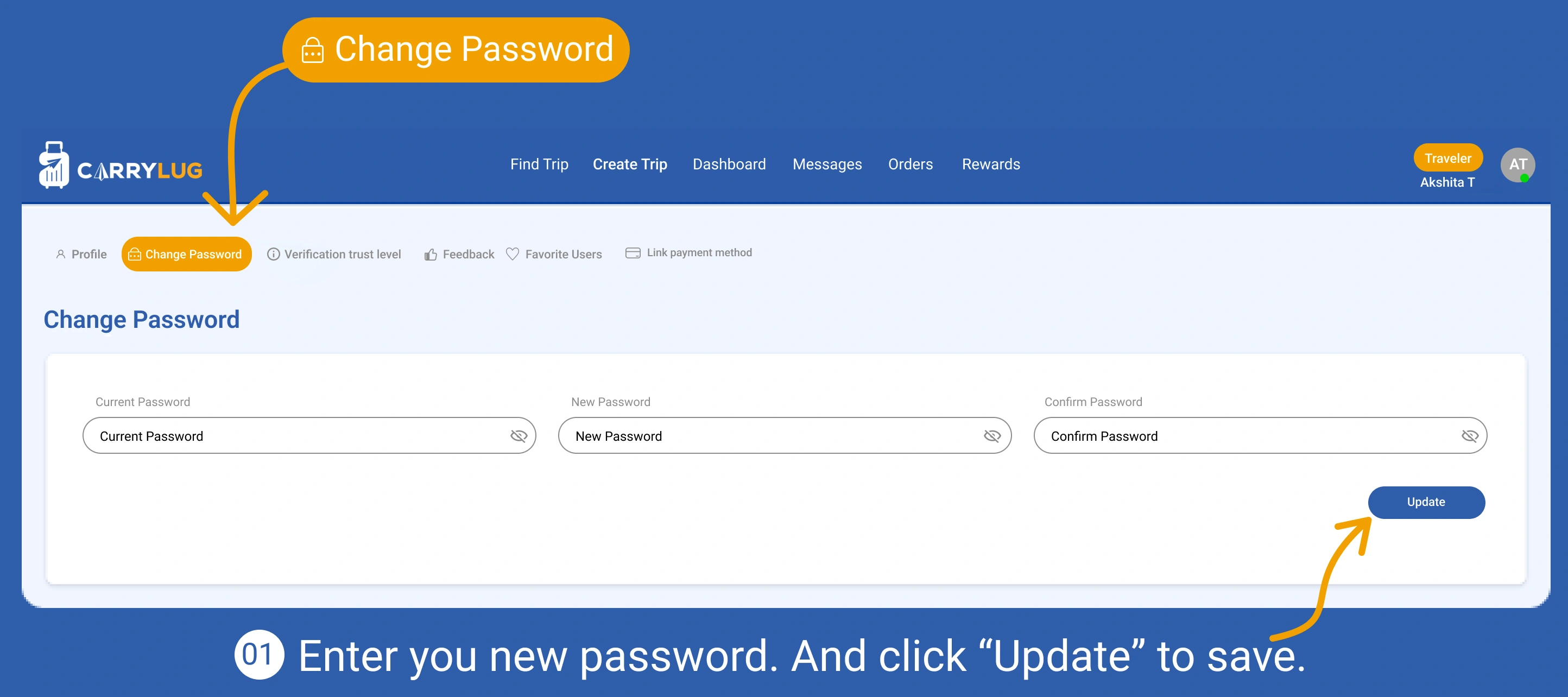
เปิดส่วนการยืนยันตัวตนเพื่อเพิ่มระดับความน่าเชื่อถือ
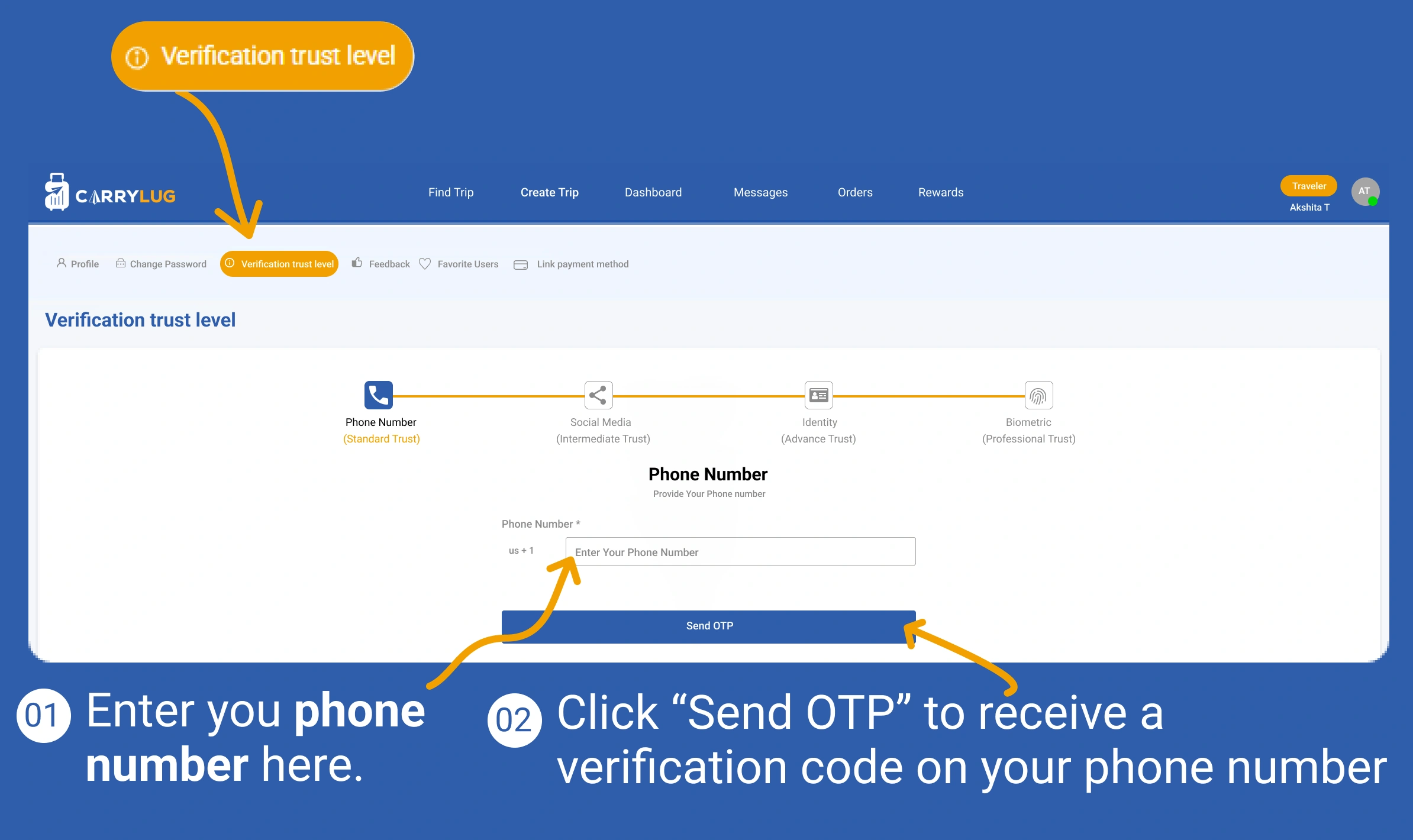
ยืนยันหมายเลขโทรศัพท์เพื่อเพิ่มความปลอดภัยของบัญชี
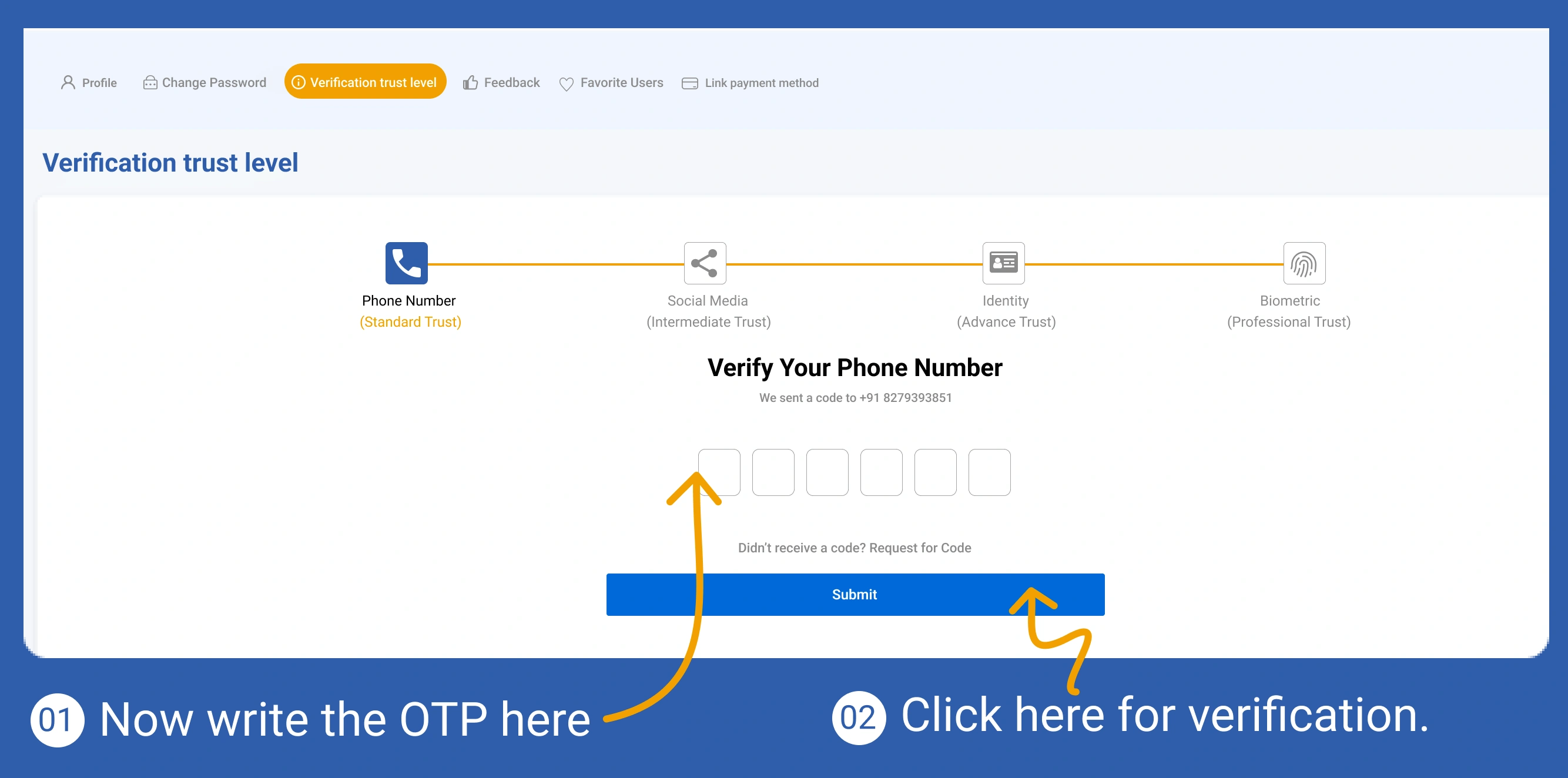
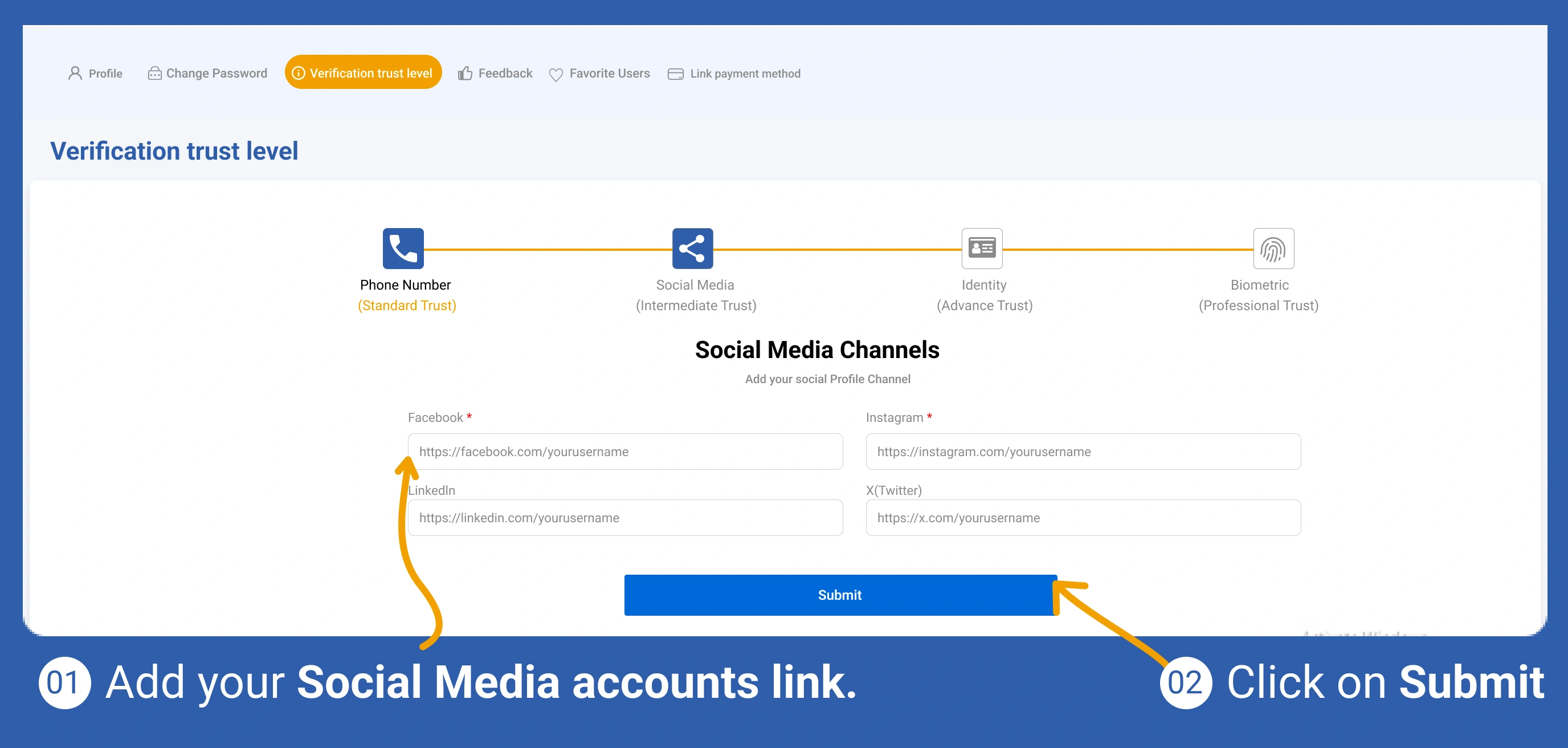
เพิ่มลิงก์สื่อสังคมออนไลน์เพื่อการยืนยันเพิ่มเติม
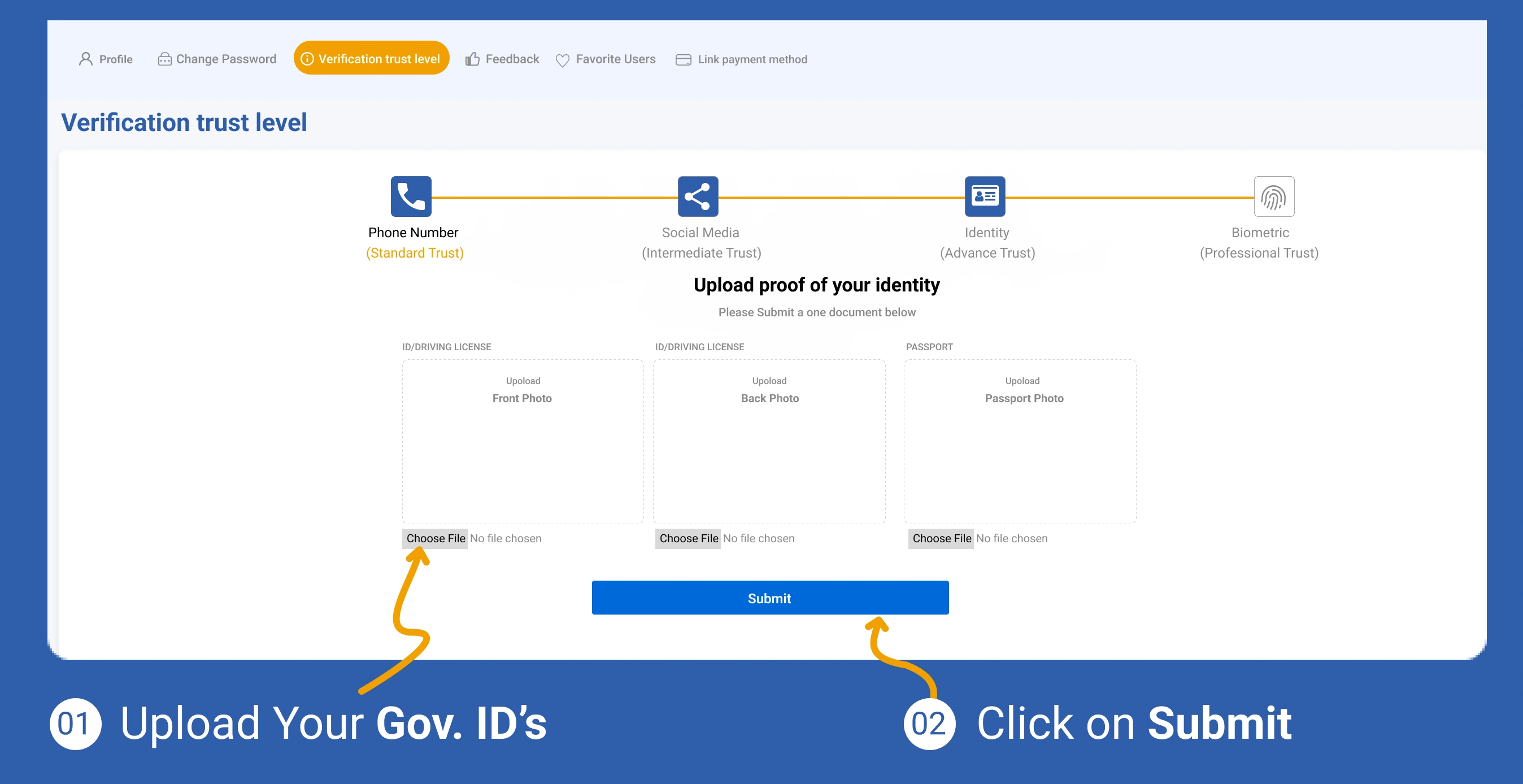
อัปโหลดเอกสารยืนยันตัวตนเพื่อดำเนินขั้นตอนยืนยันต่อ
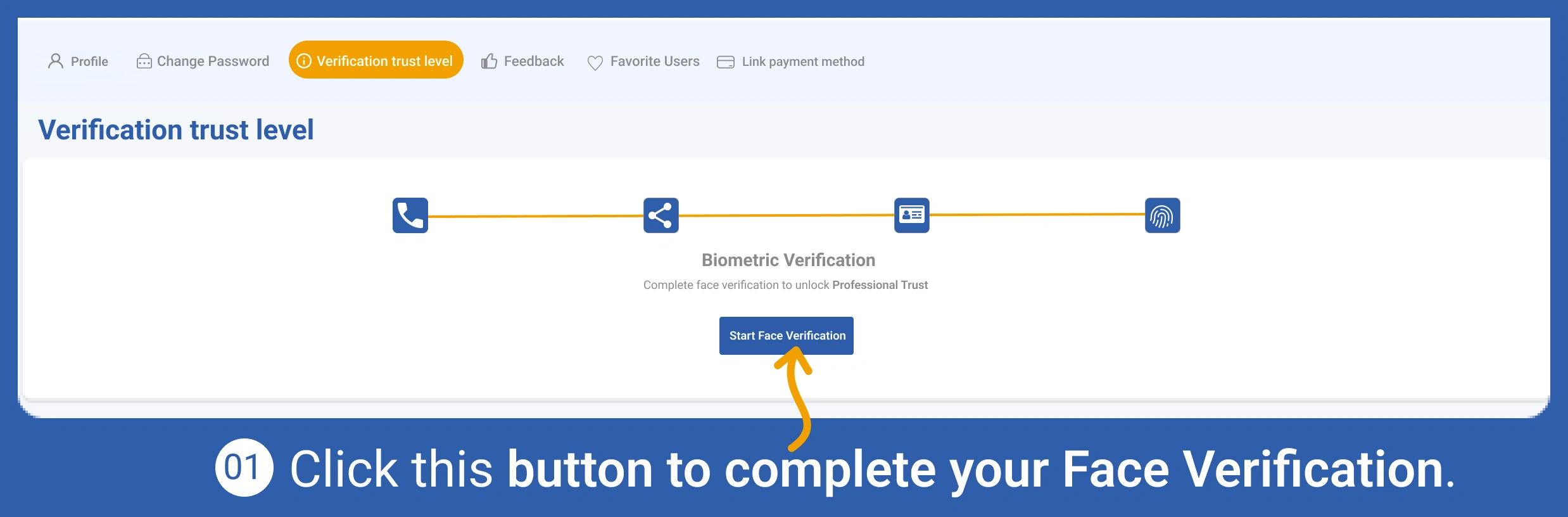
ทำการยืนยันตัวตนแบบชีวมิติเพื่อเพิ่มความน่าเชื่อถือของโปรไฟล์
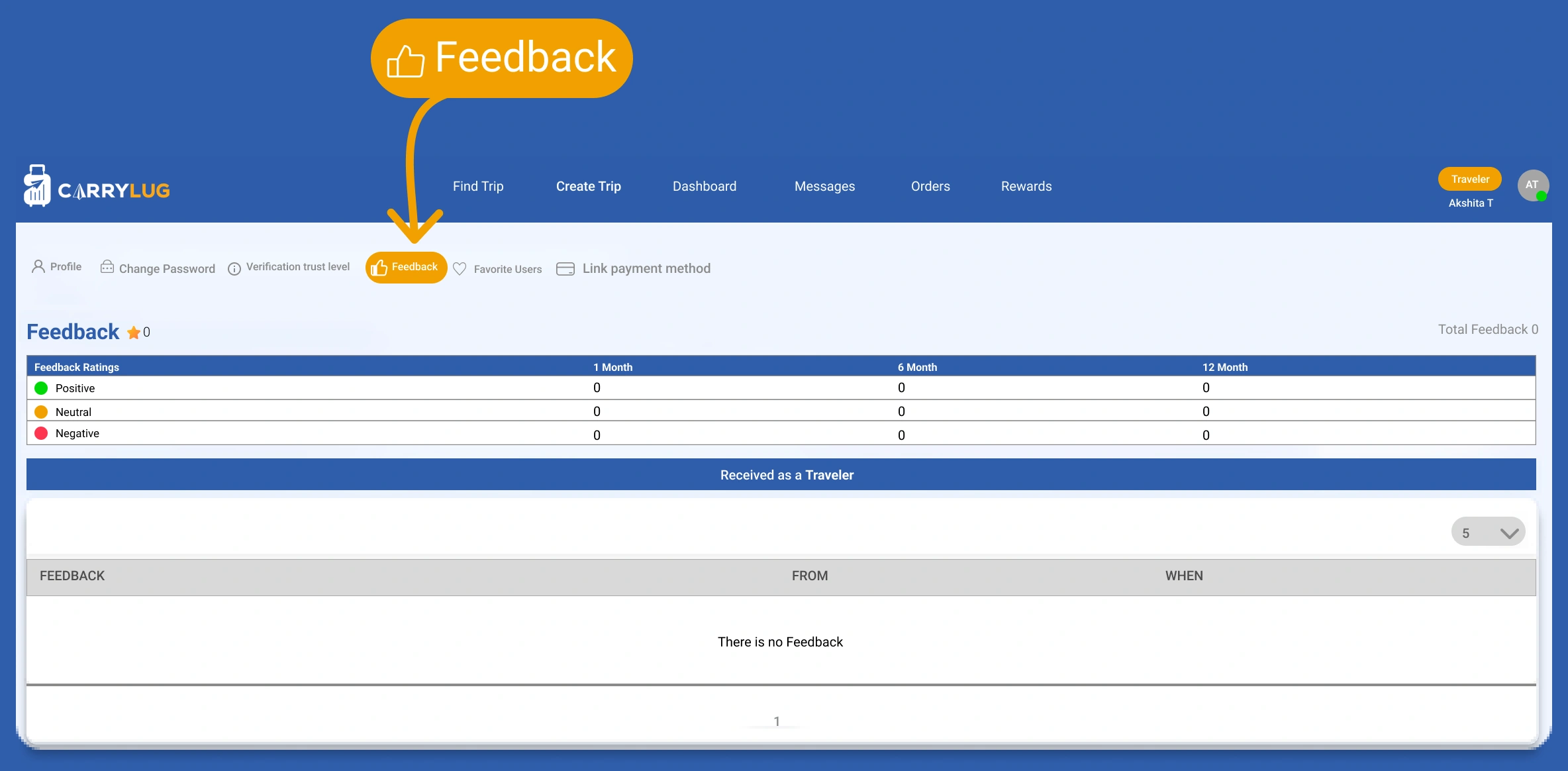
ดูข้อคิดเห็นจากงานก่อนหน้าและนำไปปรับปรุง
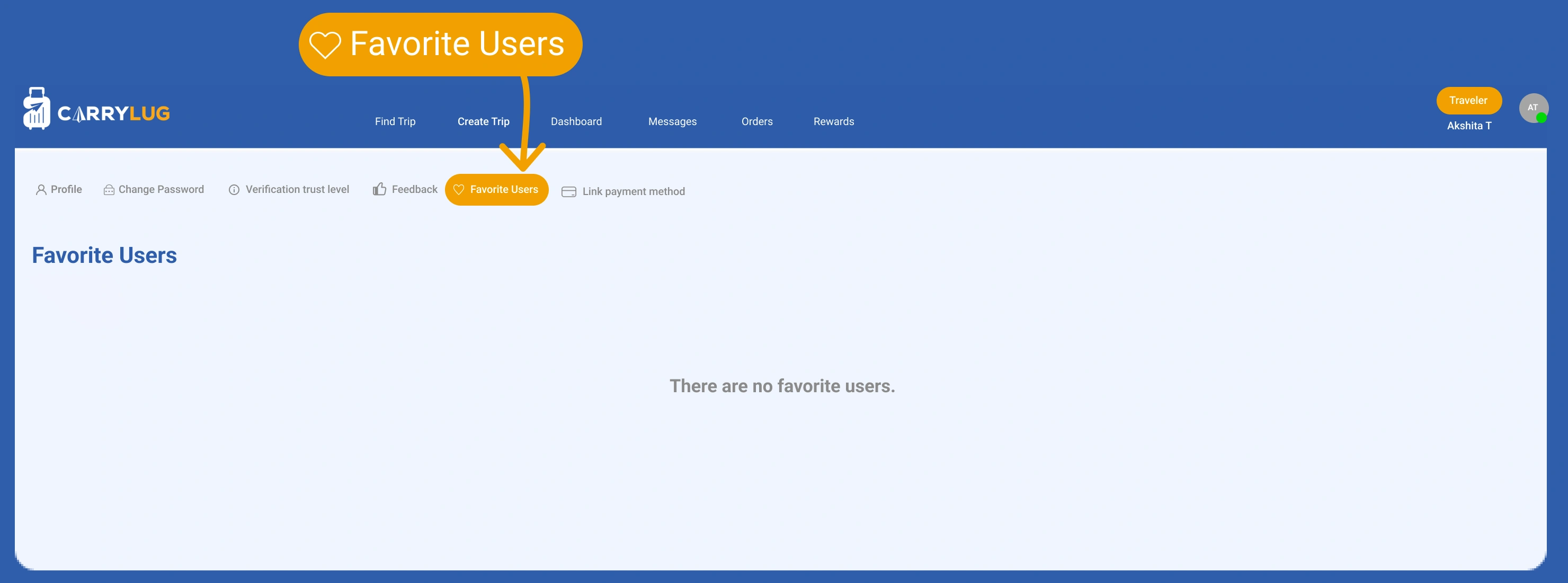
ดูผู้ใช้ที่บันทึกเป็นรายการโปรดเพื่อกลับไปติดต่อผู้ส่งที่ไว้ใจได้
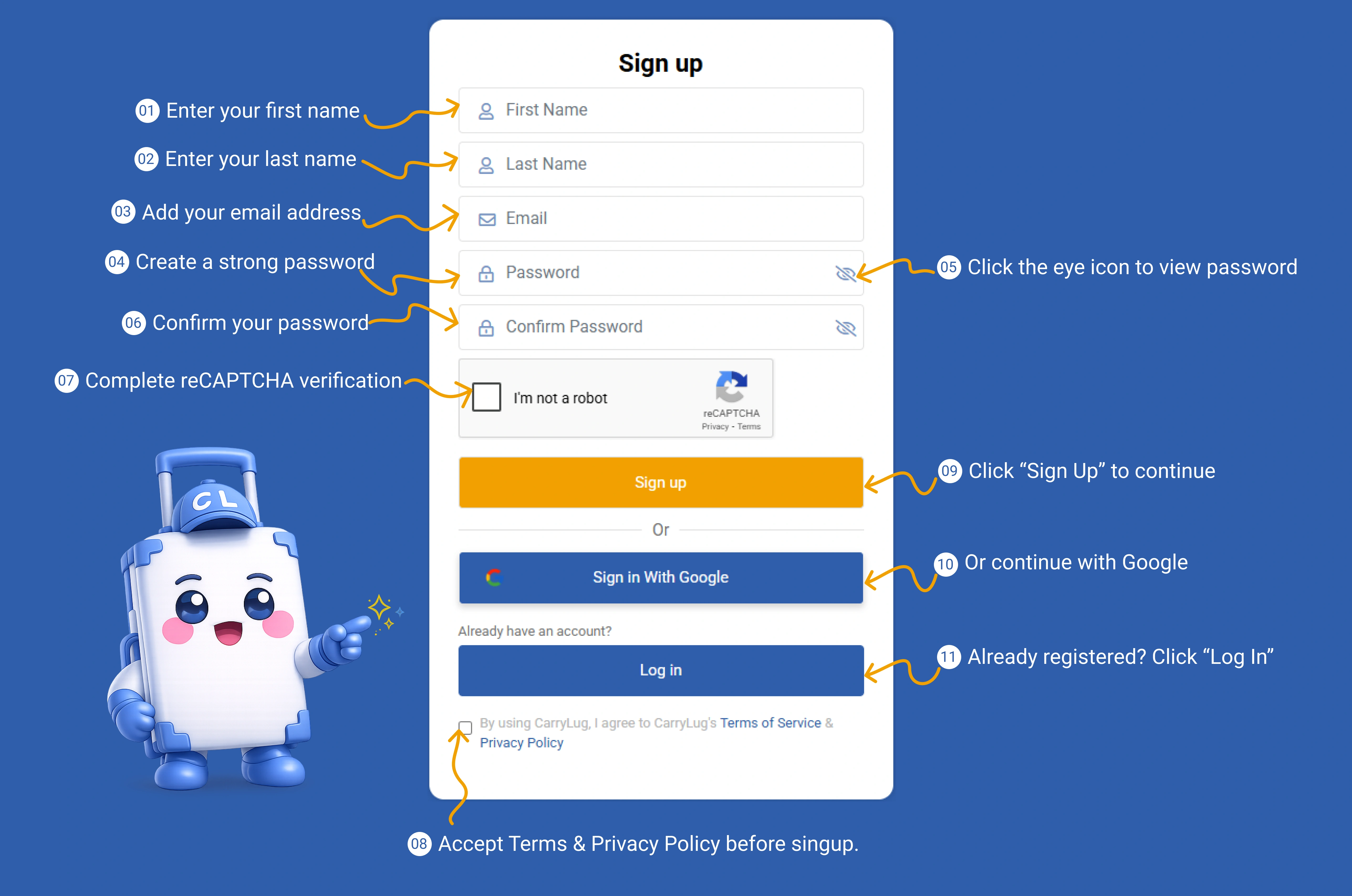
สร้างบัญชี CarryLug เพื่อเริ่มต้นใช้งานในฐานะผู้ส่งต่อ
เปิดโหมดผู้ส่งต่อจากหน้าแดชบอร์ด
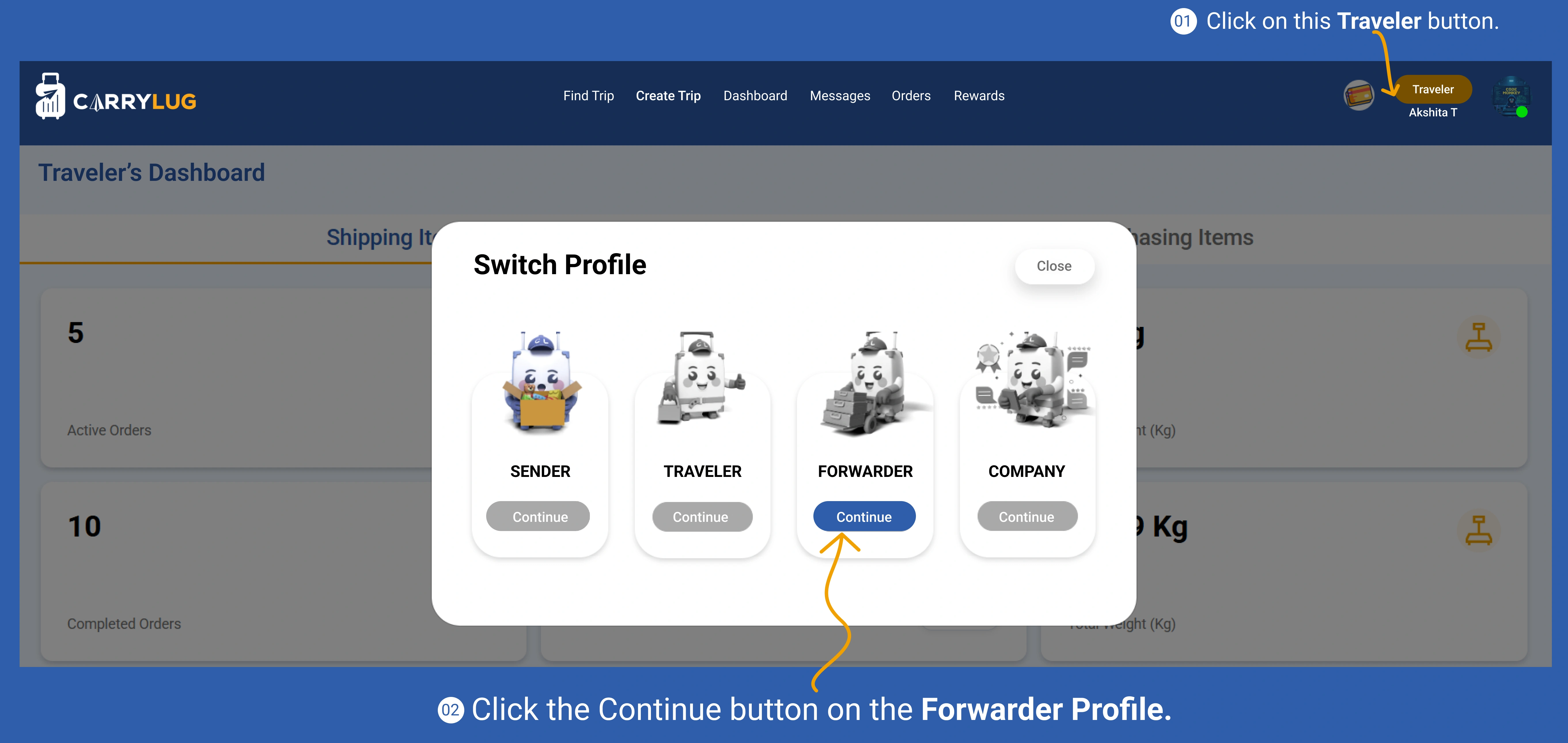
เปิดโปรไฟล์ผู้ส่งต่อและเริ่มกรอกข้อมูล
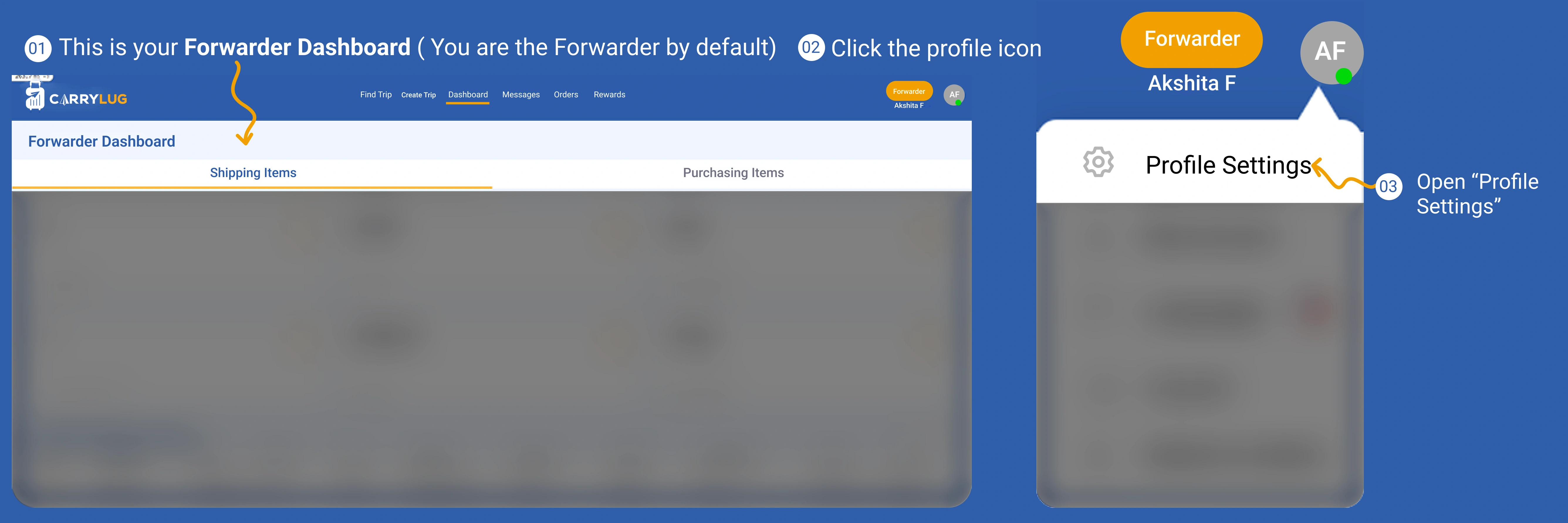
เพิ่มข้อมูลพื้นฐานในโปรไฟล์เพื่อให้ผู้ส่งรู้จักและเชื่อถือคุณ
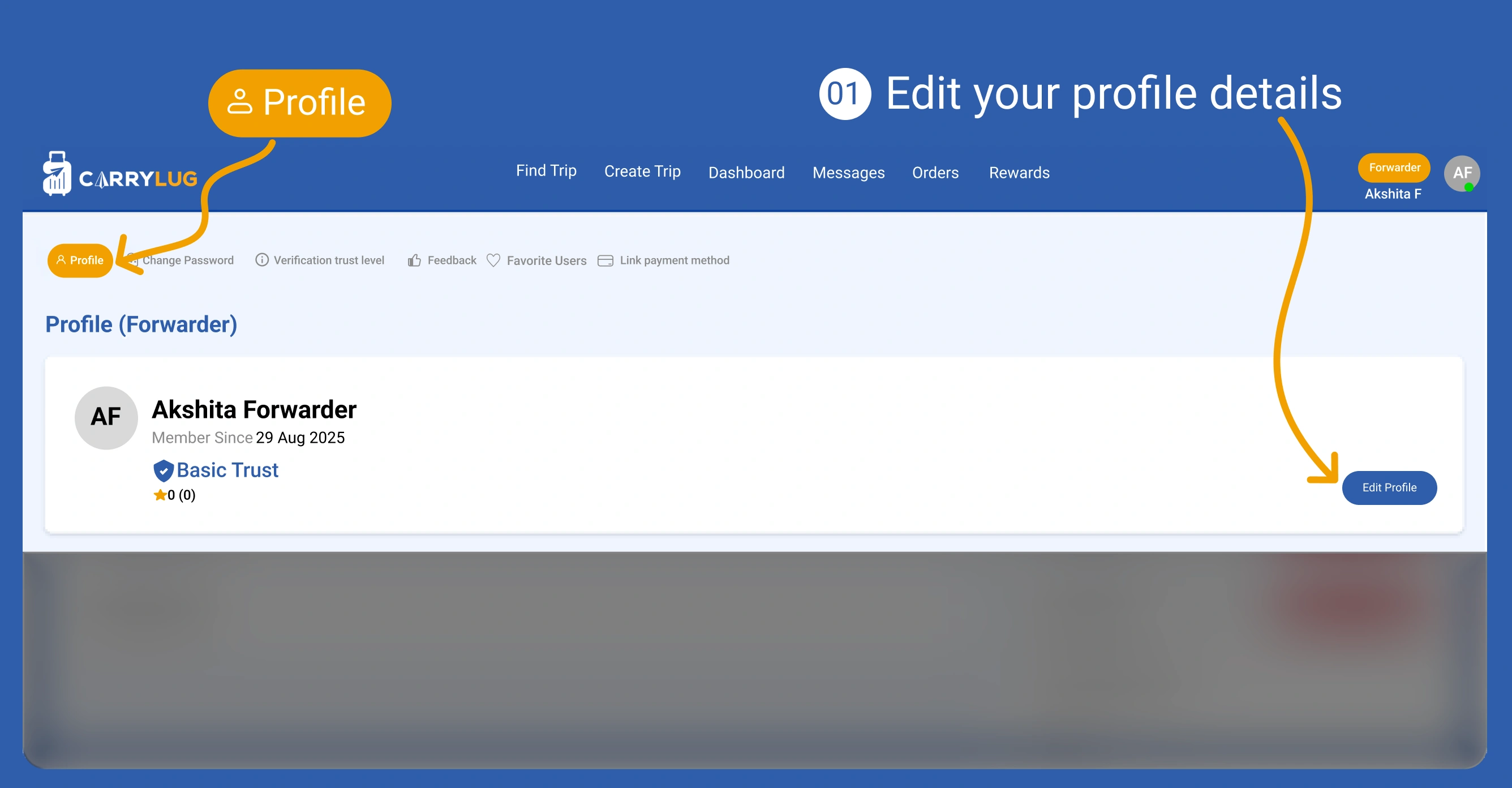
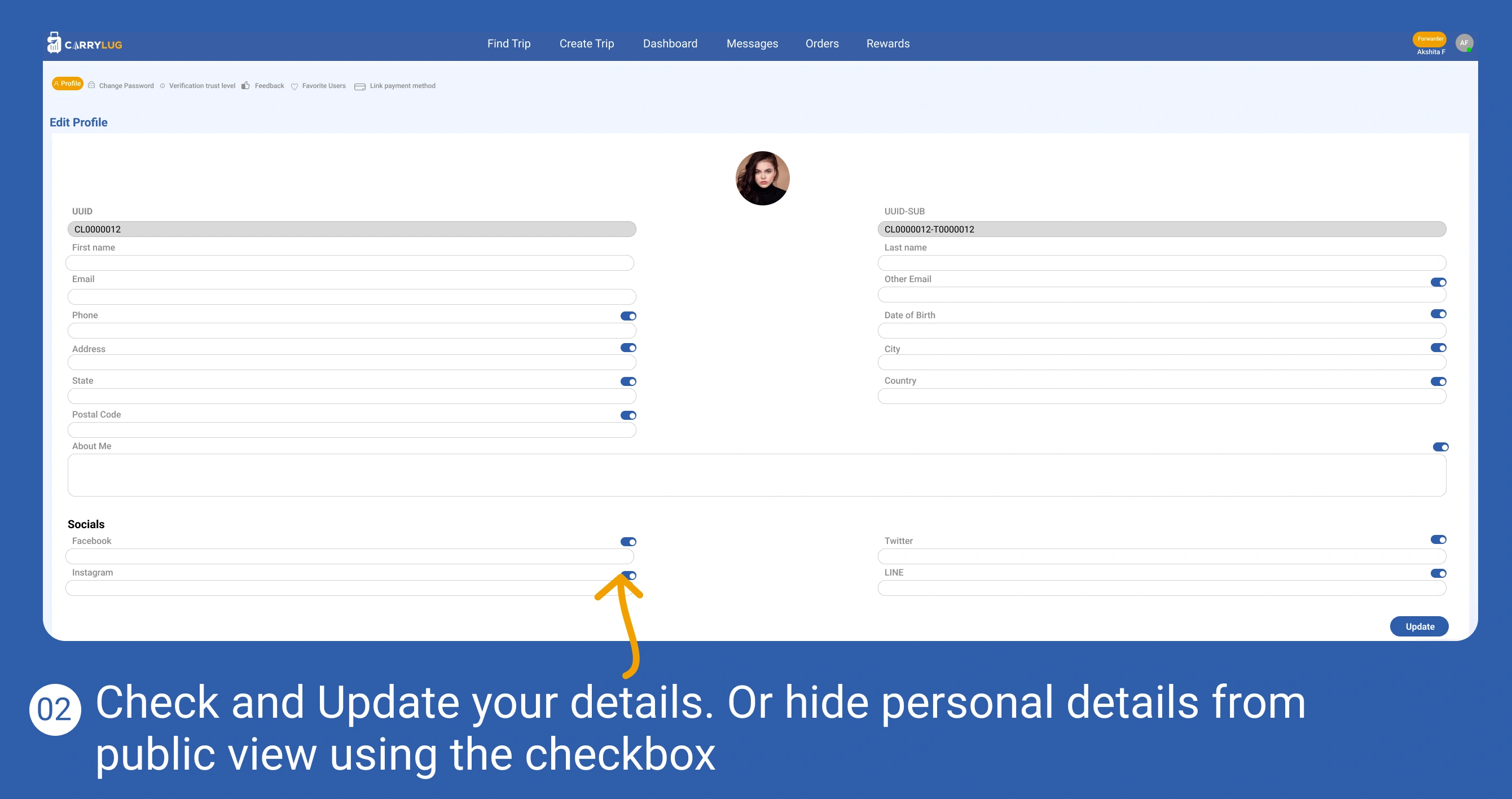
ตรวจสอบและอัปเดตข้อมูลโปรไฟล์ผู้ส่งต่อให้ครบถ้วน
เปลี่ยนรหัสผ่านเพื่อปกป้องบัญชีของคุณ
เปิดส่วนการยืนยันตัวตนเพื่อเพิ่มระดับความน่าเชื่อถือ
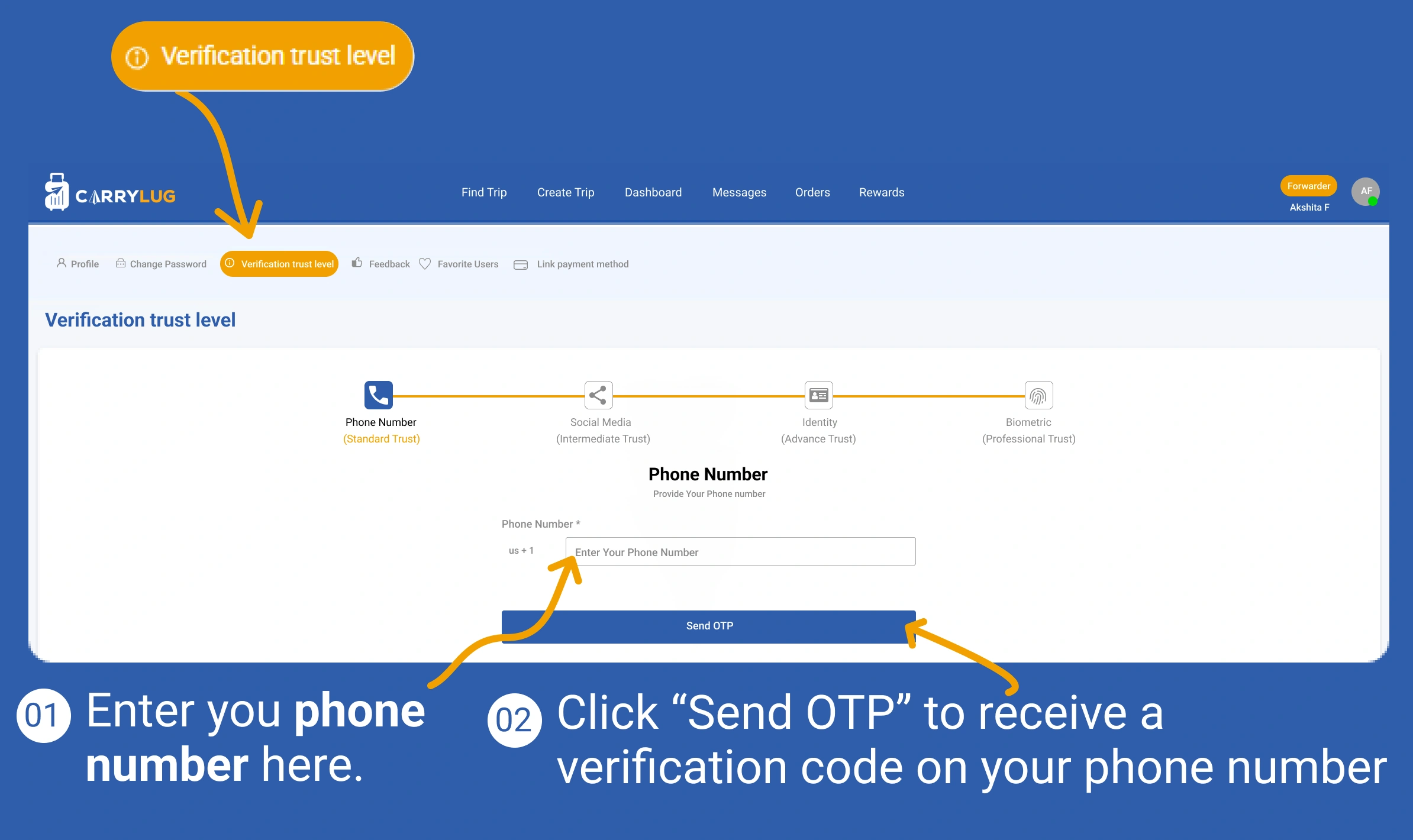
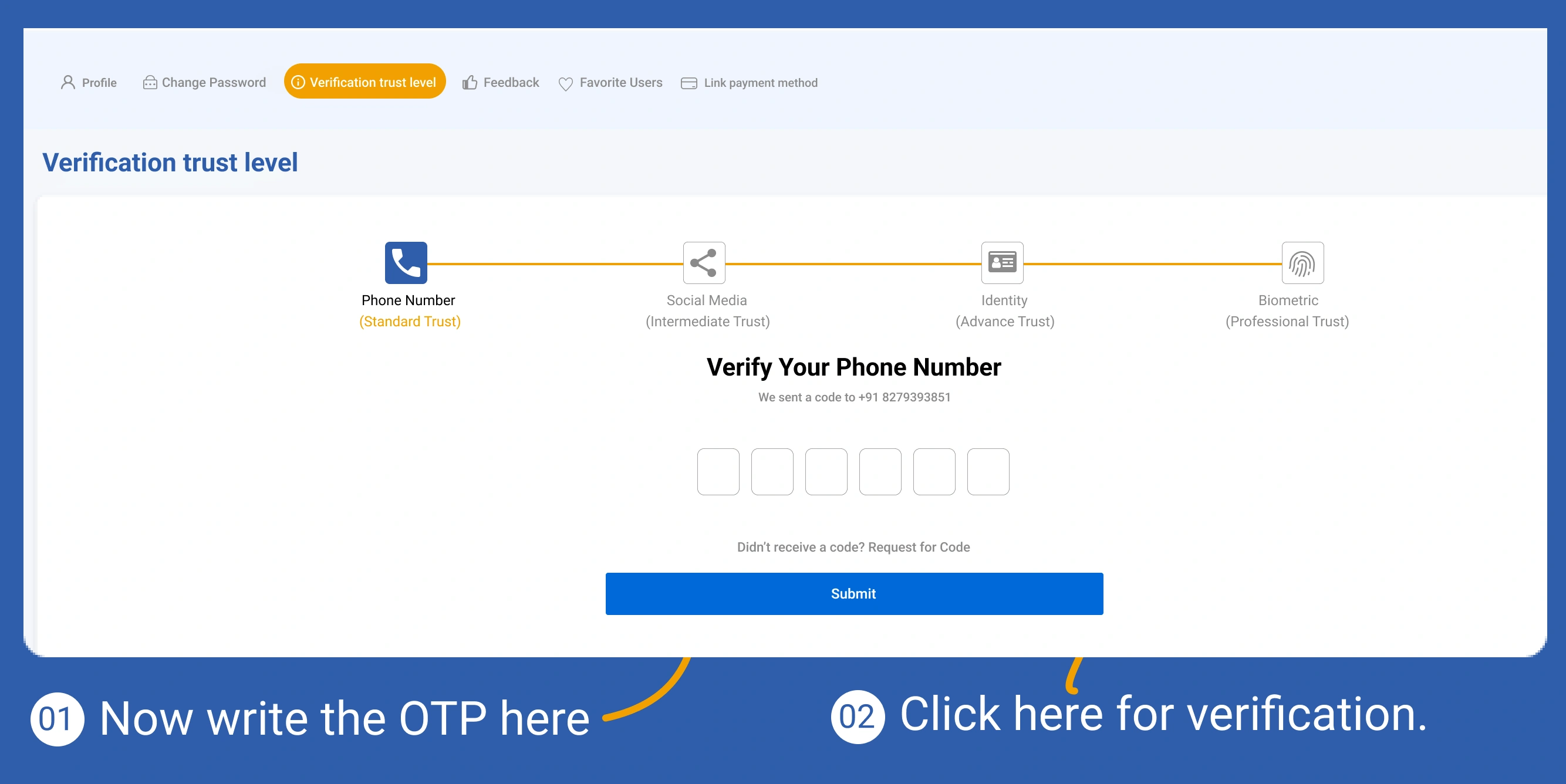
ยืนยันหมายเลขโทรศัพท์เพื่อเสริมความปลอดภัยของบัญชี
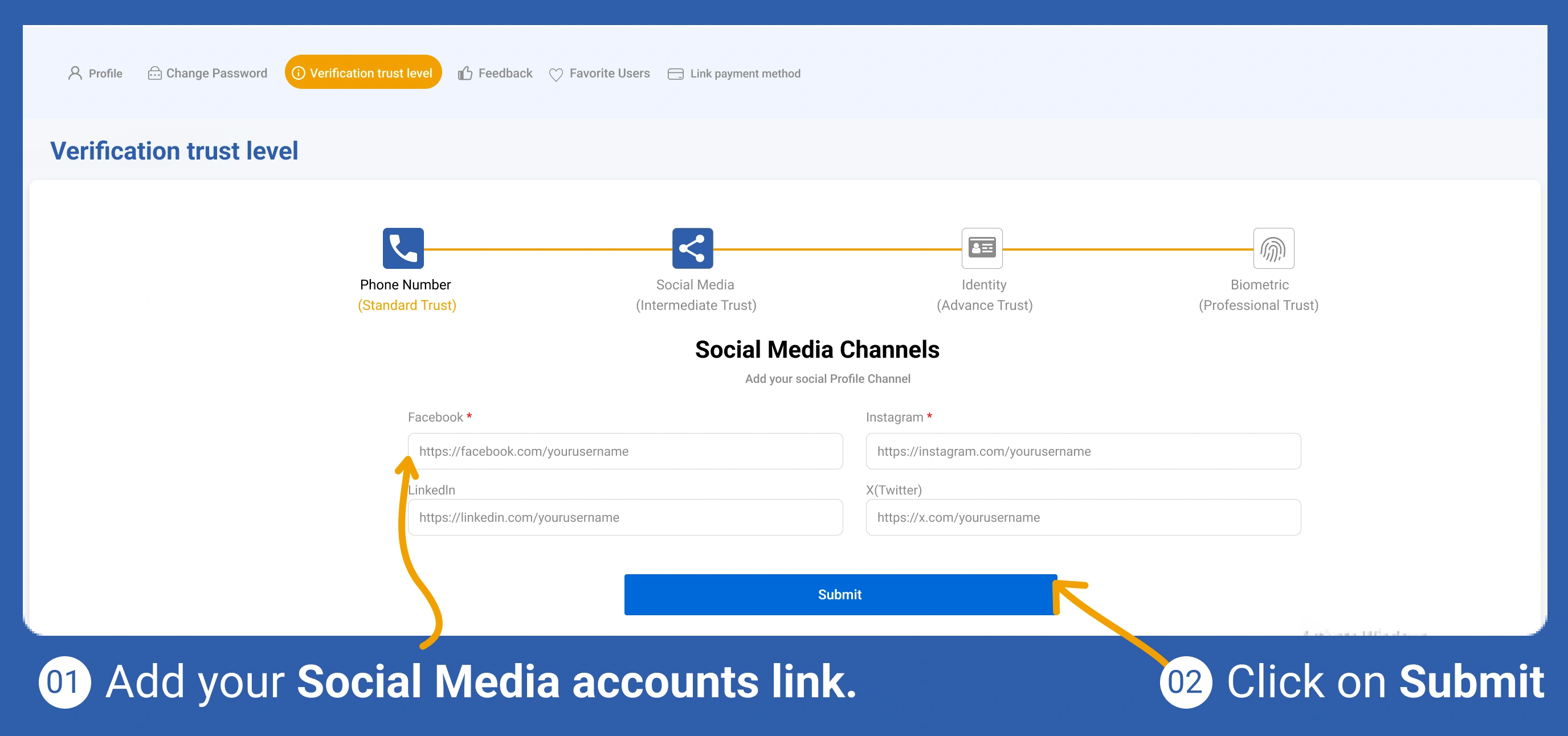
เพิ่มลิงก์สื่อสังคมออนไลน์เพื่อทำให้โปรไฟล์น่าเชื่อถือมากขึ้น
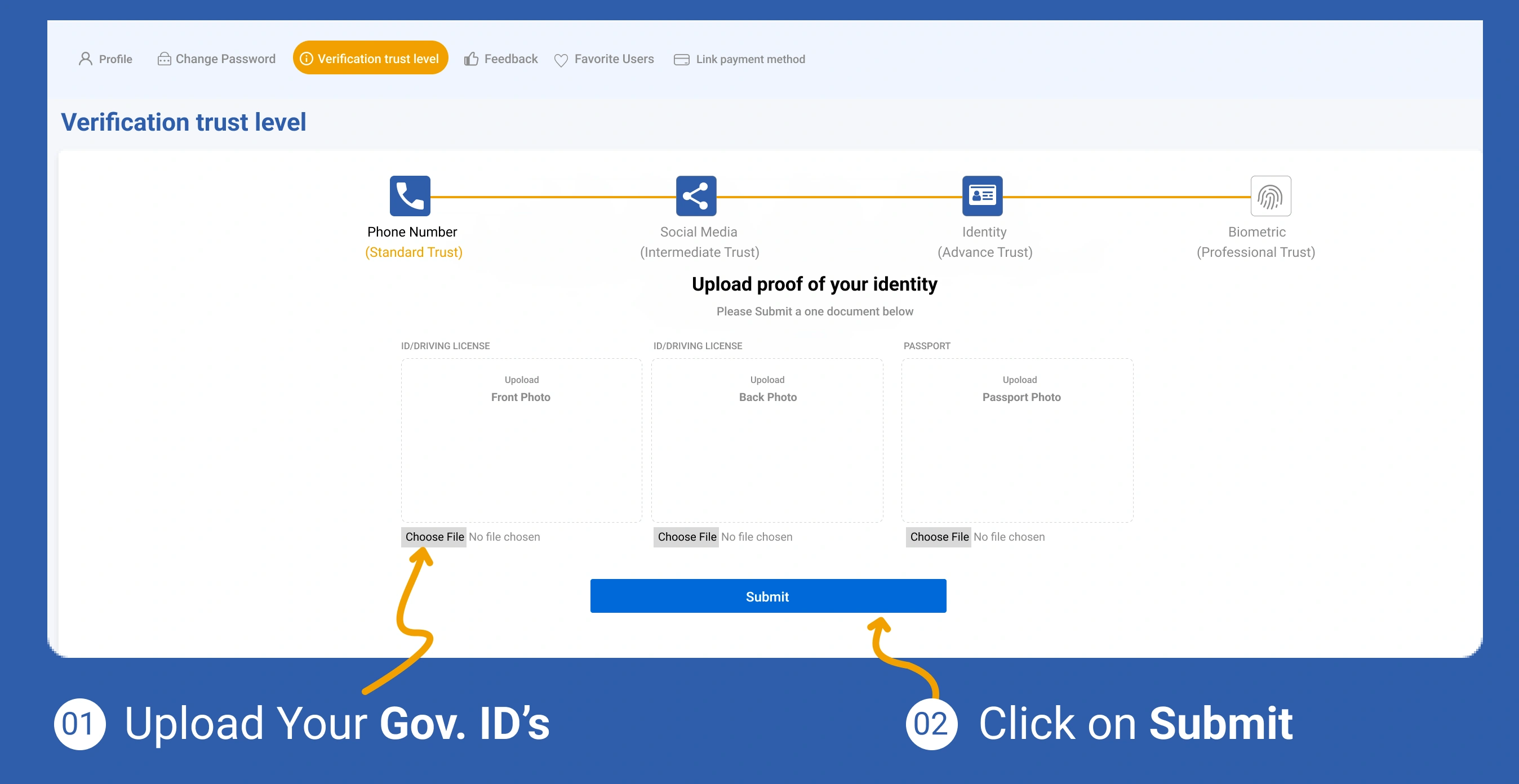
อัปโหลดเอกสารยืนยันตัวตนเพื่อดำเนินการยืนยันต่อ
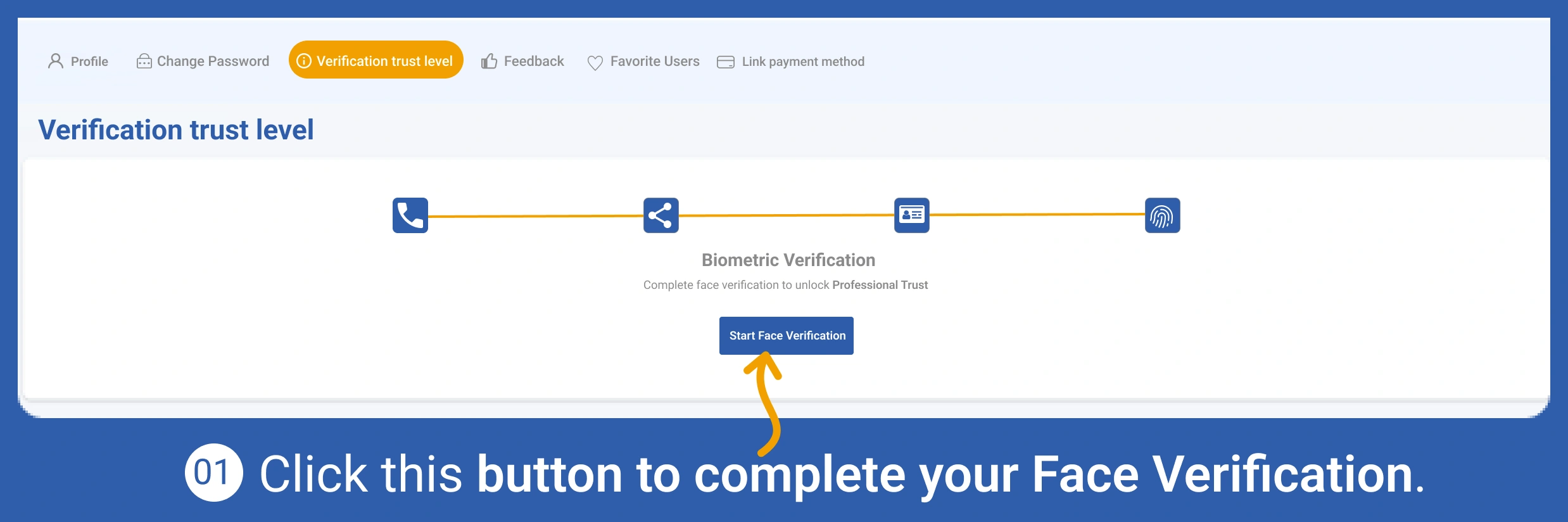
ทำการยืนยันตัวตนแบบชีวมิติเพื่อเพิ่มความน่าเชื่อถือ
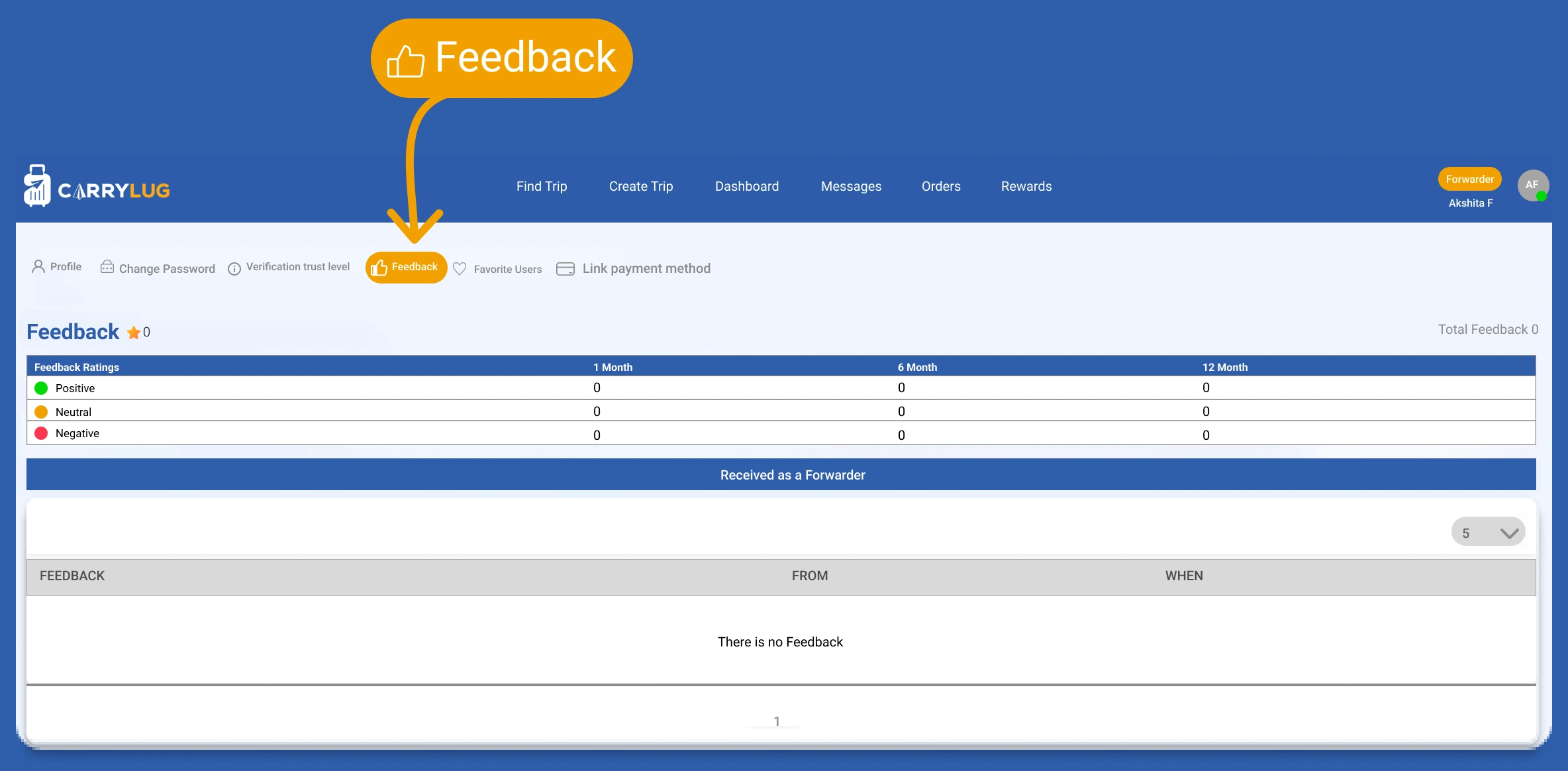
ตรวจสอบข้อคิดเห็นก่อนหน้าและปรับปรุงคุณภาพการบริการ
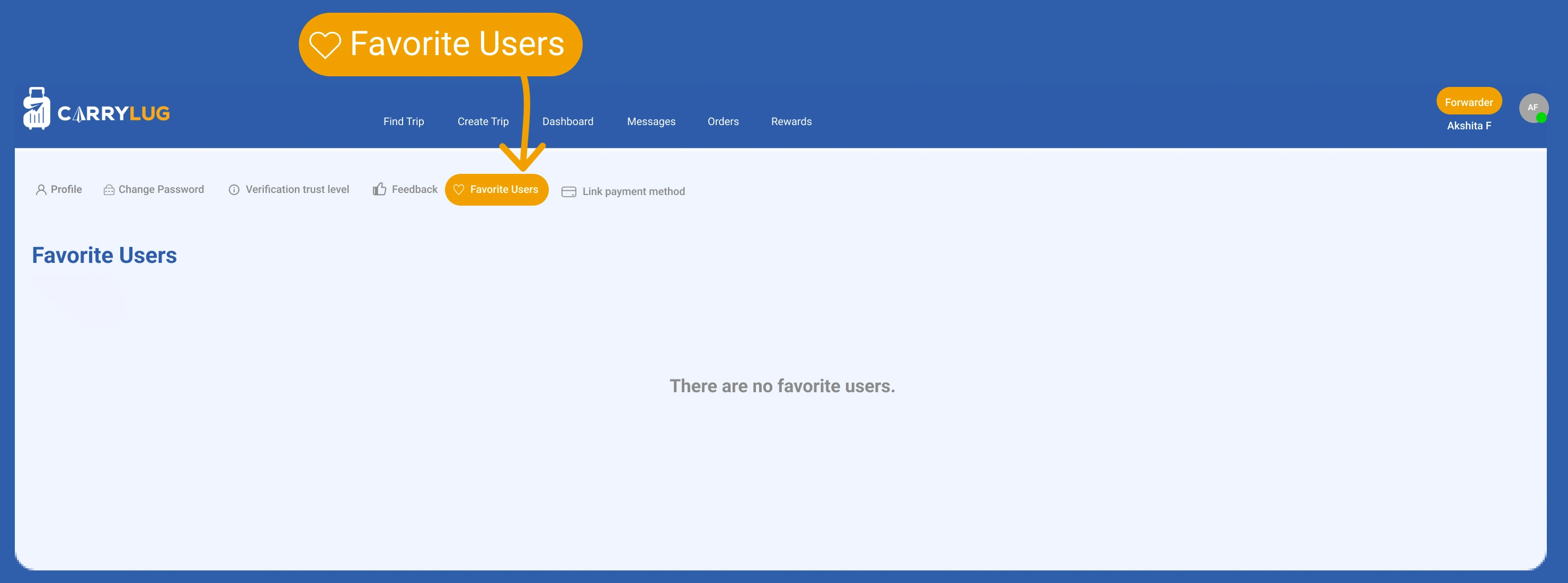
ดูผู้ใช้ที่บันทึกเป็นรายการโปรดเพื่อกลับไปติดต่อคนที่ไว้ใจได้
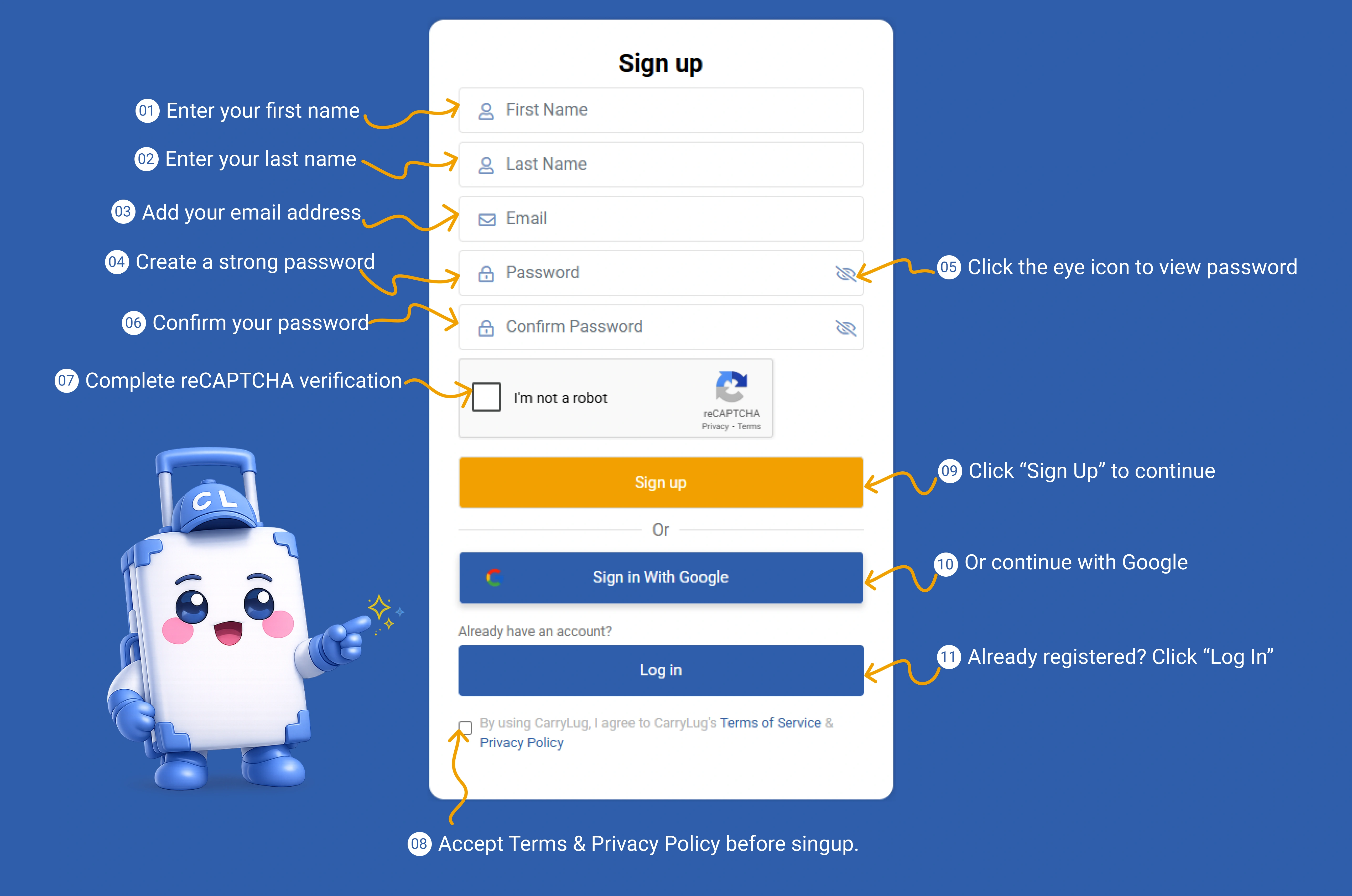
สร้างบัญชี CarryLug เพื่อเริ่มต้นใช้งานในฐานะบริษัท
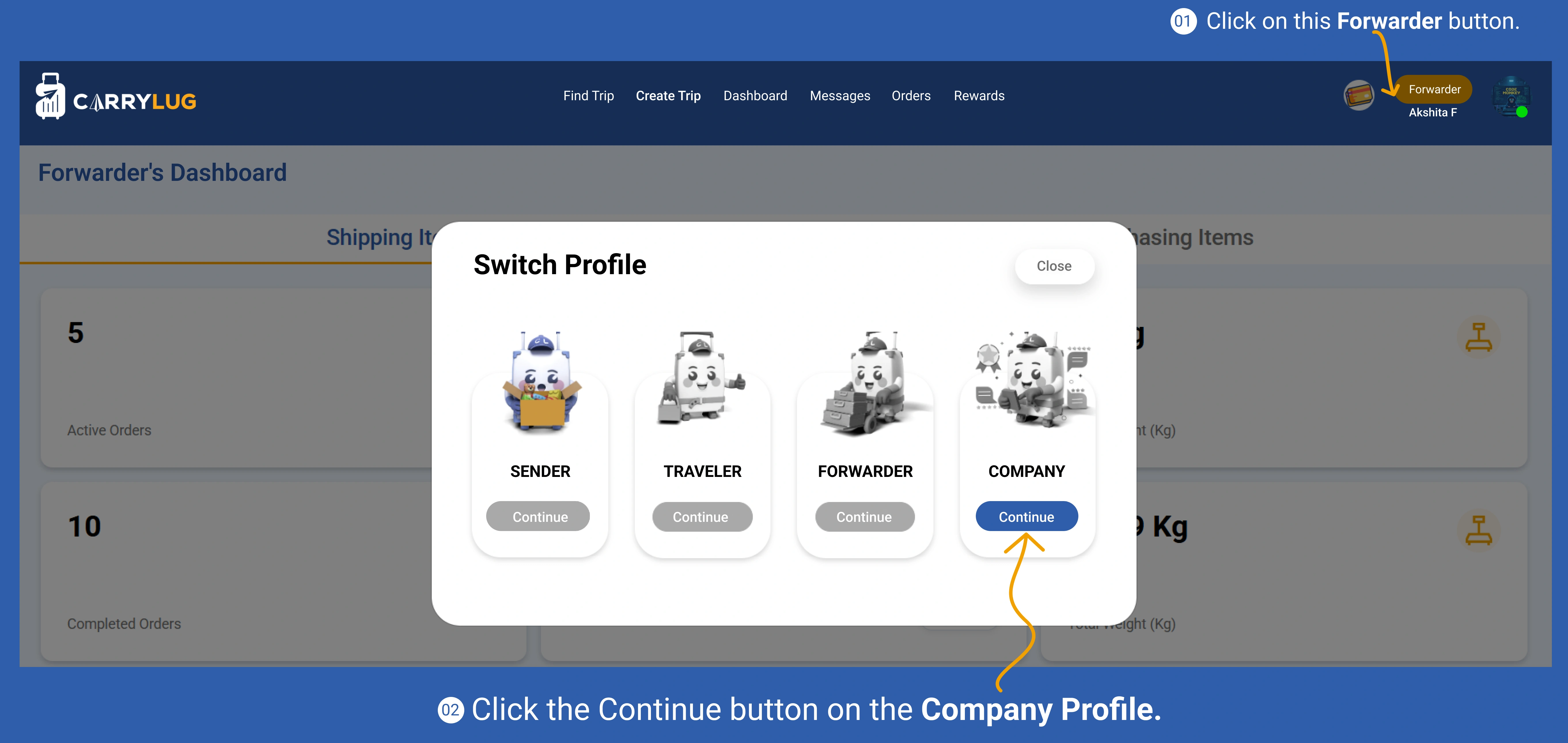
เปิดโหมดบริษัทจากหน้าแดชบอร์ดของคุณ
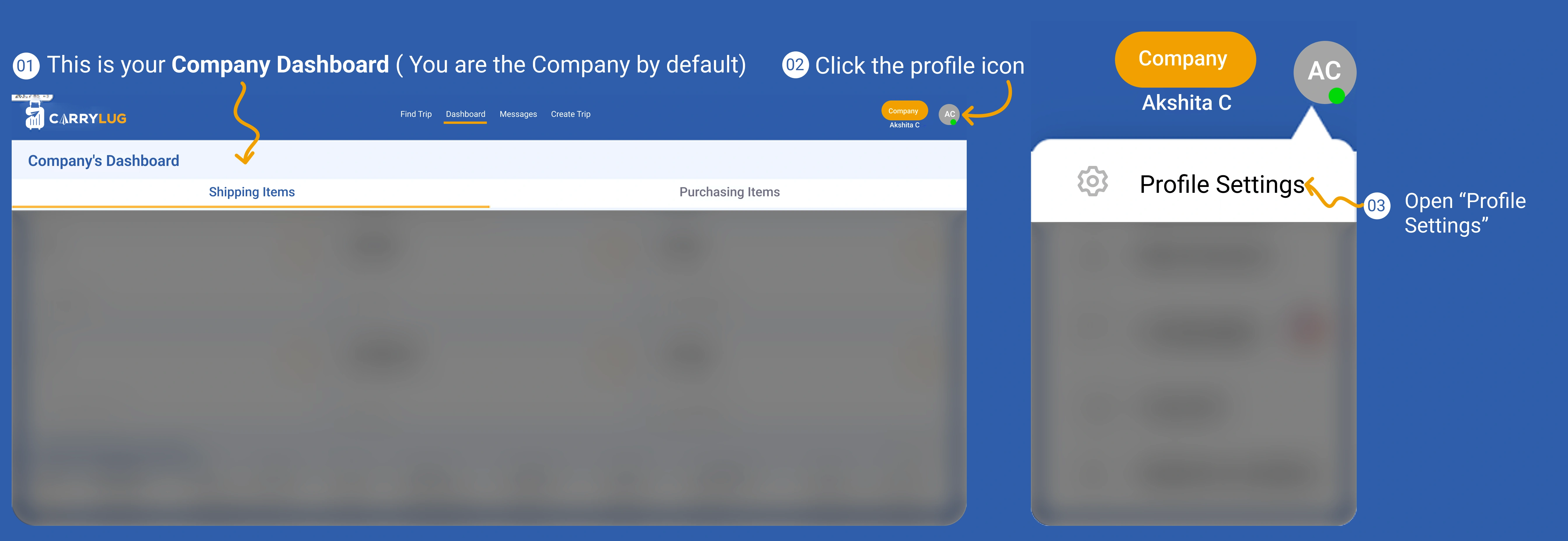
เปิดหน้าโปรไฟล์บริษัทและเริ่มตั้งค่าข้อมูล
เพิ่มข้อมูลพื้นฐาน ข้อมูลติดต่อ และรายละเอียดธุรกิจของบริษัท
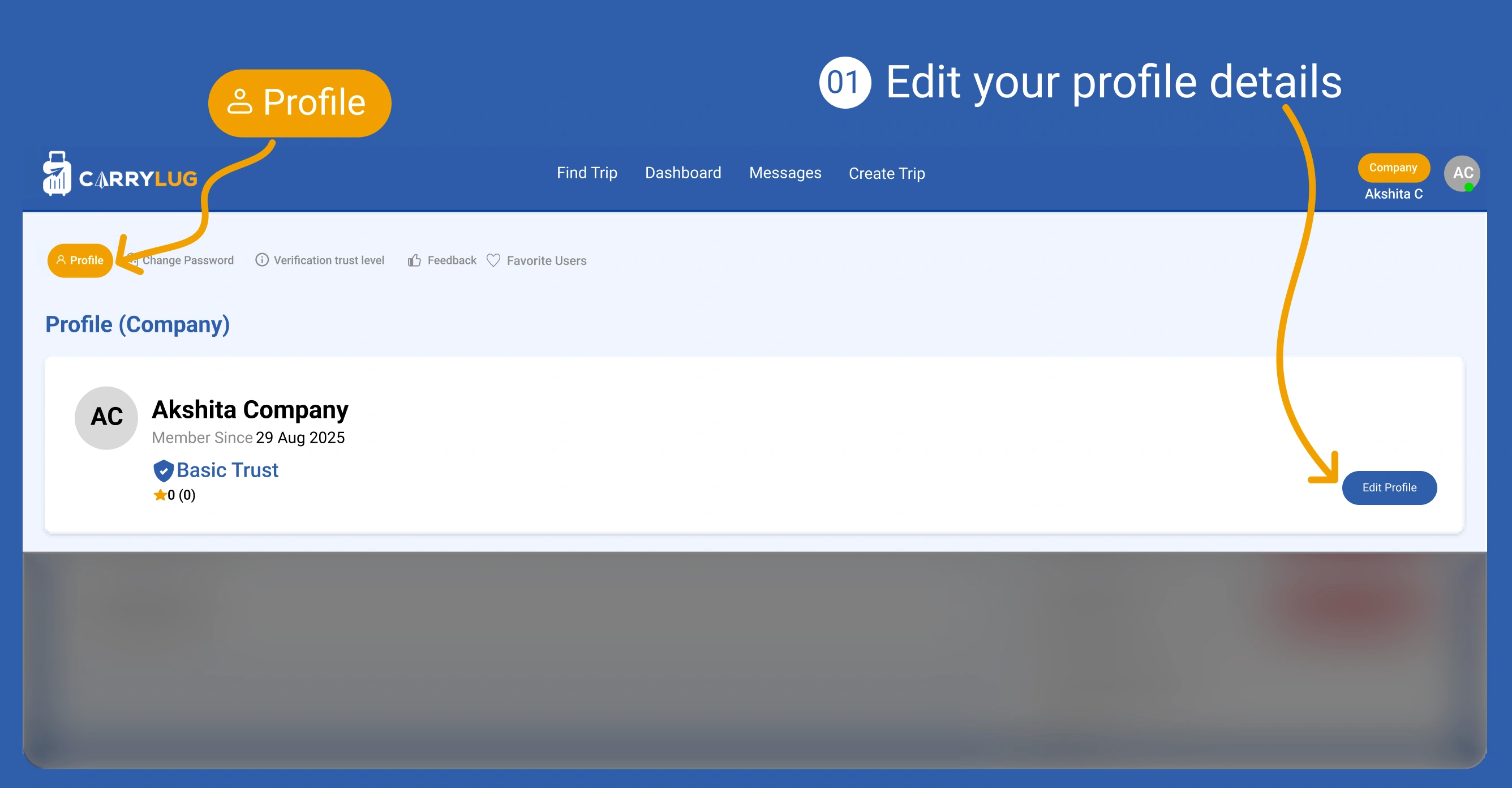
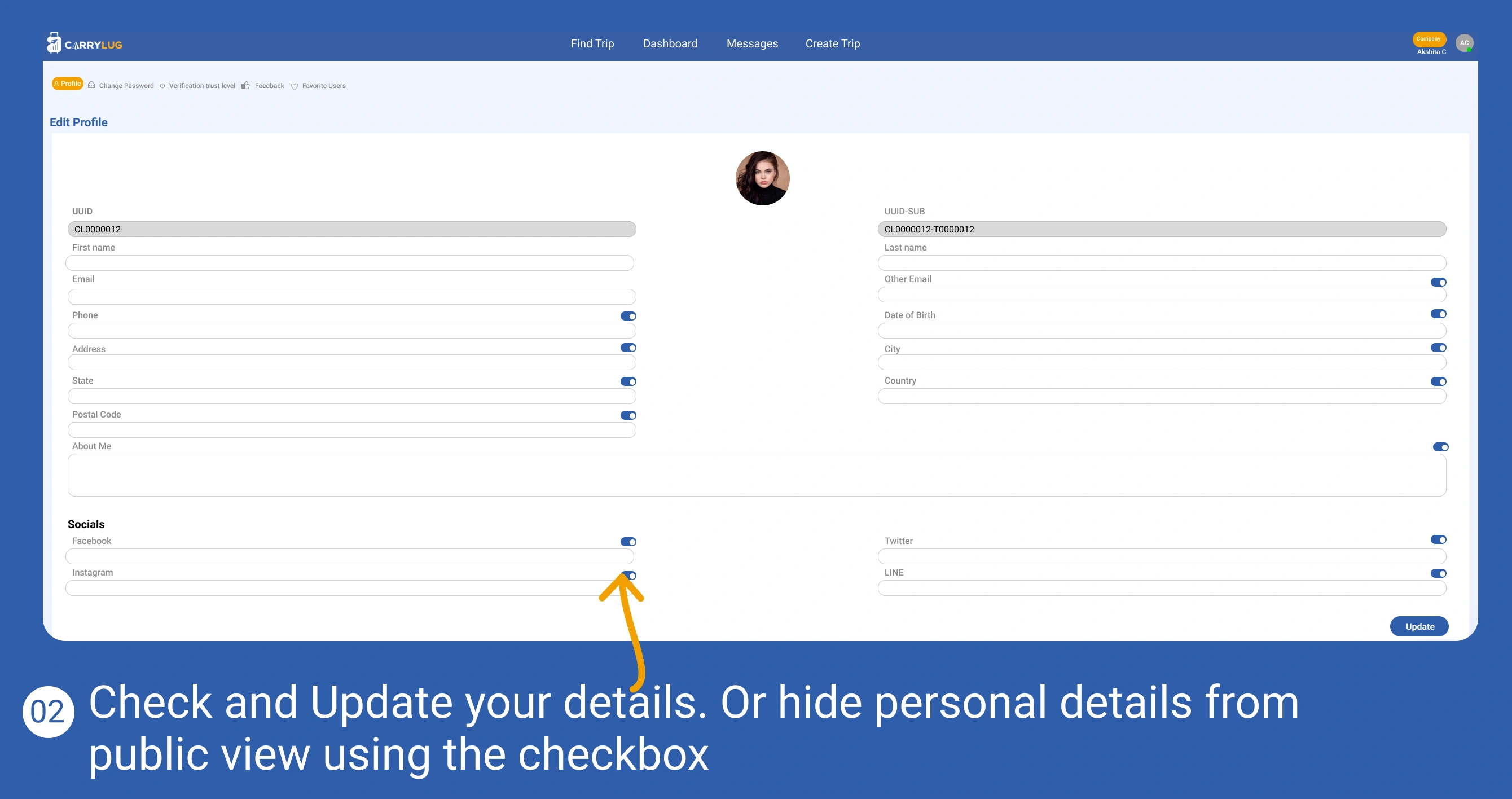
ตรวจสอบและอัปเดตข้อมูลโปรไฟล์บริษัทให้ถูกต้องอยู่เสมอ
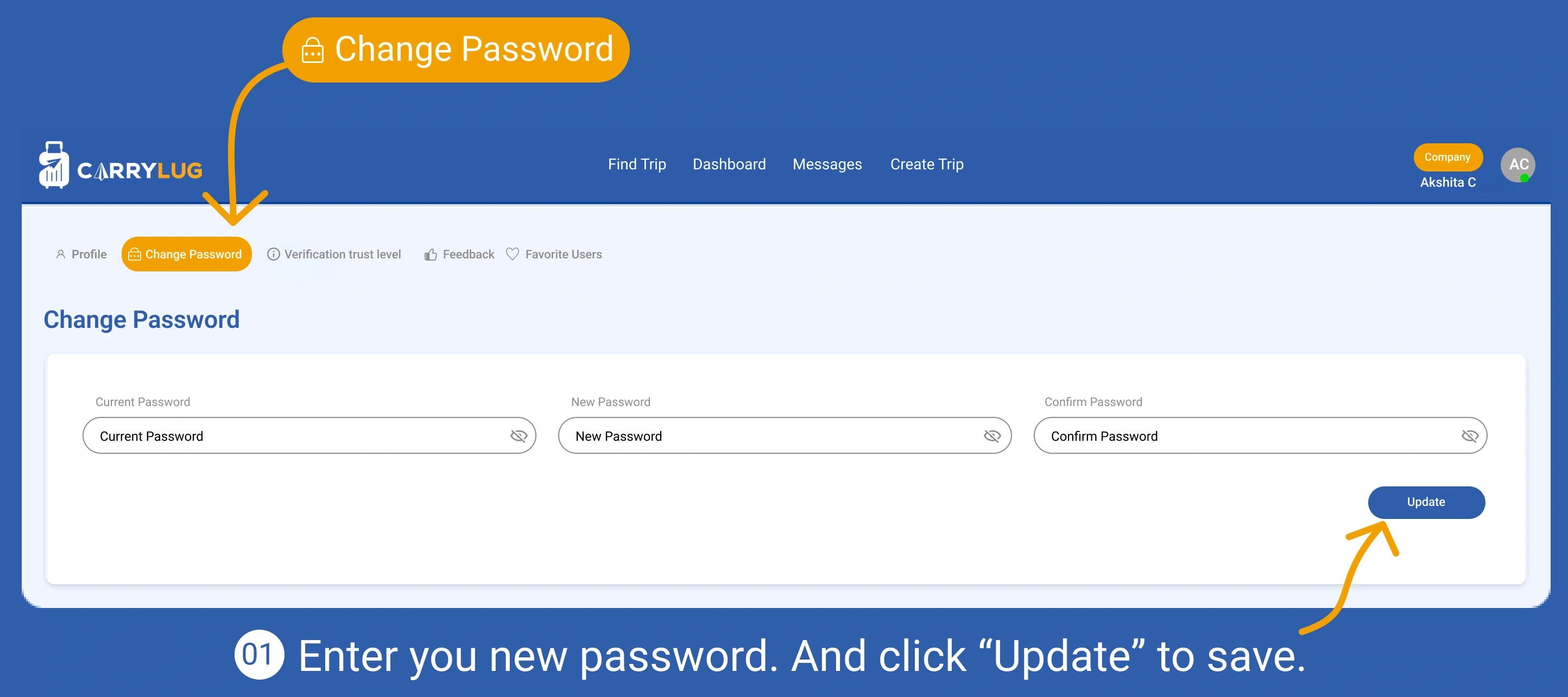
เปลี่ยนรหัสผ่านเพื่อเพิ่มความปลอดภัยให้บัญชี
เปิดส่วนการยืนยันตัวตนเพื่อเพิ่มระดับความน่าเชื่อถือ
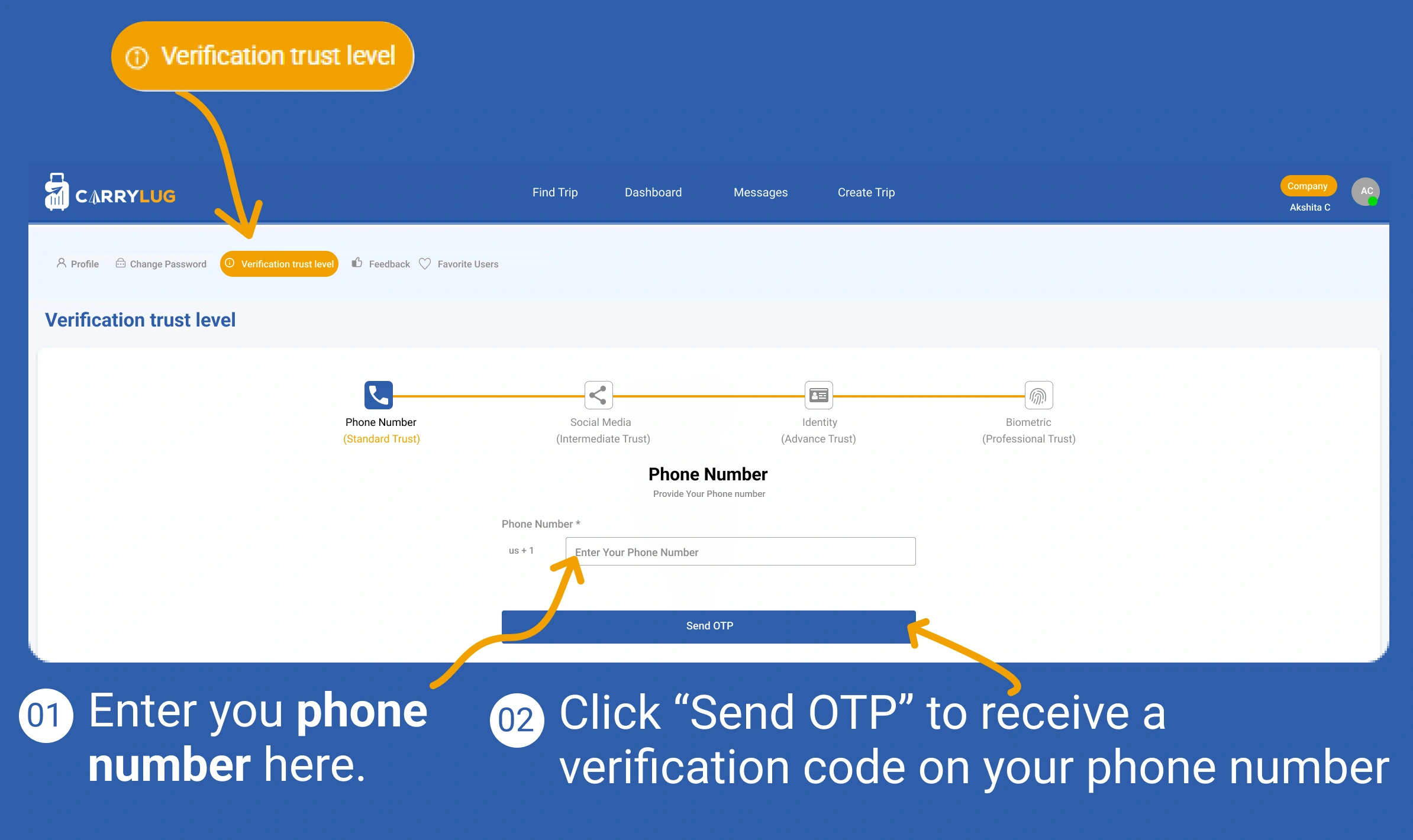
ยืนยันหมายเลขโทรศัพท์เพื่อความปลอดภัยของบัญชี
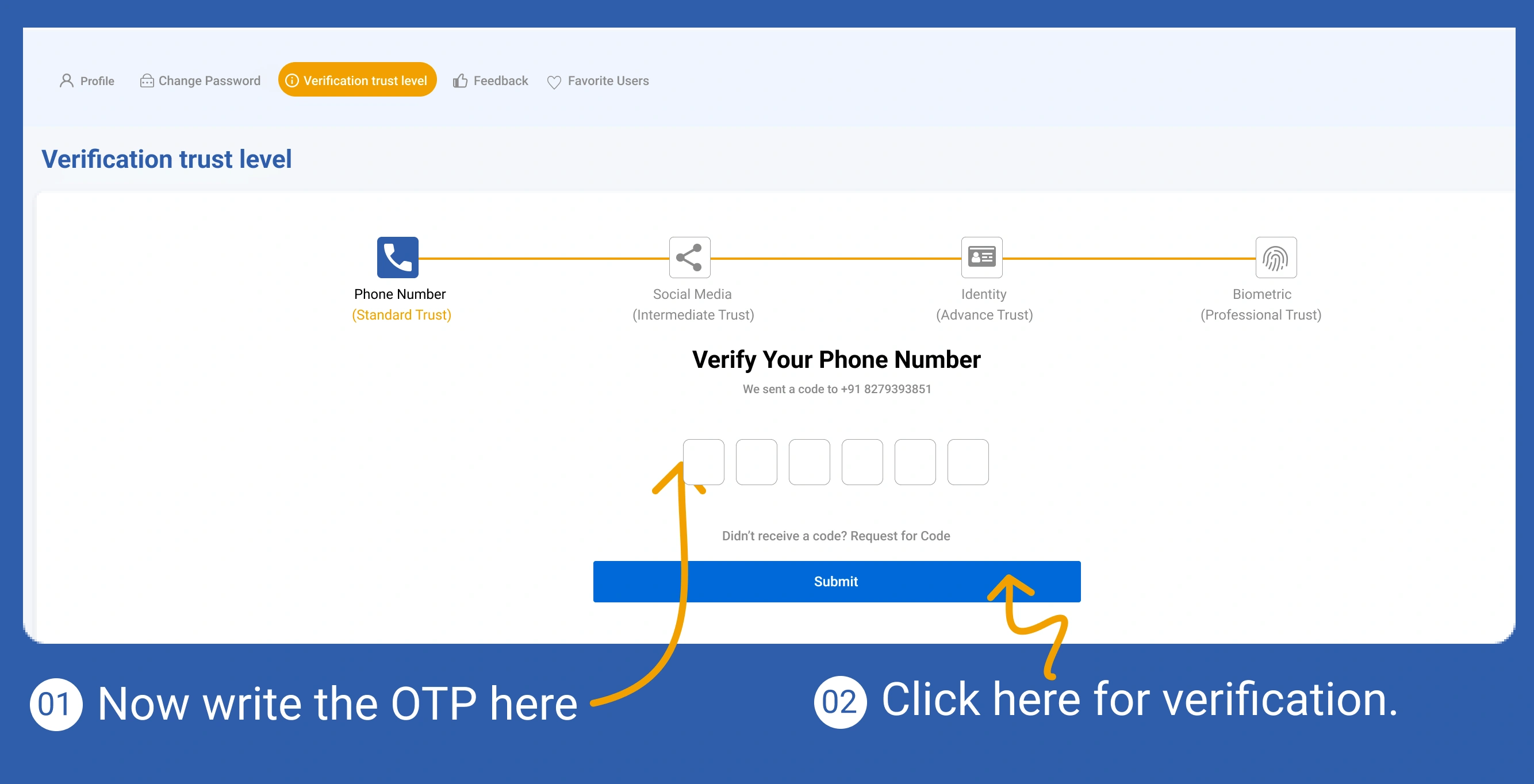
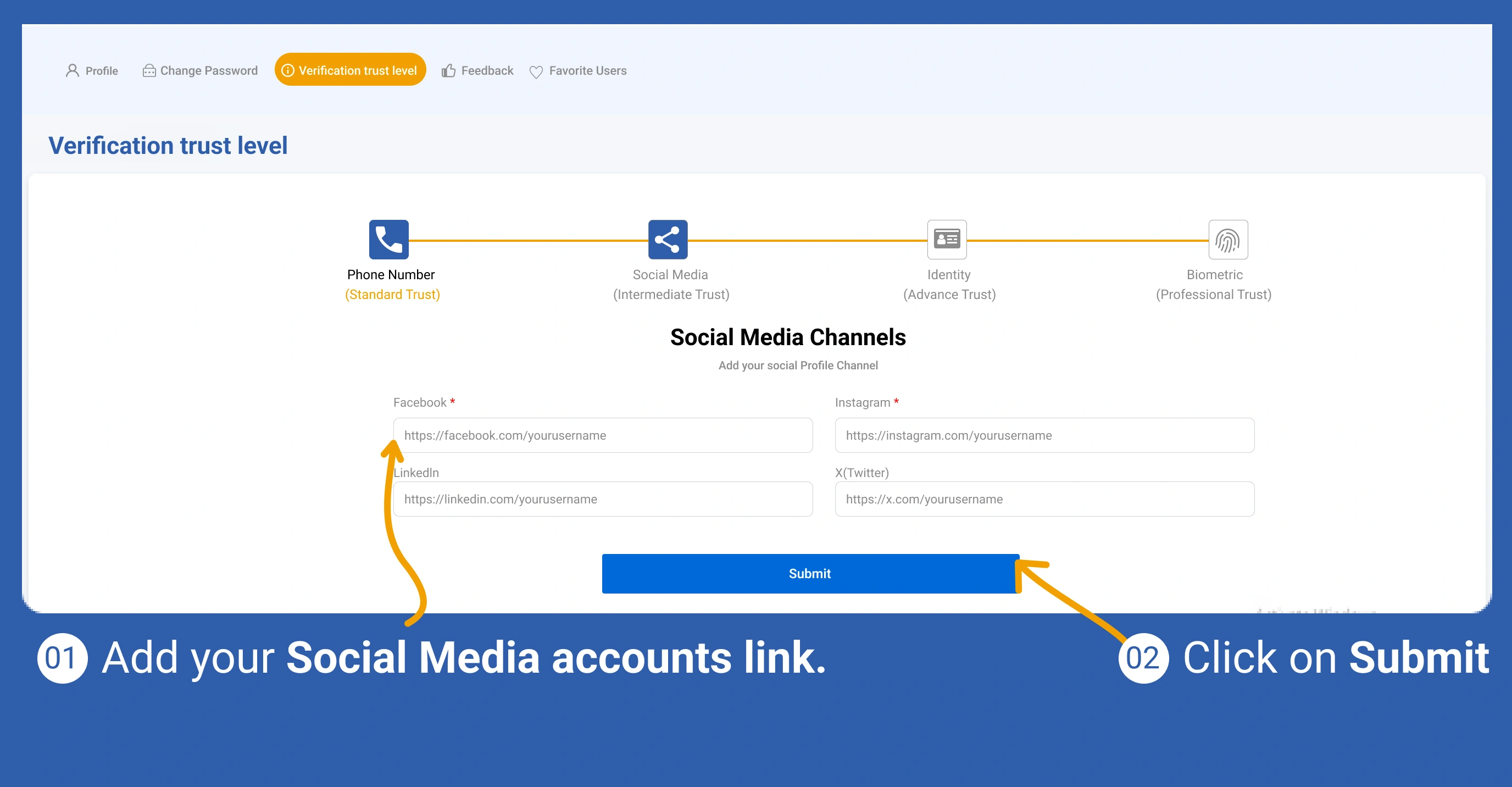
เพิ่มลิงก์สื่อสังคมออนไลน์เพื่อเสริมความน่าเชื่อถือ
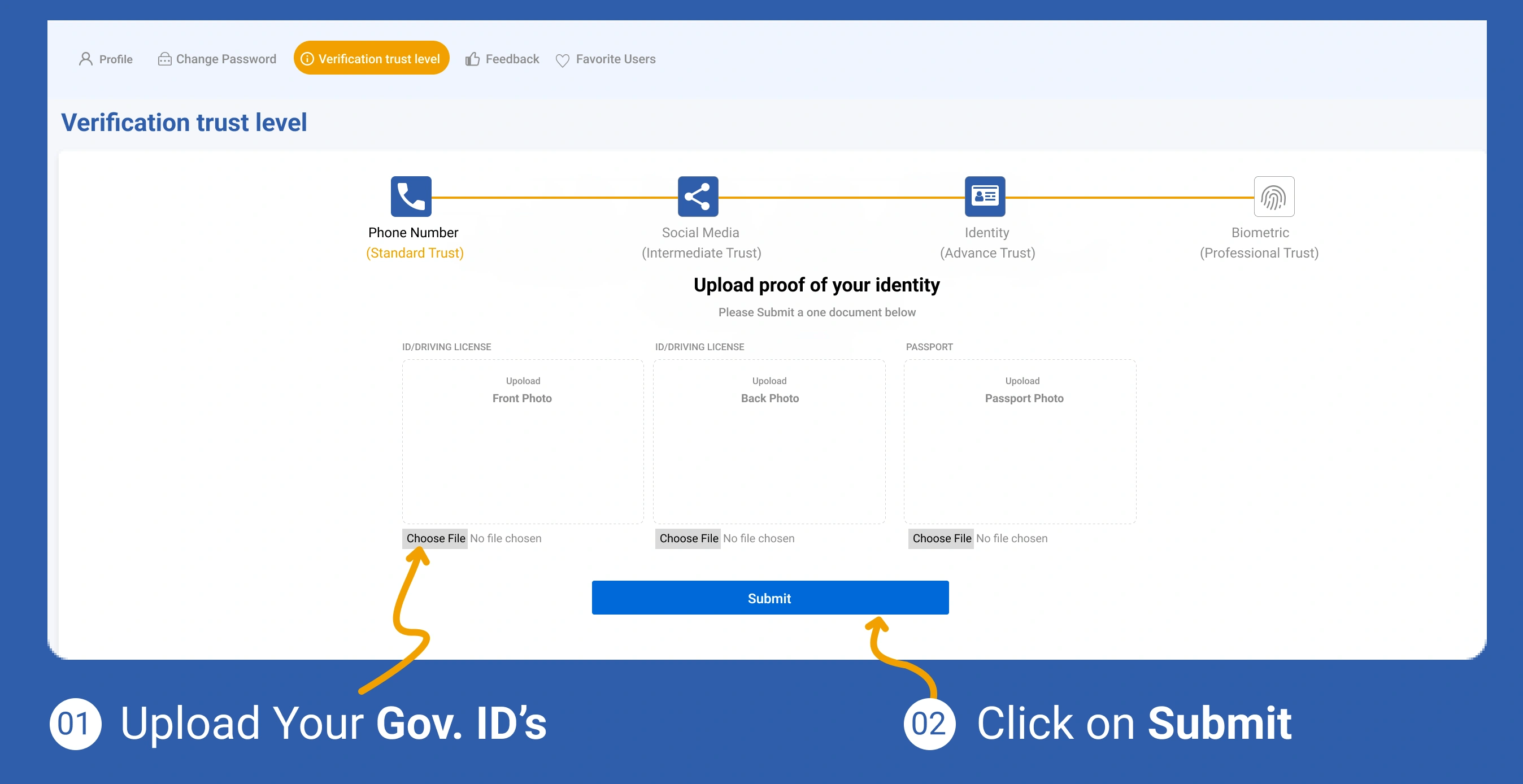
อัปโหลดเอกสารยืนยันตัวตนเพื่อดำเนินการยืนยันต่อ
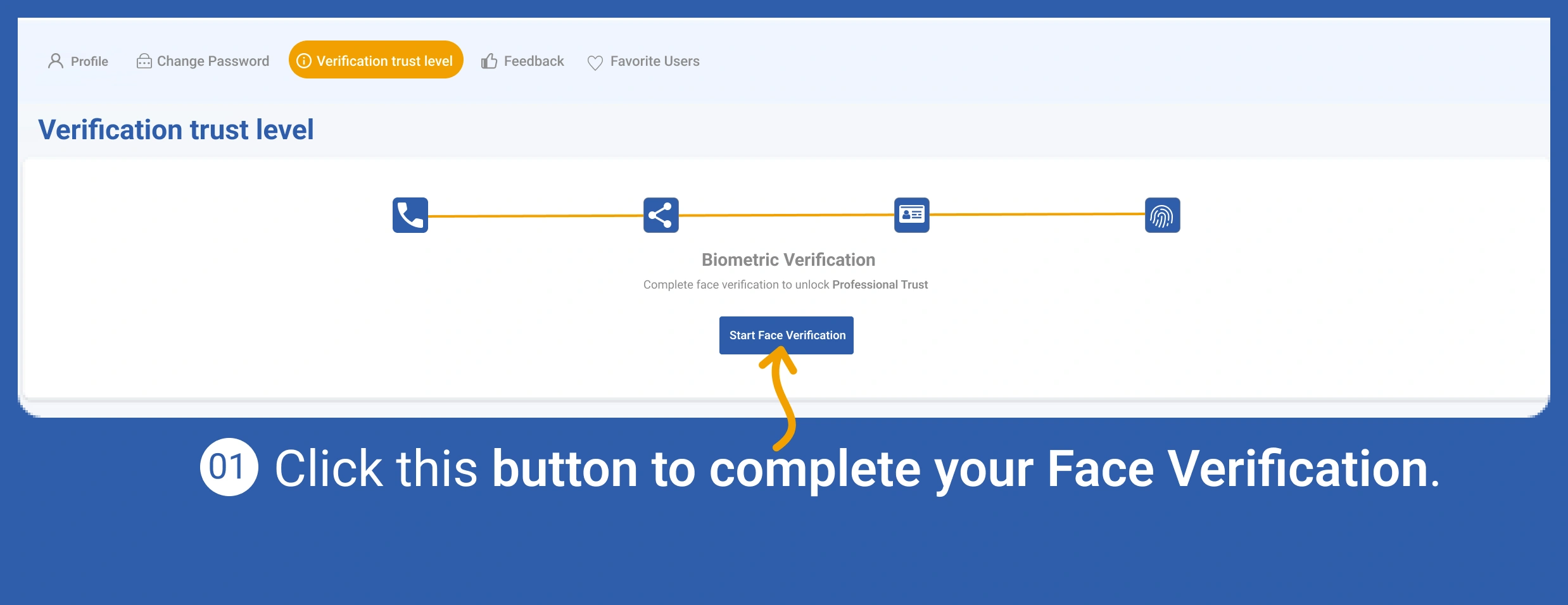
ทำการยืนยันตัวตนแบบชีวมิติเพื่อให้โปรไฟล์น่าเชื่อถือยิ่งขึ้น
ตรวจสอบข้อคิดเห็นจากรายการก่อนหน้าและปรับปรุงการให้บริการ
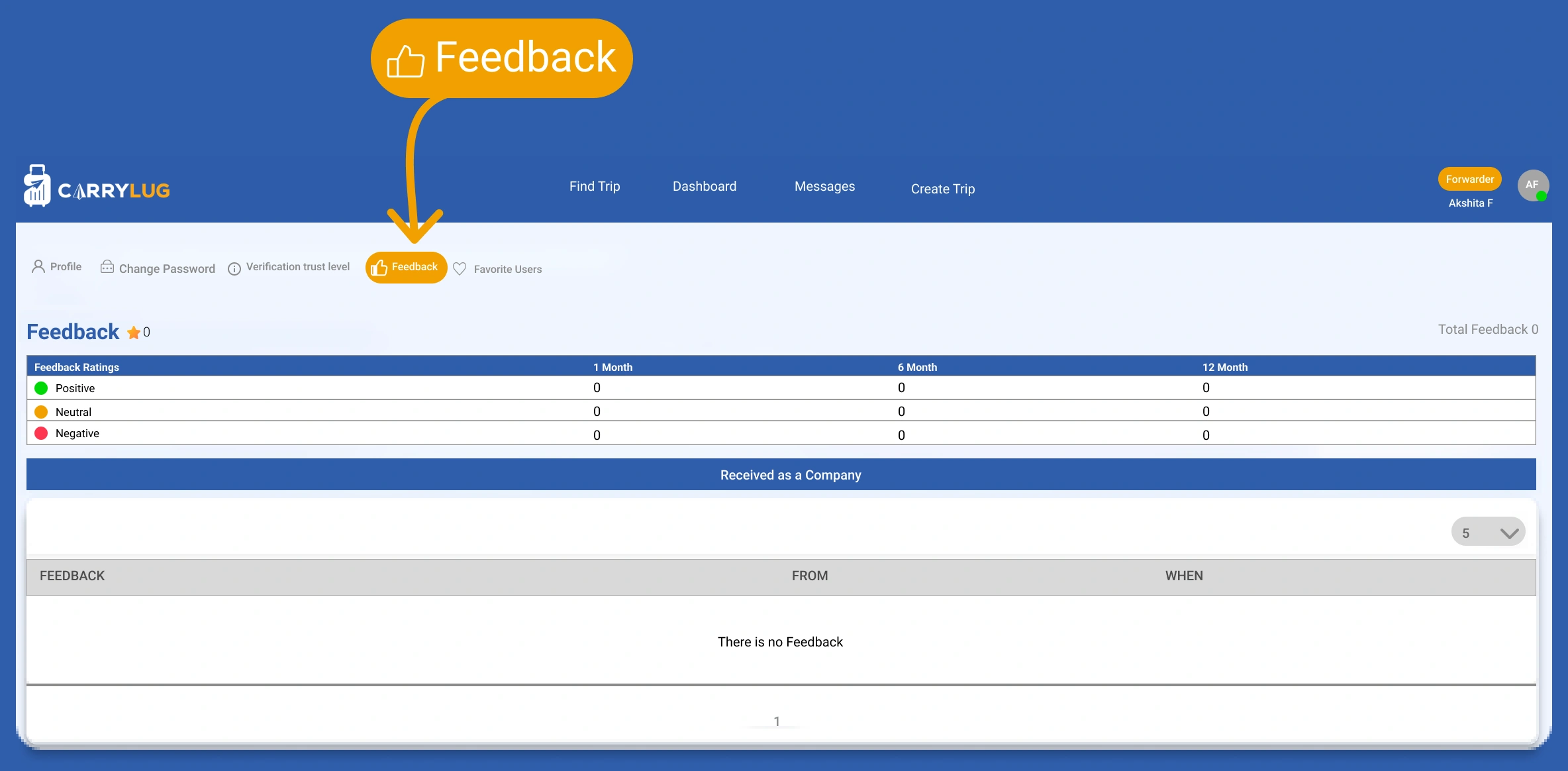
ดูผู้ใช้ที่บันทึกเป็นรายการโปรดเพื่อกลับไปติดต่อสมาชิกที่ไว้ใจได้